Best 1080p Gaming Monitors 2026
The best 1080p gaming monitors for esports and budget gaming in 2026, from 165Hz budget picks to 240Hz competitive powerhouses under $240. Expert picks, pros...
As an Amazon Associate we earn from qualifying purchases made through our links — this doesn't affect our picks.

ASUS TUF Gaming VG249Q3A 24-inch (23.8-inch viewable) 180Hz Fast IPS Gaming Monitor
Our top recommendation for this category
Price as of Aug 9, 2026 — see current price on Amazon.
Let me be direct: 1080p is not dead. In 2026 it's actually the smart choice for a huge chunk of gamers. If you play CS2, Valorant, Apex Legends, or any title where hitting 200+ FPS matters more than pixel count, you want a 1080p monitor. The math is simple: fewer pixels to push means more frames, and more frames wins firefights. Budget-conscious buyers with mid-range GPUs like the RTX 5060 also get more out of a fast 165Hz or 240Hz 1080p panel than they would trying to drive a 1440p screen at 60fps.
This guide narrows it down to four monitors worth your money. No filler, no outdated picks. These are the ones that actually deliver where it counts.
| Monitor | Size | Refresh Rate | Panel | Price | Best For | |
|---|---|---|---|---|---|---|
| ASUS TUF VG249Q3A | 24" | 180Hz | Fast IPS | ~$140 | Best Overall | Check Price |
| ASUS TUF VG249Q1A | 24" | 165Hz | IPS | ~$160 | Best IPS Value | Check Price |
| Lenovo Legion R25f-30 | 24.5" | 280Hz | VA | ~$179 | Best High Refresh | Check Price |
| ViewSonic XG2431 | 24" | 240Hz | Fast IPS | ~$239.99 | Best Premium Pick | Check Price |
ASUS TUF Gaming VG249Q3A: Best Overall 1080p Gaming Monitor
ASUS TUF Gaming VG249Q3A 24-inch (23.8-inch viewable) 180Hz Fast IPS Gaming Monitor
Pros
- 180Hz Fast IPS panel with 1ms GtG response
- 99% sRGB coverage for accurate color out of the box
- ELMB motion blur reduction plus FreeSync Premium
- Priced under ASUS's own list
Cons
- Basic stand, so a VESA arm is the upgrade path for ergonomics
- Built-in speakers are only good for system sounds
Price as of Aug 9, 2026 — see current price on Amazon.
The VG249Q3A is the monitor to buy if you just built your first gaming PC and want to stop playing on a borrowed TV. At around $140 on Amazon, under the $149 ASUS lists it at on its own store, you get a 23.8-inch Fast IPS panel at 180Hz with 1ms GtG response. That's a legitimately great combo for everyday gaming and casual competitive play.
Fast IPS is the upgrade over older budget IPS panels. Pixel transitions are quick enough that the extra refresh rate actually shows up as clearer motion instead of smear, and Variable Overdrive adjusts overdrive strength with your frame rate so you don't get overshoot halos when FPS dips below 180. ASUS's ELMB (Extreme Low Motion Blur) can sharpen fast-moving targets further when you need it.
The panel covers 99% of sRGB, so colors look natural without manual tuning, and viewing angles are as wide as you'd expect from IPS. Black levels are IPS-typical: fine for gaming, not deep enough for HDR movie nights. Connectivity is DisplayPort 1.2 plus HDMI 2.0, which is all a 1080p 180Hz panel needs.
The stand is the one place ASUS saved money. It's functional, but if you want height adjustment, budget for a VESA monitor arm.
ASUS TUF Gaming VG249Q1A: Best IPS Panel Under $200
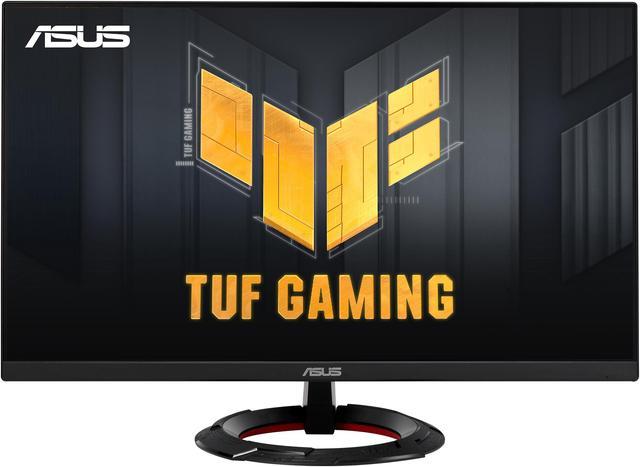
ASUS TUF Gaming VG249Q1A 24-inch 165Hz IPS Monitor
Pros
- ASUS ELMB sync reduces motion blur effectively
- Consistent IPS color accuracy across the panel
- Solid build quality with good stand ergonomics
- FreeSync Premium and G-Sync Compatible
Cons
- Older 165Hz panel costs more than the 180Hz VG249Q3A
- TUF aesthetic is subtle, not flashy
Price as of Aug 9, 2026 — see current price on Amazon.
ASUS TUF Gaming monitors have a quiet reputation for being reliable and well-built without charging you the ROG premium. The VG249Q1A falls right into that category. You get 165Hz, IPS, and ELMB sync, which is ASUS's proprietary motion blur reduction that actually works alongside FreeSync rather than fighting it.
The ELMB sync difference becomes noticeable in fast-paced shooters. Tracking a moving target across the screen at 165Hz with ELMB enabled is noticeably cleaner than without it. Whether that matters to you depends on what you play, but it's a real differentiator at this price.
Out-of-the-box color is decent for a $160 gaming monitor. Design work isn't this monitor's primary job, but most buyers won't need to recalibrate it.
The stand adjusts for height, tilt, and pivot. You can run it in portrait mode if you want a vertical browser window or productivity panel. At this price that kind of flexibility is genuinely nice to have.
Lenovo Legion R25f-30: Best for Competitive Gaming
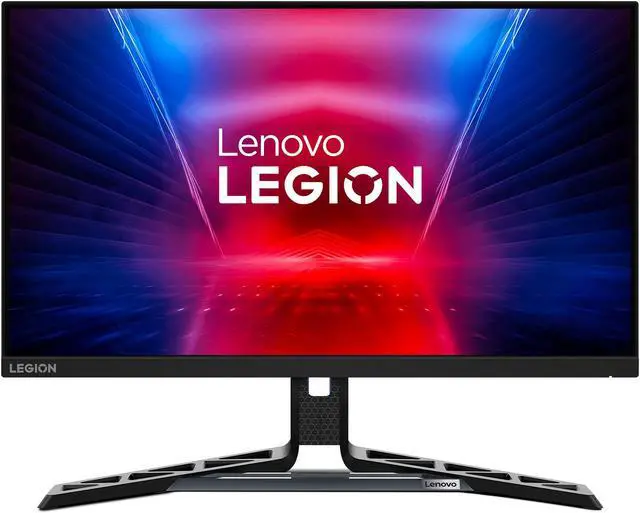
Lenovo Legion R25f-30 24.5-inch 280Hz VA Gaming Monitor
Pros
- 280Hz refresh rate for serious competitive play
- Fast 0.5ms response time in overdrive mode
- Ergonomic stand with full adjustment range
- Strong motion clarity at high frame rates
Cons
- VA panel has worse viewing angles than IPS
- Black crush can be visible in very dark game scenes
- Needs a capable GPU to actually hit 280fps consistently
Price as of Aug 9, 2026 — see current price on Amazon.
If you play competitive shooters at a high level and your GPU can push 200+ frames consistently, the Lenovo Legion R25f-30 is the monitor to consider. The 280Hz panel is the key feature here. At 280Hz motion clarity reaches a point where tracking fast-moving targets becomes noticeably easier than at 165Hz or even 240Hz.
The trade-off is the VA panel. VA technology in 2026 has gotten better, but it still shows viewing angle limitations that IPS doesn't. Sitting directly in front of the screen it looks good. Shift more than 30 degrees to either side and the image shifts noticeably. For a monitor you'll be gaming at from a fixed desk position, this isn't a problem in practice.
Black crush in dark game environments is the other VA quirk to know about. In something like a dark dungeon or night-time map, shadow detail in the very darkest zones can compress into pure black. This doesn't affect most games but it's worth knowing if dark game environments are a big part of what you play.
The 0.5ms response time in overdrive mode is measurably fast and helps the VA panel punch above its weight in motion clarity. Paired with 280Hz, this is a legitimately capable competitive gaming setup for under $200.
ViewSonic XG2431: Best Premium 1080p Monitor
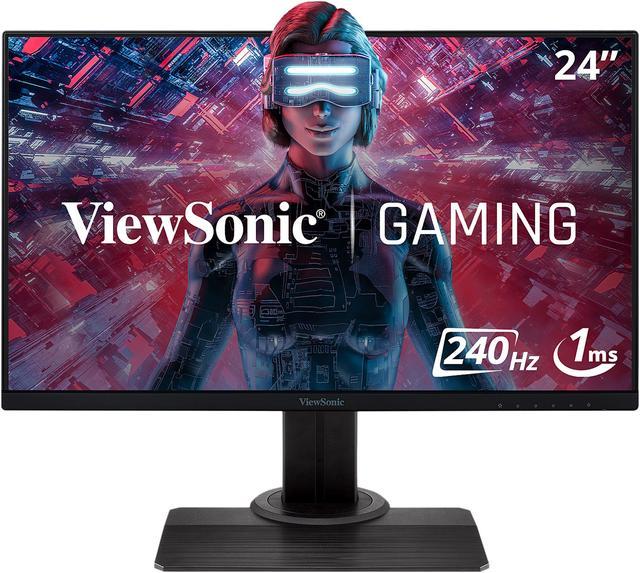
ViewSonic XG2431 24-inch 240Hz Fast IPS Gaming Monitor
Pros
- 240Hz Fast IPS with 0.5ms response time
- HDR400 with meaningful brightness for the spec
- Strong color accuracy for both gaming and content work
- Excellent ergonomic stand included
- FreeSync Premium Pro certified
Cons
- Most expensive pick here at ~$239.99
- Larger footprint than ultra-slim competitors
Price as of Aug 9, 2026 — see current price on Amazon.
The ViewSonic XG2431 is the monitor for the person who wants the best 1080p experience money can reasonably buy without chasing diminishing returns. Fast IPS panels bridge the gap between IPS color quality and the response speed previously only available on TN panels. The XG2431 uses a Fast IPS panel at 240Hz with a 0.5ms GtG response time, which is genuinely fast enough that panel type stops being a discussion.
ViewSonic tuned this panel well. The HDR400 certification actually means something here because the display hits 400 nits of peak brightness, which creates a real contrast boost in supported content. It's not the same as a high-end HDR TV, but it's the first tier where HDR stops being purely a marketing badge.
The color accuracy sits around Delta E 1.5 out of the box, making this a rare gaming monitor that's also suitable for light color-critical work. If you edit photos occasionally or do any creative work alongside gaming, you'll appreciate not needing to run a separate calibrated display.
At $239.99 this is the premium option in the 1080p category, but compared to spending $350+ for a solid 1440p monitor, it's reasonable if you know 1080p high-fps gaming is what you want.
How to Pick the Right 1080p Gaming Monitor
Why 1080p Still Makes Sense in 2026
The "1080p is outdated" argument misses what most gamers actually want. For titles like CS2, Valorant, Apex Legends, and Overwatch 2, maximizing frames per second is the priority, not resolution. A mid-range GPU that outputs 180fps at 1080p will only manage 90fps at 1440p. The competitive advantage from higher frame rates is real and measurable.
Budget considerations matter too. A $300 GPU paired with a $150 1080p monitor is a better combination than that same $300 GPU struggling to keep up with a $350 1440p panel at target refresh rates.
The Refresh Rate Sweet Spot
165Hz is the entry point worth owning. The jump from 60Hz to 165Hz is dramatic in everyday use, and 165Hz panels are cheap now. Whether you need 240Hz or 280Hz depends on what you play.
For casual gaming and general use: 165Hz is plenty. Competitive multiplayer where you're trying to rank up: 240Hz starts showing real advantages. For serious competitive play where you're grinding ranked and care about milliseconds: 280Hz or higher makes sense, but you'll feel it more if your GPU can consistently hit those frame rates.
IPS vs VA for Gaming
IPS wins on color accuracy, viewing angles, and consistency. VA wins on contrast ratio, which means deeper blacks and better static image quality in dark content. For most 1080p gamers, IPS is the right call because the better viewing angles and color accuracy serve both gaming and general use. The only reason to go VA is if you specifically want deeper black levels or if you're going for the 280Hz Lenovo Legion for its speed advantages.
Monitor Size and Pixel Density at 1080p
24 inches is the standard for competitive 1080p gaming because pixel density stays comfortable and you can take in the whole screen without moving your head. At 27 inches, 1080p starts looking a bit soft, which is why nearly every esports pro and coach recommends 24-25 inch screens for competitive play. If you want 27 inches, step up to 1440p instead.
Response Time Claims and What's Real
Manufacturers market numbers like "0.5ms" and "1ms" aggressively, but the methodology varies. MPRT (Moving Picture Response Time) and GtG (Gray-to-Gray) measure different things. GtG is the more commonly relevant spec for gaming. All four monitors here have GtG response times between 0.5ms and 1ms in their fastest overdrive mode, which is fast enough that you'll never notice panel response as a limiter.
Frequently asked questions
- Is 1080p still worth buying in 2026?
- Yes, especially for competitive gaming. Titles like CS2, Valorant, and Apex Legends are designed around high frame rates, and 1080p lets mid-range GPUs like the RTX 5060 or RX 9060 XT hit 200+ fps where 1440p might only manage 120fps. If high frame rates matter to you, 1080p is the right call.
- What refresh rate do I need for gaming?
- 165Hz is the minimum worth buying in 2026. The jump from 60Hz to 165Hz is dramatic and immediately noticeable. If you play competitive games seriously, 240Hz is worth the extra cost. 280Hz and above is for dedicated ranked players whose GPUs can consistently push those frame counts.
- IPS or VA panel for a 1080p gaming monitor?
- IPS for most people. You get better viewing angles, more consistent color, and wider compatibility across games. VA is worth considering only if you specifically want deeper blacks or if you are choosing the Lenovo Legion R25f-30 for its 280Hz speed advantage over the IPS alternatives at that refresh rate.
- Should I get a 24-inch or 27-inch 1080p gaming monitor?
- Stick to 24-25 inches for 1080p gaming. At 27 inches, 1080p resolution starts looking visibly soft because the pixel density drops to about 82 PPI, which is noticeably low on a modern monitor. If you want 27 inches, go 1440p instead for a comfortable viewing experience.
- What GPU do I need to get 240Hz at 1080p?
- For 240fps consistently in modern titles you generally want an RTX 5060 or RX 9060 XT at minimum, and even those will dip below 240fps in demanding AAA games. For esports titles at 1080p (CS2, Valorant, Apex) those GPUs handle 240fps comfortably. For single-player open-world games at 240fps you need an RTX 5070 or better.
- Can a 1080p gaming monitor also handle productivity work?
- The ViewSonic XG2431 and ASUS TUF VG249Q3A both have strong enough factory calibration and color accuracy for everyday productivity tasks. Spreadsheets, documents, and general browsing work fine on any of these. Light photo editing is fine on the ViewSonic or the VG249Q3A. Professional color-critical work needs a dedicated display with wider color gamut coverage.
Bottom Line
For most gamers, the ASUS TUF VG249Q3A is the pick: a 180Hz Fast IPS panel, 99% sRGB color and ELMB motion blur reduction at around $140, under ASUS's own list price. If you want a step up in smoothness and your GPU pushes 200+ fps in the titles you play, the Lenovo Legion R25f-30 at $179 gives you 280Hz at a reasonable premium. And if you want the best overall 1080p experience with no compromises, the ViewSonic XG2431 at $239.99 delivers Fast IPS speed with 240Hz and genuinely good HDR.
All four monitors here are solid picks. The worst choice is spending $150 on a 60Hz TN panel and wondering why your aim feels sluggish. Pick based on your GPU's output capability and your game library, and you'll come out right.
How We Pick
We pick products by combining spec-level research, price checks, trusted third-party benchmarks, and owner sentiment from high-signal sources.
- Performance and real-world value in the category this guide targets
- Price-to-performance and deal consistency over recent pricing windows
- Build quality, reliability patterns, and known long-term issues
- Recommendation refresh cadence to keep these picks current
Author
TheTechSearch Editorial Team
Independent product reviewers & PC builders
We compare real-world specs, reviews and owner reports, price trends, and user feedback to recommend gear that actually makes sense to buy.