Best 4K Projectors Under $1000 in 2026
The best 4K projectors under $1000 for home theater, gaming, and movie nights. Honest tradeoffs, no fluff. Expert picks, pros and cons, and side-by-side comp...
As an Amazon Associate we earn from qualifying purchases made through our links — this doesn't affect our picks.
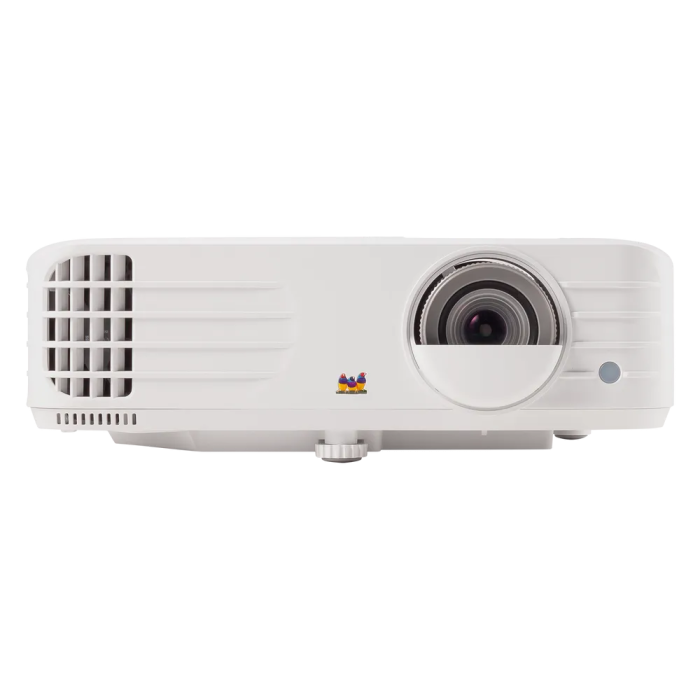
ViewSonic PX701-4K
Our top recommendation for this category
Price as of Jun 24, 2026 — see current price on Amazon.
The $1000 barrier for 4K projection has been broken so thoroughly that it almost feels silly to mention. Five years ago you were paying $2,500 for a decent native 4K image. Today you can get native 4K at 3,200 lumens for under a grand, or spend a bit less and get smart features, laser light sources, and auto-setup tech that used to be luxury items.
What follows is an honest breakdown of the best options, who each one is actually for, and where each falls short. Because every projector here has a real tradeoff worth understanding before you spend $650 to $999.
| Projector | Resolution | Brightness | Input Lag | Price | |
|---|---|---|---|---|---|
| ViewSonic PX701-4K | Native 4K | 3,200 ANSI lumens | 4.2ms @ 1080p | $976 | Check Price |
| XGIMI HORIZON S Pro | 4K | 1,800 ISO lumens | Fast | $949 | Check Price |
| LG CineBeam Q HU710PB | 4K UHD | 500 lumens | Low | $649 | Check Price |
ViewSonic PX701-4K: Best Overall
ViewSonic PX701-4K
Pros
- Native 4K with 3,200 lumens
- 4.2ms ultra-fast response time at 1080p
- 240Hz refresh rate via HDMI 2.0
- Auto V-Keystone for easier setup
- Dual HDMI 2.0 inputs
- 1.1x optical zoom gives setup flexibility
Cons
- No smart TV features
- SuperColor tech helps, but colors run less neutral than color-focused rivals
- Fan is louder than competitors at full brightness
Price as of Jun 24, 2026 — see current price on Amazon.
The PX701-4K's standout spec is the 4.2ms response time at 1080p. That's not a projector number, that's monitor territory. If you're running a PS5 at 1080p/120Hz or playing competitive PC games, this is the projector that keeps up without compromise.
It's also the most complete all-rounder here: 3,200 ANSI lumens for rooms that aren't fully dark, native 4K, dual HDMI 2.0 inputs, and a 1.1x optical zoom, at $976 against ViewSonic's own $979.99 list. The tradeoff is color accuracy. ViewSonic's SuperColor technology improves things, but reviewers still find its colors less neutral than color-focused projectors. For gaming and action movies this difference is barely perceptible. For color-graded cinema it starts to show.
Setup flexibility from the 1.1x optical zoom lets you fine-tune the image size without moving the projector. Small thing, but it matters when your projector is ceiling-mounted and adjusting placement would require a ladder.
XGIMI HORIZON S Pro 2024
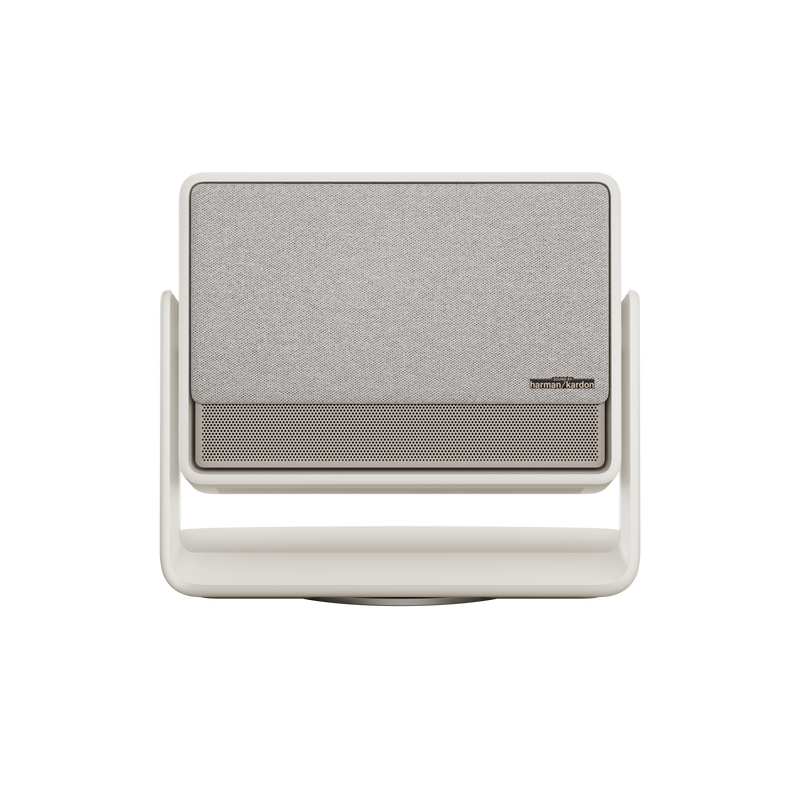
XGIMI HORIZON S Pro 2024
Pros
- Dolby Vision support, first projector in this range to have it
- Dual Light 2.0 technology (laser plus LED hybrid)
- Built-in Android TV with Google Assistant
- Automatic screen alignment and keystone correction
- Harman Kardon dual 12W speakers
- Built-in flexible stand, no mount required
Cons
- 1,800 ISO lumens, needs dim room for best results
- Noticeably dimmer than the ViewSonic pick
- Higher price for fewer lumens requires buying into smart features
Price as of Jun 24, 2026 — see current price on Amazon.
The HORIZON S Pro is a fundamentally different kind of projector than the others on this list. Where the ViewSonic prioritizes raw brightness for home theater flexibility, the XGIMI prioritizes the smart living room experience.
Dolby Vision is a big deal. Most projectors under $2,000 don't have it. Dolby Vision dynamically optimizes every scene's brightness and color, and on properly mastered content like Apple TV+ originals or Netflix HDR films, it makes a visible difference. Colors are richer, highlights don't clip, and dark scenes hold detail.
The built-in Android TV means you install apps directly. No streaming stick needed. Google Assistant handles voice search across everything. The automatic screen alignment is genuinely impressive: place the projector on its flexible stand, turn it on, and it adjusts the image to fit your wall perfectly within about 15 seconds.
The brightness limitation is real though. 1,800 ISO lumens is well under the 3,200 ANSI lumens of the ViewSonic. In a dedicated dark room it's plenty. In a room where you can't fully control the light, the image suffers noticeably after dark when competing with lamps or ambient light bleed. Know your room before choosing this one.
LG CineBeam Q HU710PB
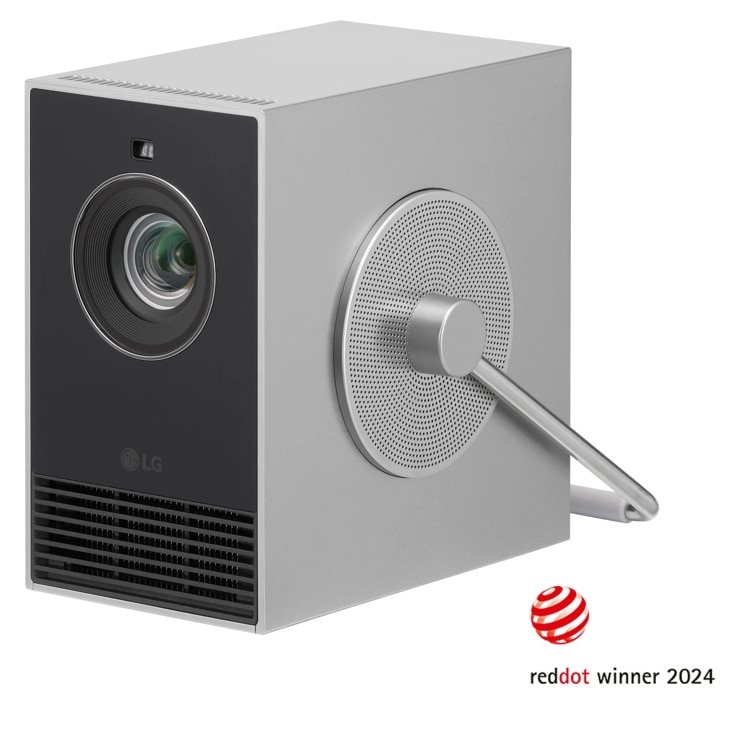
LG CineBeam Q HU710PB
Pros
- RGB laser light source, 154% DCI-P3 color gamut is extraordinary
- Compact portable design, under 3 lbs
- Auto focus, auto keystone, auto screen adjustment
- webOS smart TV built in
- 25,000-hour laser rated lifespan
Cons
- 500 lumens requires a dark room, period
- Not suitable for rooms with any ambient light
- webOS is less app-friendly than Google TV or Apple TV
Price as of Jun 24, 2026 — see current price on Amazon.
The CineBeam Q is the projector that makes image quality enthusiasts stop and stare. The RGB laser light source delivers 154% of the DCI-P3 color gamut, which means colors that DLP lamp projectors simply cannot reproduce. Reds are genuinely red, not orange-red. Deep greens and rich cyans that other projectors compress into similar hues appear as distinct colors here.
The tradeoff is stark: 500 lumens. You need a dark room. Not dimmed, dark. This is not a projector you use with people walking through the room turning on kitchen lights. In a proper dark room, the image quality is stunning. Better looking than many projectors at three times the price, specifically for cinematic content.
The compact form factor is a real advantage for flexibility. At under 3 lbs with a built-in stand, it goes anywhere. Auto-everything setup means no fussing with keystone dials or focus rings.
At $649 it's the most affordable pick here, but it's a dark-room specialist. If that matches your setup, nothing at this price delivers better picture.
How to Choose the Right 4K Projector Under $1000
Brightness Is the Most Important Spec (and the Most Misrepresented)
ANSI lumens is the only honest brightness measurement. ISO lumens can be inflated by testing conditions. Manufacturer "lumens" from no-name brands are often made up entirely.
For a completely dark room, 500 to 1,500 lumens produces a beautiful image. In a room you can dim but not fully darken (typical living rooms at night with lamps off), aim for 2,000 lumens minimum. For a room with ambient light or daytime viewing, you want 3,000 or more. The ViewSonic PX701-4K at 3,200 ANSI lumens is the pick here if controlling ambient light is difficult.
Native 4K vs. 4K UHD Pixel Shifting
Two of the three projectors here use native 4K DLP chips that display 8.3 million actual pixels simultaneously. The XGIMI uses pixel-shifting technology that shifts its native chip very rapidly to simulate 4K. At normal viewing distances of 10 to 15 feet, the difference is subtle. On very large screens (150 inches or more) or viewed close up, native 4K shows slightly more refined detail in textures.
For most people at typical viewing distances, both look great. Don't obsess over this distinction at the expense of missing more impactful specs like brightness or color accuracy.
Gaming Projectors vs. Home Theater Projectors
The ViewSonic PX701-4K is the gaming-capable pick here, with low input lag. At 4.2ms it leads the group at 1080p, and it handles PS5 and Xbox Series X at 4K/60Hz without perceptible lag.
The XGIMI and LG CineBeam Q lean toward movie watching. Input lag specs on smart projectors tend to be higher, and neither advertises gaming performance as a core feature. They're not terrible for casual gaming, but competitive players will notice the difference.
Throw Ratio and Room Size
Standard throw projectors need roughly 1.2 to 1.5 feet of throw distance per foot of screen width. A 100-inch screen (about 87 inches wide) needs roughly 9 to 11 feet of distance with a standard-throw projector. Measure your room before purchasing. If you have less than 8 feet from projector position to screen position for a 100-inch image, you'll need a short-throw model (which costs more).
Lamp Life and Lamp Replacement Costs
The ViewSonic uses a traditional lamp light source. Lamps typically last 4,000 to 6,000 hours in normal mode, longer in eco mode. Replacement lamps cost $80 to $150. The XGIMI's laser-LED hybrid and the LG's RGB laser are rated at 25,000 hours plus. No lamp replacements, and brightness stays consistent over time rather than slowly dimming.
The Smart TV Factor
If you already own a Fire Stick, Roku, or Apple TV, skip the smart features and spend the savings on brightness. If you want a clean single-cable setup, the XGIMI HORIZON S Pro's built-in Android TV is genuinely good. The LG's webOS is functional but has fewer apps than Google TV or Roku.
Frequently asked questions
- What is the best 4K projector under $1000 overall?
- The ViewSonic PX701-4K is the best all-around choice for most setups. It delivers native 4K at 3,200 ANSI lumens, which is bright enough for rooms with reduced ambient light, plus 4.2ms input lag at 1080p for gaming and a 1.1x optical zoom for easier placement. At $976 it sits right at the top of the budget, just under ViewSonic's own list price.
- Can I use a 4K projector under $1000 in a room with windows?
- During daytime with sunlight coming in, no projector under $1000 handles that well. At night with curtains drawn and lamps off, the ViewSonic PX701-4K at 3,200 lumens handles it reasonably well. For any room where you have some ambient light, prioritize models with 3,000 ANSI lumens or above.
- Is 4K noticeably better than 1080p on a projector?
- On screens 100 inches or larger at viewing distances of 8 to 12 feet, yes. 4K shows cleaner texture detail in grass, fabric, hair, and cityscapes. On screens under 100 inches or viewing distances over 15 feet, the difference shrinks significantly. The bigger practical benefit of these projectors is often the HDR support and improved color accuracy that comes alongside 4K at this price point.
- Do I need a special screen for a 4K projector?
- Not necessarily. A plain white wall in good condition produces a surprisingly good image. A proper gain-1.0 projector screen improves contrast and sharpness noticeably and costs $80 to $200 for most sizes. High-gain screens (1.5 to 2.0) amplify brightness but narrow the sweet spot of the viewing angle. For rooms with ambient light, ambient light rejection (ALR) screens are worth the premium, starting around $300 for a 100-inch screen.
- What input lag is acceptable for gaming on a projector?
- Under 30ms is generally considered acceptable for action and adventure games. Under 16ms is competitive gaming territory. The ViewSonic PX701-4K at 4.2ms at 1080p is the standout for competitive games. It also performs well for console gaming at 4K/60Hz.
- How long do projectors last?
- Lamp-based projectors last 4,000 to 6,000 hours before the lamp needs replacing at $80 to $150. Laser and laser-LED projectors like the XGIMI and LG CineBeam Q are rated at 25,000-plus hours, meaning 34 years at two hours per day. Laser projectors also maintain their brightness more consistently over time, while lamp projectors gradually dim.
The Bottom Line
For most buyers, the ViewSonic PX701-4K is the pick. Native 4K at 3,200 lumens, 4.2ms input lag at 1080p, dual HDMI and optical zoom. It works in imperfect rooms where dimmer projectors fall flat, and at $976 it stays under the $1000 line.
Viewers with a dedicated dark room should seriously consider the LG CineBeam Q for its RGB laser color. And if smart TV features and automatic setup matter to you, the XGIMI HORIZON S Pro earns its price with Dolby Vision and a setup experience that makes every other projector feel dated.
All three projectors here deliver real 4K home theater. That's not something that was possible even three years ago.
As an Amazon Associate, we earn from qualifying purchases. This doesn't affect our recommendations or editorial independence.
How We Pick
We pick products by combining spec-level research, price checks, trusted third-party benchmarks, and owner sentiment from high-signal sources.
- Performance and real-world value in the category this guide targets
- Price-to-performance and deal consistency over recent pricing windows
- Build quality, reliability patterns, and known long-term issues
- Recommendation refresh cadence to keep these picks current
Author
TheTechSearch Editorial Team
Independent product reviewers & PC builders
We compare real-world specs, reviews and owner reports, price trends, and user feedback to recommend gear that actually makes sense to buy.