Best AI Laptops 2026
The best AI-powered laptops of 2026 with dedicated NPUs for local AI processing, from Copilot+ PCs to Apple silicon machines built for AI workloads. Expert p...
As an Amazon Associate we earn from qualifying purchases made through our links — this doesn't affect our picks.
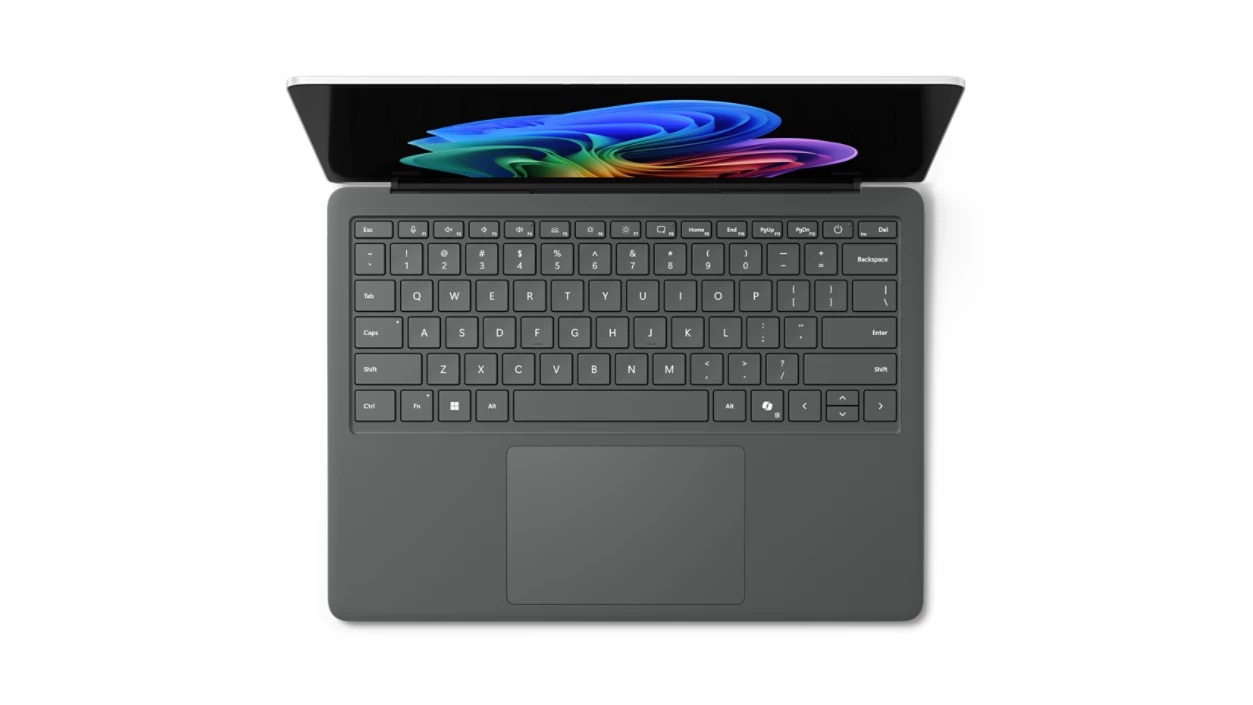
Microsoft Surface Laptop 7 (15-inch)
Our top recommendation for this category
Price as of Apr 14, 2026 — see current price on Amazon.
AI laptops have gone from marketing buzzword to actual performance category in less than a year. The difference now is neural processing units (NPUs) built directly into the CPU, handling AI tasks like image generation, video transcription, and real-time translation without burning through your battery or hammering your GPU. Microsoft's Copilot+ PC certification set the baseline at 40+ TOPS (trillion operations per second) for AI performance, and most flagship laptops in 2026 clear that easily.
The practical result is laptops that can run local AI models, handle AI-assisted photo editing in real-time, transcribe meetings on-device without uploading audio to the cloud, and provide AI features in Office apps without the latency of cloud processing. If you work with AI tools daily, the performance gap between NPU-equipped and traditional laptops is immediately noticeable.
Here's what actually delivers in 2026.
Our top picks at a glance
| Laptop | NPU | Processor | RAM | Price | |
|---|---|---|---|---|---|
| Microsoft Surface Laptop 7 (15-inch) | 45 TOPS | Snapdragon X Elite | 16GB | $1,671 | Check Price |
| Dell 14 Plus (DB14250) | 47 TOPS | Intel Core Ultra 7 256V | 16GB | $1,030 | Check Price |
| Lenovo Yoga Slim 7x | 45 TOPS | Snapdragon X Elite | 16GB | $1,020 | Check Price |
Best overall: Microsoft Surface Laptop 7
Microsoft Surface Laptop 7 (15-inch)
Pros
- Rated for up to 22 hours of video playback
- Snapdragon X Elite delivers 45 TOPS AI performance
- Full Windows 11 Copilot+ feature set
- Excellent keyboard and trackpad
Cons
- ARM architecture still has app compatibility gaps
- No Thunderbolt support, USB4 only
- Limited to 16GB or 32GB RAM, not upgradeable
Price as of Apr 14, 2026 — see current price on Amazon.
The Surface Laptop 7 is Microsoft's first real AI laptop, and it nails the execution. The Snapdragon X Elite chip delivers 45 TOPS of AI performance through its integrated NPU, which means Windows Studio Effects, live captions, and Copilot features run on-device without cloud latency or privacy concerns. Paint's Cocreator feature generates AI images locally in seconds, and the new Recall feature (controversial but genuinely useful) captures screenshots of everything you do for searchable history.
Battery life is the standout feature. Microsoft rates the 15-inch model for up to 22 hours of video playback, so you can leave the charger at home for a full workday.
The main limitation is ARM compatibility. Most mainstream apps work natively or through emulation, but niche software, older games, and some developer tools still have issues. If your workflow relies on x86-exclusive apps, test compatibility before buying. Microsoft's Prism emulation layer handles most cases, but performance takes a hit on emulated apps.
The 15-inch model we link here is the 16GB, 1TB configuration at $1,670.98, and the storage is most of what you are paying for over the smaller sibling. The 13.8-inch version costs less but feels cramped for productivity work. Either way, this is the best expression of what Copilot+ PCs are supposed to be.
Best Intel AI laptop: Dell 14 Plus (DB14250)
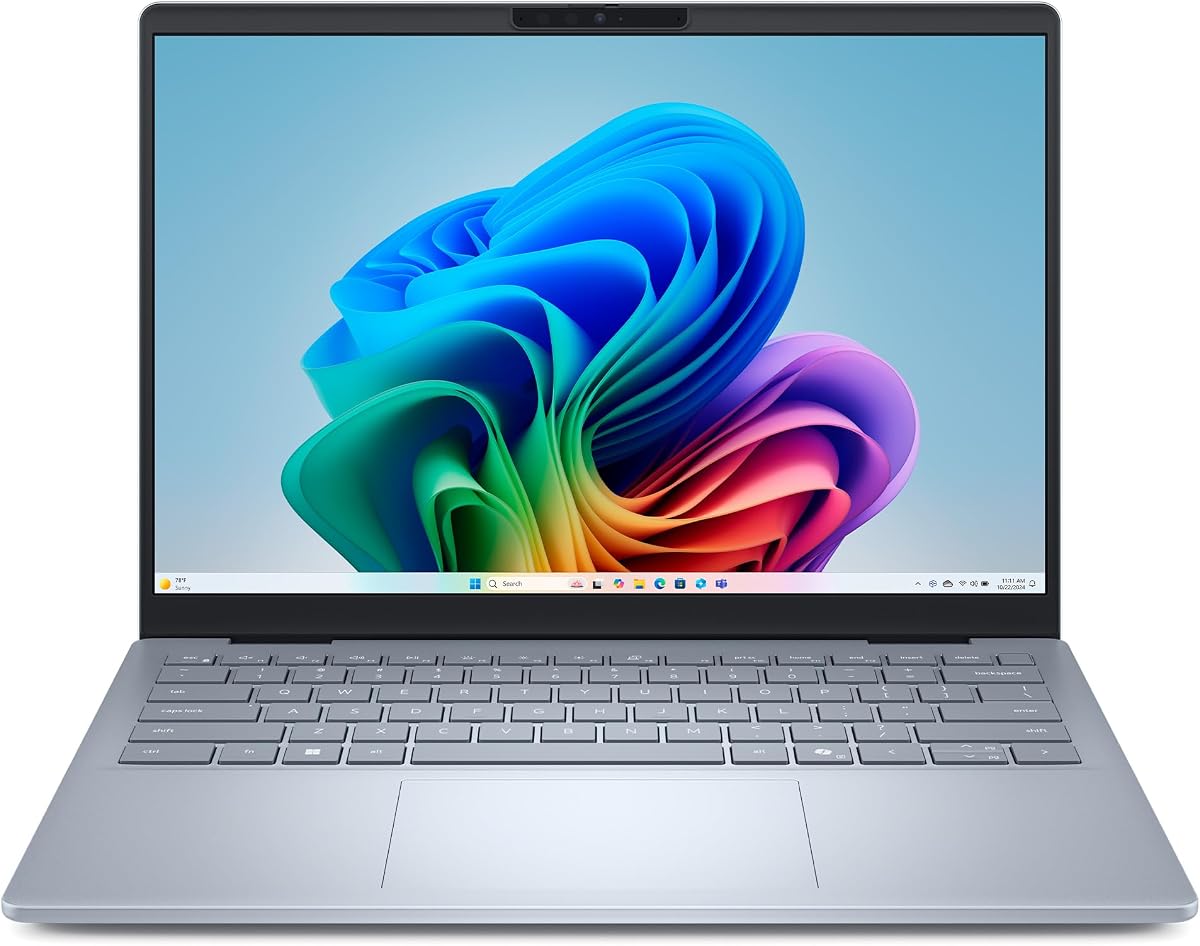
Dell 14 Plus (DB14250)
Pros
- Intel Core Ultra 7 256V with a 47 TOPS NPU, comfortably over the Copilot+ bar
- Full x86 app compatibility, no emulation layer to worry about
- 1TB of storage as standard
- 2.5K 16:10 display at 2560x1600
- Cheapest way here into an Intel Copilot+ machine
Cons
- 16GB of soldered RAM is the ceiling, which is tight for local models
- Integrated Intel Arc graphics only, no discrete GPU for heavier AI work
- Battery life trails the ARM machines here
Price as of Apr 14, 2026 — see current price on Amazon.
A note on what changed here. Dell's XPS 14 has not moved to Intel's Lunar Lake chips, so the XPS you can actually buy is a Core Ultra 7 155H machine whose NPU lands nowhere near the Copilot+ bar. The Lunar Lake part lives in the Dell 14 Plus instead, and that is the one worth your money for AI work. Its Core Ultra 7 256V carries a 47 TOPS NPU, and unlike the ARM-based Copilot+ PCs, everything in your x86 software library just runs.
The Intel NPU handles Windows Studio Effects, background blur, eye contact correction, and voice focus without touching the GPU. Heavier jobs are where the ceiling shows. Graphics are integrated Arc, so Stable Diffusion and local LLM inference lean on the NPU and CPU rather than a discrete card, and 16GB of soldered memory fills up faster than you would like once a model is resident.
The display is a 2.5K 16:10 panel at 2560x1600, which is a sensible amount of screen for the money rather than a showpiece. There is a dedicated Copilot key on the backlit keyboard, which tells you exactly who Dell built this configuration for.
Battery life is the tradeoff. Lunar Lake is far more efficient than the Intel chips before it, but it still trails the Snapdragon machines on this list by a wide margin under sustained load.
If you want Copilot+ AI with zero app compatibility concerns, this is the cheapest honest way to get it at $1,029.99.
Best battery life: Lenovo Yoga Slim 7x
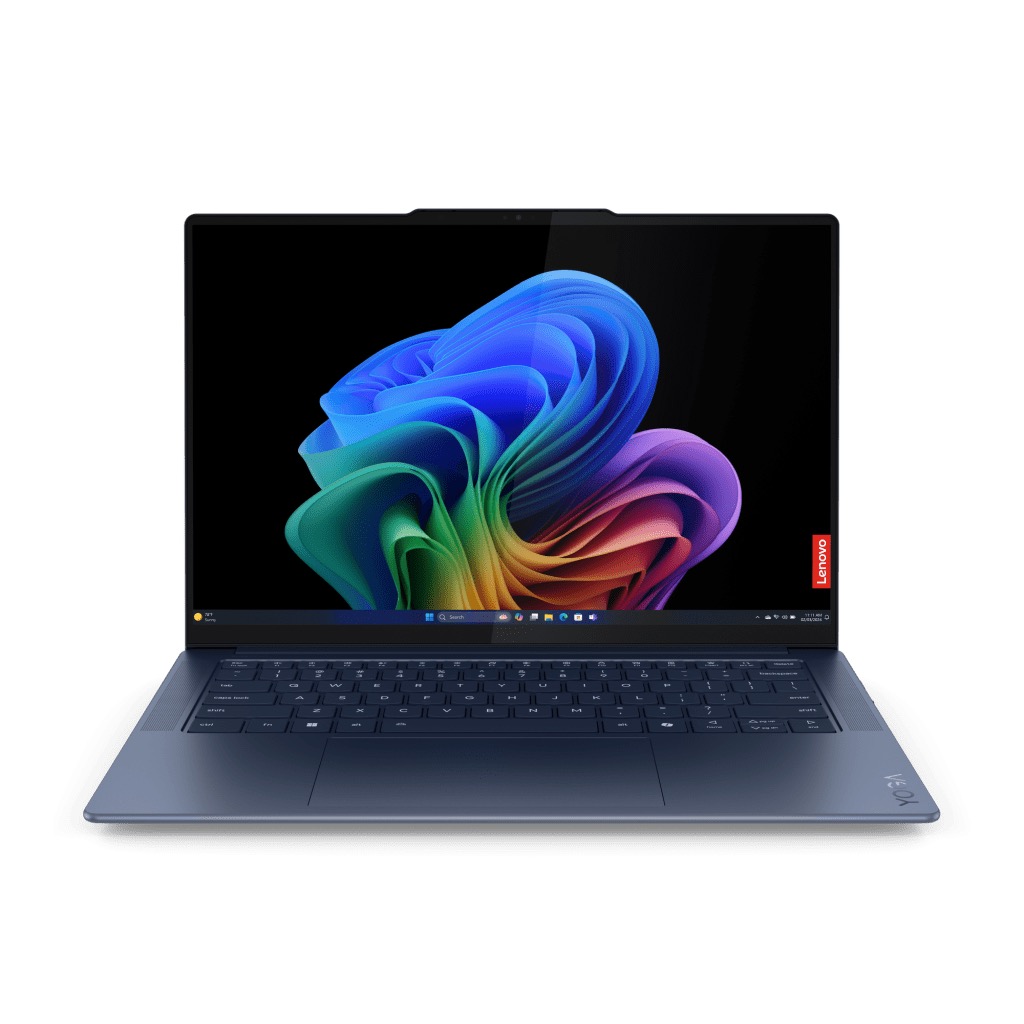
Lenovo Yoga Slim 7x
Pros
- Lenovo rates it for up to 23.8 hours of 1080p video playback
- Snapdragon X Elite with 45 TOPS NPU
- Lightweight at 2.82 lbs with aluminum build
- Excellent trackpad and keyboard
- Just over $1,000 for Copilot+ specs
Cons
- ARM compatibility issues persist for some apps
- Limited to 16GB RAM on base model
- Display brightness could be higher for outdoor use
Price as of Apr 14, 2026 — see current price on Amazon.
The Yoga Slim 7x offers ARM-based AI performance at the lowest entry price for a Copilot+ PC. Lenovo's implementation of the Snapdragon X Elite chip delivers the same 45 TOPS NPU performance as the Surface Laptop 7, and the configuration we link undercuts the 15-inch Surface by around $650.
Battery life is in the same class as Microsoft's flagship, since both run the same Snapdragon X Elite chip. Lenovo cools it with a vapor chamber, which gives it headroom for AI image generation, video transcription, and heavy multitasking.
The 14.5-inch OLED display (2944 x 1840) is sharp and vibrant, though maximum brightness tops out around 400 nits, making outdoor use challenging in direct sunlight. The touchscreen is responsive, and Windows 11's touch gestures work well for quick AI feature access.
Lenovo's AI Now dashboard consolidates all Copilot+ features in one interface, making it easier to access live captions, background blur, and AI tools without hunting through settings. It's a small quality-of-life improvement over Microsoft's scattered approach.
For buyers prioritizing battery life and price over maximum performance, the Yoga Slim 7x delivers the core AI laptop experience without the premium cost.
Worth knowing: Apple MacBook Pro 14 (M4 Pro)
Apple sits outside the Copilot+ conversation, and Amazon sells the 14-inch M4 Pro in several configurations at different prices, so there's no single price or buy button for it here. Check Apple or your retailer of choice for today's configuration pricing. The machine itself is still worth understanding. Apple's M4 Pro chip delivers 38 TOPS of AI performance through its 16-core Neural Engine, just shy of Microsoft's 40 TOPS Copilot+ threshold but more than capable for demanding AI workloads. Where the MacBook Pro excels is tight integration between hardware AI acceleration and creative apps.
Final Cut Pro uses the Neural Engine for AI-based object tracking, scene detection, and auto color grading. Adobe Lightroom uses it for AI denoise, content-aware fill, and super resolution. Photoshop's generative fill runs significantly faster on M4 Pro than comparable Windows laptops. If your workflow centers on Adobe Creative Suite or Apple's pro apps, the performance advantage is measurable.
Battery life is excellent at 15-18 hours for video editing and AI-enhanced photo processing, outlasting most Intel-based competitors. The Liquid Retina XDR display with 1600 nits of peak HDR brightness is unmatched for color-critical work, and the mini-LED backlighting provides perfect blacks.
macOS Sequoia introduces system-level AI features like real-time translation, AI-powered search, and intelligent text summarization that work across all apps. Apple's on-device approach means your data never leaves the laptop, addressing privacy concerns that cloud-based AI features raise.
The main limitation is ecosystem lock-in. You can't run Windows AI tools, and cross-platform AI workflows require workarounds. If you're already deep in the Apple ecosystem and work with creative AI tools daily, the MacBook Pro 14 is the best laptop available. For Windows-dependent workflows, look elsewhere.
What to look for in an AI laptop
NPU performance (TOPS): Microsoft's Copilot+ certification requires 40+ TOPS. Most 2026 laptops with NPUs exceed this, but higher TOPS ratings mean faster AI processing for local models, image generation, and real-time features.
ARM vs x86: ARM chips (Snapdragon X Elite) offer dramatically better battery life but have app compatibility limitations. Intel Core Ultra chips sacrifice some battery efficiency for full Windows software support. Choose based on your app requirements.
RAM: AI workloads are memory-intensive. 16GB is the minimum for Copilot+ features, but 32GB is better if you plan to run local AI models or multiple AI-enhanced apps simultaneously. Most AI laptops have soldered RAM, so buy more than you need today.
Display quality: If you work with AI-generated images or video, get an OLED screen. The color accuracy and contrast make a noticeable difference when evaluating AI outputs.
GPU (optional): Most AI laptops rely solely on the integrated NPU. If you run Stable Diffusion, train models, or use GPU-accelerated AI tools, get a laptop with discrete NVIDIA graphics (RTX 4050 or higher).
Storage: Local AI models (LLMs, Stable Diffusion checkpoints) can consume 10-50GB each. Start with at least 512GB of storage, preferably 1TB if you plan to store models locally.
Frequently asked questions
Frequently asked questions
- What is an NPU and do I need one?
- An NPU (Neural Processing Unit) is a specialized chip designed to handle AI tasks efficiently. It accelerates features like background blur, live captions, image generation, and voice transcription without draining your battery or using your CPU/GPU. If you use AI tools daily (Office Copilot, Adobe AI features, Windows Studio Effects), an NPU delivers noticeably faster performance and better battery life compared to laptops without one.
- Can these laptops run local AI models like Stable Diffusion?
- Yes, but with limitations. NPUs handle specific AI tasks optimized by Windows and supported apps. For running custom AI models like Stable Diffusion or local LLMs, you'll still rely on your CPU or GPU. Laptops with discrete NVIDIA graphics (RTX 4050+) perform significantly better for these workloads. NPU-only laptops can run smaller quantized models but will struggle with larger, unoptimized AI tasks.
- How much better is battery life on ARM-based AI laptops?
- Lenovo rates the Yoga Slim 7x for up to 23.8 hours of local 1080p video playback and 16.4 hours of web browsing, and Microsoft rates the 15-inch Surface Laptop 7 for up to 22 hours of video playback. Those are rated figures at low screen brightness, so mixed daily use runs shorter. If battery life is your top priority and your apps run on ARM, Snapdragon laptops are the clear choice. For users tied to x86-exclusive software, Intel offers acceptable battery life with zero compatibility concerns.
- Do AI laptops work without internet?
- Yes. The core benefit of NPU-equipped laptops is on-device AI processing. Features like Windows Studio Effects, live captions, image generation in Paint, and noise cancellation run entirely offline. Cloud-dependent features like Copilot chat and web-based AI tools still require internet, but the NPU handles most everyday AI tasks locally.
- Are AI laptops worth the premium over regular laptops?
- If you use AI tools frequently (Adobe AI features, real-time transcription, background effects, AI assistants), the performance and efficiency improvements justify the cost. If you primarily browse, email, and run traditional apps, a standard laptop saves money without sacrificing much. The value proposition depends entirely on how much you use AI-enhanced features in your daily workflow.
Final thoughts
AI laptops transitioned from experimental to essential in 2026. The difference between NPU-equipped and traditional laptops is now measurable in both performance and battery efficiency for anyone using AI tools regularly. If you are still deciding whether the NPU is worth paying for at all, start with do you need an AI PC, which covers what the 40 TOPS bar actually gates. Whether you choose ARM for maximum battery life or Intel for compatibility, the key is matching NPU performance to your actual AI workload.
For most users, the Microsoft Surface Laptop 7 offers the best balance of AI performance, battery life, and usability. Creators should go to the MacBook Pro 14. If you need x86 compatibility, the Dell 14 Plus is the cheapest Copilot+ machine here that will run everything. And buyers who care most about battery and price get excellent value from the Lenovo Yoga Slim 7x.
The AI laptop category is still evolving, but 2026 models finally deliver on the promise of fast, efficient, on-device AI processing.
How We Pick
We pick products by combining spec-level research, price checks, trusted third-party benchmarks, and owner sentiment from high-signal sources.
- Performance and real-world value in the category this guide targets
- Price-to-performance and deal consistency over recent pricing windows
- Build quality, reliability patterns, and known long-term issues
- Recommendation refresh cadence to keep these picks current
Author
TheTechSearch Editorial Team
Independent product reviewers & PC builders
We compare real-world specs, reviews and owner reports, price trends, and user feedback to recommend gear that actually makes sense to buy.