Best Capture Cards for Streaming 2026
Top capture cards for PS5, Xbox Series X, and Nintendo Switch 2 from the $140 Elgato 4K S to the 4K144-capable 4K X. Expert picks, pros and cons, and side-by...
As an Amazon Associate we earn from qualifying purchases made through our links — this doesn't affect our picks.
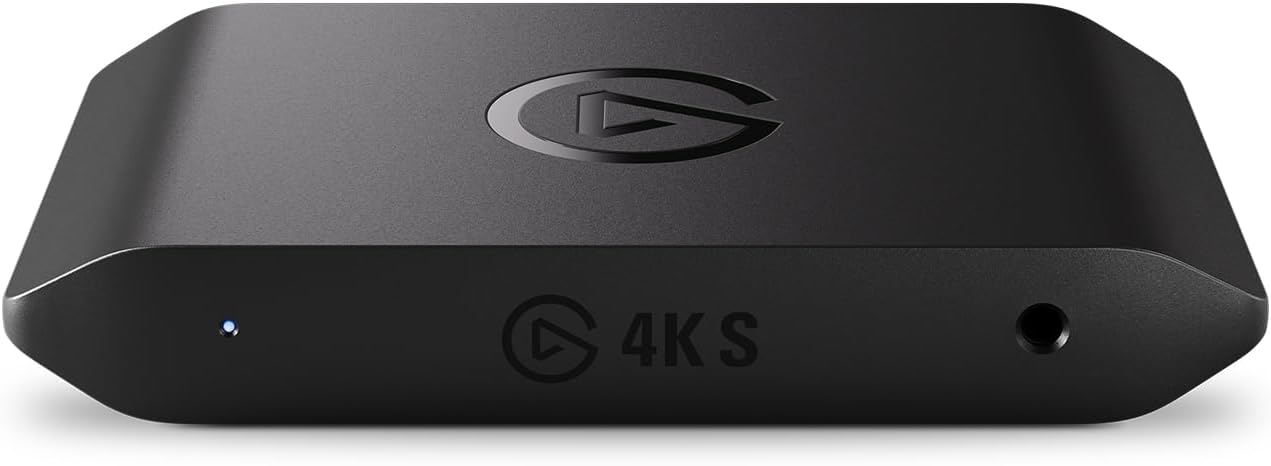
Elgato 4K S Capture Card
Our top recommendation for this category
Price as of Apr 20, 2026 — see current price on Amazon.
Nintendo Switch 2 launched. PS5 Pro launched. And r/Twitch has been fielding "what capture card should I buy?" threads every single week since. Not occasionally. Every week.
The market has actually gotten better while the questions have gotten louder. The HD60 X, the default answer for years, has given way to Elgato's 4K S, which captures 4K60 for $139.99. Meanwhile Elgato added the 4K X for HDMI 2.1 capture, AVerMedia refreshed their Ultra lineup, and the whole entry-level segment got more competitive. Good for buyers. Slightly annoying to research.
This guide draws on hands-on data from Tom's Hardware and PC Gamer, plus several r/Twitch recommendation threads where actual streamers reported back. Four cards made the cut. Here's which one is right for your setup.
| Card | Max Capture | Passthrough | Connection | Price | |
|---|---|---|---|---|---|
| Elgato 4K S | 4K60 HDR10 | 1440p120 / 1080p240 | USB-C | $139.99 | Check Price |
| Elgato 4K X | 4K144 HDR10 | 4K144 VRR | USB 3.2 Gen 2 | $249.99 | Check Price |
| AVerMedia Ultra 2.1 | 4K60 HDR10 | 4K144 VRR | USB-C | $199.99 | Check Price |
| Elgato Game Capture Neo | 1080p60 | 4K60 HDR | USB-A | $100 | Check Price |
Elgato 4K S: Best for Most Streamers
Elgato 4K S Capture Card
Pros
- 4K60 HDR10 capture for under $140, where the old HD60 X stopped at 1080p60
- Listed for PS5, Xbox Series X/S and Switch 2
- 1440p120 or 1080p240 passthrough for high-refresh monitors
- USB-C, with an analog audio input for chat or a mixer
Cons
- The listing gives no 4K120 or 4K144 passthrough figure, so 4K120 OLED gaming while capturing is the 4K X's job
- VRR passthrough is not stated on the listing
Price as of Apr 20, 2026 — see current price on Amazon.
Look, most people don't need more than this. Twitch caps streams at 1080p60. YouTube handles 1080p60 without complaint. The difference in 2026 is that the entry-level Elgato card now captures 4K60 anyway, so you get the headroom for YouTube source footage without paying 4K X money.
The 4K S is Elgato's successor to the HD60 X. Specs below are Elgato's published listing figures, not bench measurements. The listing states 4K60 capture with HDR10 support, passthrough at 1440p120 or 1080p240, near-zero latency, USB-C, and an analog audio input. It's listed for PS5, Xbox Series X/S and Switch 2. It doesn't state a VRR figure or a 4K120 passthrough figure, which is why the 4K X still exists.
Setup follows the same pattern as every Elgato card. Console HDMI out to the card, HDMI out from the card to your display, USB-C to your PC. Elgato's 4K Capture Utility handles it, and OBS picks Elgato cards up as an HDMI Capture device with no manual configuration.
Switch 2 outputs 4K60 docked, which this card captures natively. PS5 and Xbox Series X at 4K60, same story. If 4K120 gaming on an OLED while you capture is the goal, that's the 4K X's job.
Elgato 4K X: Best for High-Frame-Rate and 4K Content
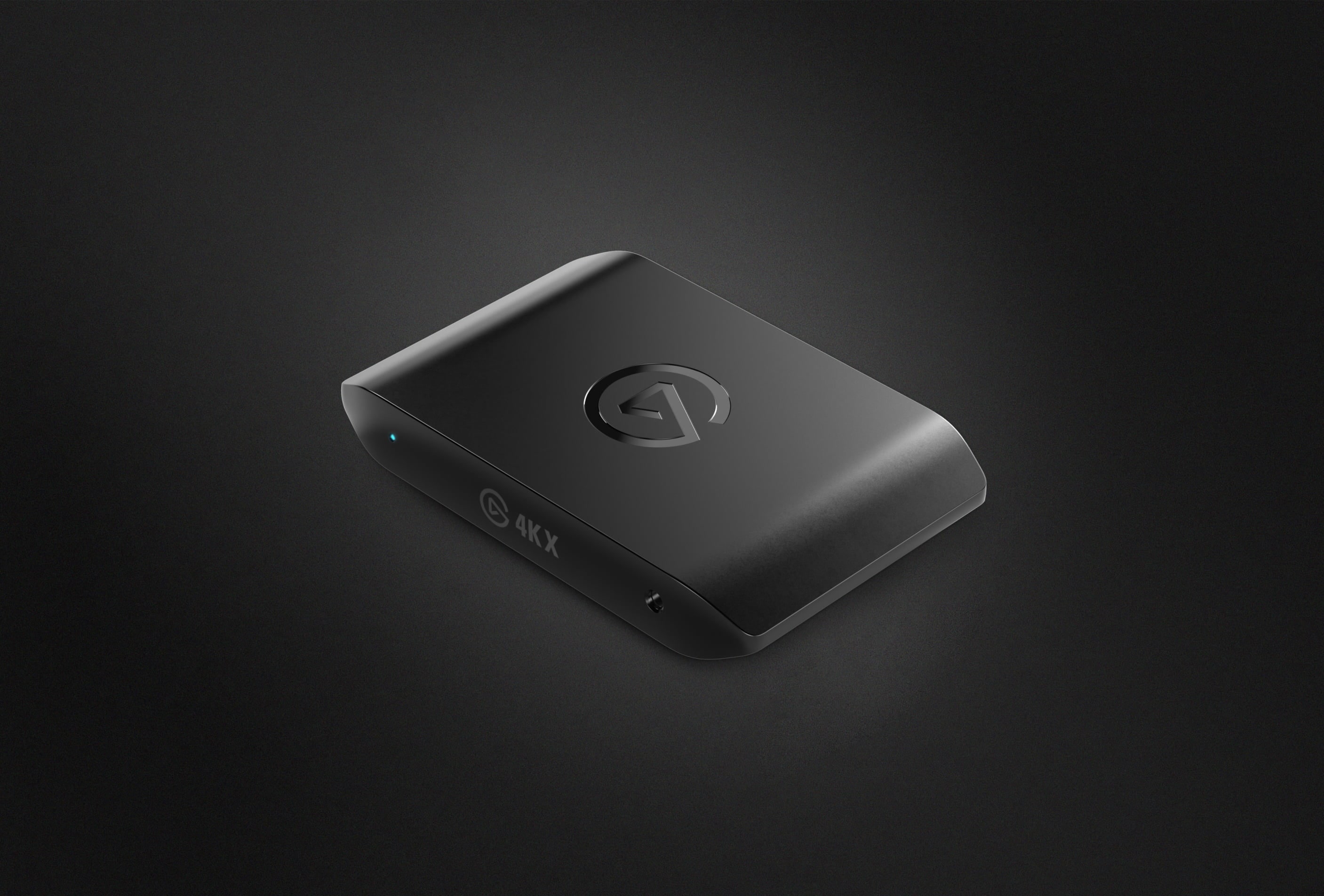
Elgato 4K X External Capture Card
Pros
- 4K144 capture via HDMI 2.1, the highest spec external card you can buy
- VRR passthrough at 4K144 with HDR10
- USB 3.2 Gen 2 handles sustained high-bandwidth transfer
- Compatible with PS5 Pro 4K120, Xbox Series X 4K120, Switch 2
Cons
- $249.99 is a real commitment for capabilities most streamers won't use
- Needs USB 3.2 Gen 2 port, older laptops may only have USB 3.1 Gen 1
Price as of Apr 20, 2026 — see current price on Amazon.
Two audiences make sense for the 4K X: YouTube creators who need 4K source quality, and dual-PC streamers pulling maximum resolution out of a PS5 Pro or Xbox Series X at 120fps. If that's not you, the 4K S saves you $110 and does everything Twitch requires.
But if it is you, the 4K144 HDMI 2.1 capture is legitimately the best you can get from an external card. The AVerMedia Ultra 2.1, sitting $50 cheaper at $199.99, does 4K144 VRR passthrough but only 4K60 capture. The 4K X actually captures at 4K144. That distinction matters when you're pulling raw footage to edit PS5 Pro gameplay at 120fps. It doesn't matter at all for Twitch streaming.
One thing to check before you buy: USB 3.2 Gen 2 (10Gbps) is required. Not 3.1 Gen 1, not plain USB 3.0. On an older laptop with 5Gbps ports, you'll bottleneck before hitting 4K144 capture rates. Desktop builds on a Z790 or X670 board are almost certainly fine. Laptops from 2022 and earlier, check your spec sheet.
PC Gamer logged zero dropped frames through extended 4K60 PS5 Pro sessions in Elgato's capture utility. Tom's Hardware measured passthrough latency under 3ms, which is genuinely imperceptible mid-game. At $249.99 it's not an impulse buy, but it's the right card if you've outgrown 4K60.
AVerMedia Live Gamer Ultra 2.1: Best Alternative to Elgato
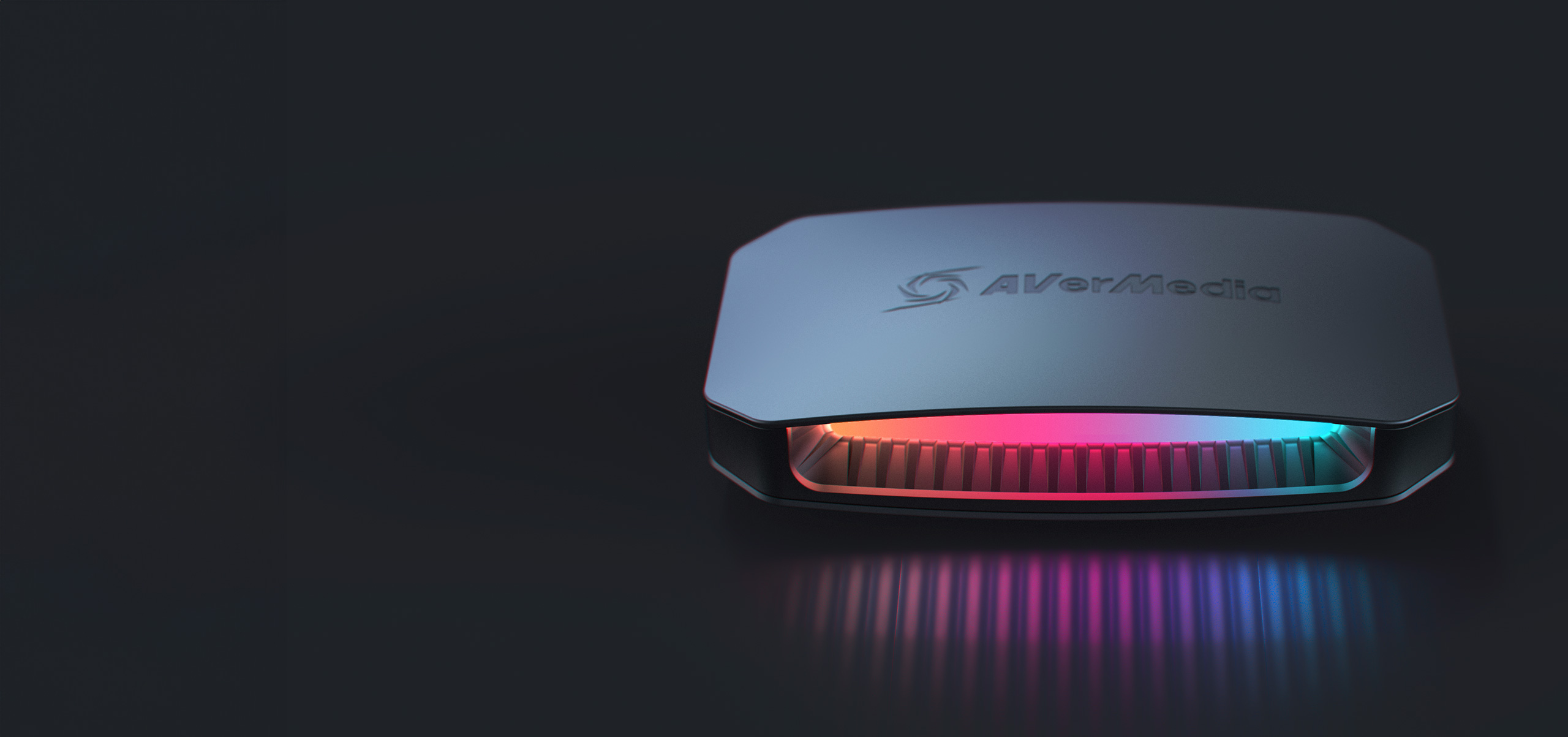
AVerMedia Live Gamer Ultra 2.1 GC553G2 Capture Card
Pros
- 4K144 VRR passthrough with HDMI 2.1
- 4K60 HDR10 capture at a competitive price point
- RECentral 4 software has more built-in features than Elgato's utility
- USB-C Type-C connector with cleaner cable routing
Cons
- RECentral feels heavy if you just want OBS
- Captures 4K60 not 4K144, the 4K X beats it on raw capture ceiling
Price as of Apr 20, 2026 — see current price on Amazon.
AVerMedia doesn't have Elgato's marketing budget and the GC553G2 suffers for it in terms of visibility. That's a shame, because the hardware is genuinely good.
At $199.99 (which is $50 less than the 4K X) you get 4K144 VRR passthrough via HDMI 2.1 and 4K60 HDR10 capture. The one place the 4K X beats it is raw capture ceiling: the 4K X captures at 4K144 while the Ultra 2.1 tops out at 4K60 captured. For streaming that gap is meaningless. For 4K120 source footage to edit, it matters.
RECentral 4 is AVerMedia's streaming software and it's more capable than Elgato's 4K Capture Utility out of the box: scene management, layered layouts, built-in hardware encoding. If you want a self-contained streaming suite without spinning up OBS, RECentral handles it. Most streamers use OBS anyway and both cards integrate identically there, so software is mostly a tiebreaker.
Build-wise the GC553G2 feels solid. USB-C cable routing is cleaner than Elgato's setup. If you've been dismissing AVerMedia because you've only ever seen Elgato recommended, give this one a genuine look.
Elgato Game Capture Neo: Best Budget Pick
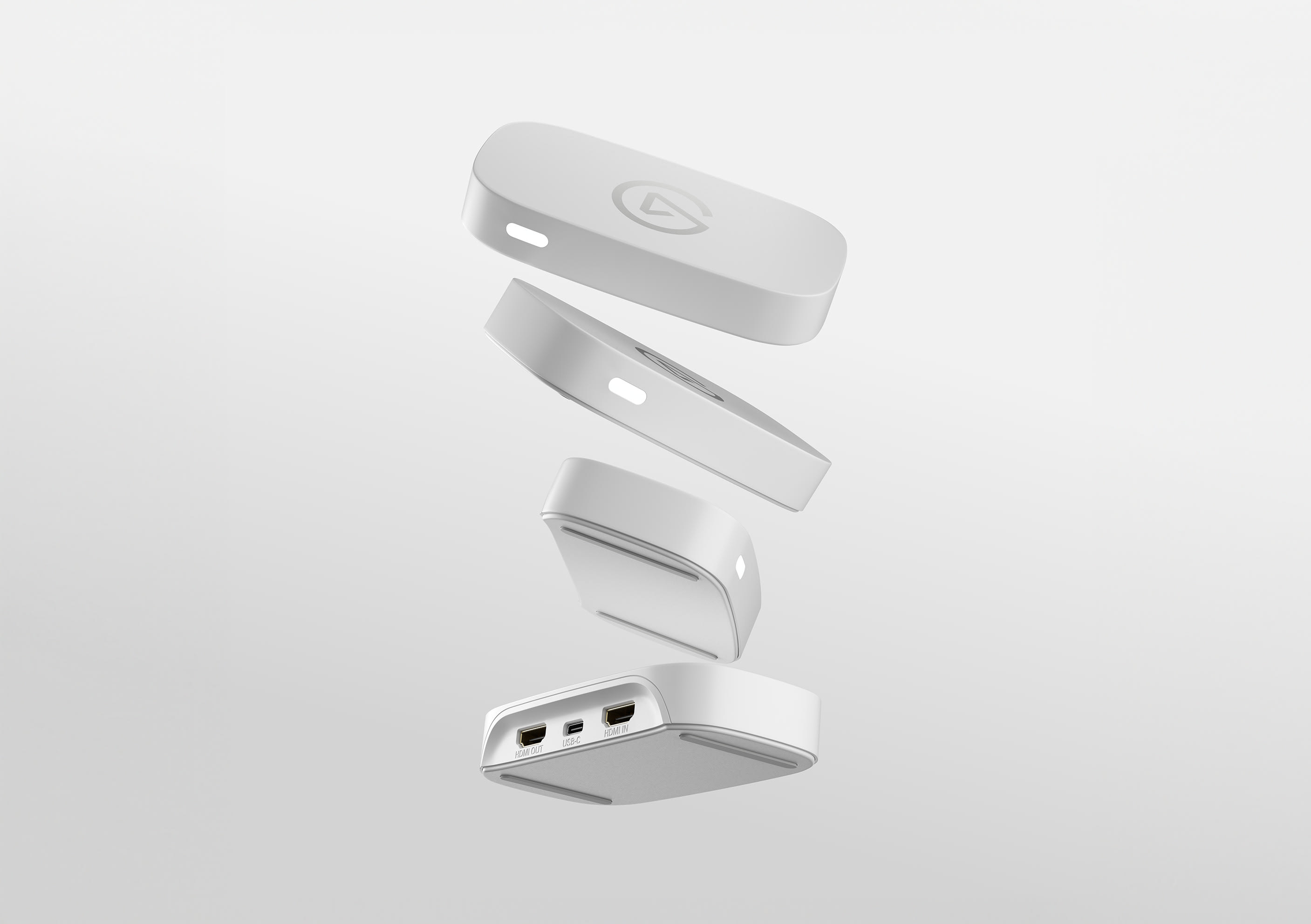
Elgato Game Capture Neo USB Capture Card
Pros
- $100 entry price, cheapest legitimate card from a name brand
- 4K60 HDR passthrough despite the low price
- Plug-and-play on Windows, Mac, Linux, and iPad
- About the size of a USB stick, extremely portable
Cons
- Capture limited to 1080p60, where the 4K S does 4K60 for $40 more
- No VRR passthrough, frame timing won't be adaptive on your display
- White color only
Price as of Apr 20, 2026 — see current price on Amazon.
Elgato calls this the beginner card. That's fair, but it undersells it a bit.
The Neo is about the size of a large USB stick. It captures 1080p60 with 4K HDR passthrough and requires zero driver installation across Windows, Mac, Linux, and iPad. USB-A into your laptop, HDMI from console through the Neo to your display, open OBS. Done.
What you give up compared to the 4K S is 4K capture and high-refresh passthrough. The Neo captures 1080p60 and sends a fixed 60Hz signal through to your display. For someone streaming to Twitch from a 1080p or 1440p60 setup, that's invisible in practice. If you want 4K60 source footage for YouTube, or you game at 1440p120 or 1080p240, that's the $40 case for the 4K S. For everyone else, it's not a real difference.
In r/Twitch recommendation threads where the Neo comes up for beginners, the consistent feedback is that it just works. No dropped frames, no compatibility drama. For a first capture card, especially for Switch 2 or casual PS5 streaming, $100 is the right starting point.
How to Choose the Right Capture Card
External vs Internal
Every card on this list is external: USB, no PCIe slot, works with laptops. That's intentional. Internal cards like the Elgato 4K Pro offer slightly lower CPU overhead and better sustained bandwidth for very long sessions, but you need a desktop with an open PCIe x4 slot and a specific reason to care. For console-to-PC capture, which is the use case for most people reading this, external is the right call. Simpler, more portable, and easier to move between setups.
What Passthrough Resolution Do You Actually Need?
Passthrough resolution is the signal your display gets. It doesn't affect what you capture at all. If you're gaming at 4K120 on an OLED TV, you need 4K120 VRR passthrough or your display will drop to 4K60 fixed. That means the 4K S (the listing tops out at 1440p120 or 1080p240 passthrough) or the Neo won't work for you. You'd want the 4K X or Ultra 2.1.
If you're on a 1080p or 1440p monitor, every card on this list handles passthrough just fine.
Streaming vs Recording vs Both
Twitch caps at 1080p60. YouTube caps at 4K30 for most partner tiers, and even at 4K60 for top-tier, you're re-encoding for distribution anyway. Pure streaming? The Neo or 4K S is all you need.
Want 4K source footage to edit and re-upload? The 4K S covers 4K60. Above that, 4K120 or 4K144 source files, it's the 4K X.
Software and Compatibility
Elgato's 4K Capture Utility is simpler and faster to set up. AVerMedia's RECentral 4 has more features but more complexity. Both integrate cleanly with OBS Studio, which is what most streamers use anyway. If you're already an OBS user, software brand doesn't really matter. Pick based on hardware specs and price.
One more OBS tip: if you'd rather switch scenes with a physical button than a hotkey, our best Stream Decks guide covers the controllers that usually sit next to a capture card.
Frequently asked questions
- Do I need a capture card to stream console gameplay?
- Not always. PS5 and Xbox Series X have built-in streaming via their native apps. But capture cards let you use OBS on your PC for overlays, alerts, scenes, and higher customization. Switch 2 has no built-in streaming, so a capture card is required to stream Switch gameplay.
- Will a capture card work with Nintendo Switch 2?
- Yes, all four cards on this list work with Nintendo Switch 2 via its HDMI 2.1 output. The Neo caps passthrough at 4K60, which is fine since Switch 2 outputs at 4K60 max in docked mode. The 4K S captures that 4K60 output directly, and the 4K X and Ultra 2.1 handle full 4K60 passthrough for Switch 2.
- What is the difference between capture resolution and passthrough resolution?
- Passthrough is what your TV or monitor receives, the full game signal. Capture is what gets recorded or streamed to your PC. The Neo passes through 4K60 to your display but only captures 1080p60 to your stream. You can play at 4K and stream at 1080p simultaneously. Different numbers, different purposes.
- Can I use a capture card with just one PC instead of a dual-PC setup?
- Yes, single-PC capture works fine with any external card on this list. You run a short HDMI loop from your console through the card to a monitor or TV. Your gaming PC handles both the capture and your game at the same time. Performance impact is minimal with modern CPUs, especially with hardware encoding via NVENC or AMD AMF.
- Is the Elgato 4K X worth $249.99 over the $139.99 4K S?
- Only if you genuinely need capture above 4K60. For Twitch streaming, no. You are capped at 1080p60 on Twitch anyway and the 4K S handles that with room to spare. For YouTube creators who want 4K source footage, the 4K S already captures 4K60. The 4K X earns its price when you are capturing PS5 Pro or Xbox Series X at 4K120 for editing. Otherwise save the $110.
- Do capture cards add lag to gameplay?
- The passthrough lag is the number that matters for gaming feel. All four cards on this list have passthrough latency under 3ms, which is effectively imperceptible during gameplay. The capture software preview on your PC has higher latency, typically 500ms to 1 second, but that is just the software monitor. Your TV or monitor runs off the passthrough signal and stays sharp.
Bottom Line
The Elgato 4K S at $139.99 is the right card for most people reading this. Its listing states 4K60 HDR10 capture, 1440p120 or 1080p240 passthrough, USB-C, and support for PS5, Xbox Series X/S and Switch 2. If you're streaming to Twitch or recording gameplay for YouTube, it's everything you need.
Step up to the Elgato 4K X ($249.99) if you're doing 4K120 YouTube production or running a dual-PC setup where you want 4K144 source files. The AVerMedia Ultra 2.1 ($199.99) is the right call if you want AVerMedia's software ecosystem or prefer USB-C and 4K60 capture is enough for your workflow. And if you just want something that works at the lowest possible cost, the $100 Neo gets the job done.
How We Pick
We pick products by combining spec-level research, price checks, trusted third-party benchmarks, and owner sentiment from high-signal sources.
- Performance and real-world value in the category this guide targets
- Price-to-performance and deal consistency over recent pricing windows
- Build quality, reliability patterns, and known long-term issues
- Recommendation refresh cadence to keep these picks current
Author
TheTechSearch Editorial Team
Independent product reviewers & PC builders
We compare real-world specs, reviews and owner reports, price trends, and user feedback to recommend gear that actually makes sense to buy.