Best Hall Effect Keyboards for Gaming 2026
The top hall effect keyboards for competitive gaming in 2026, with rapid trigger explained and which board actually wins for your playstyle. Expert picks, pr...
As an Amazon Associate we earn from qualifying purchases made through our links — this doesn't affect our picks.
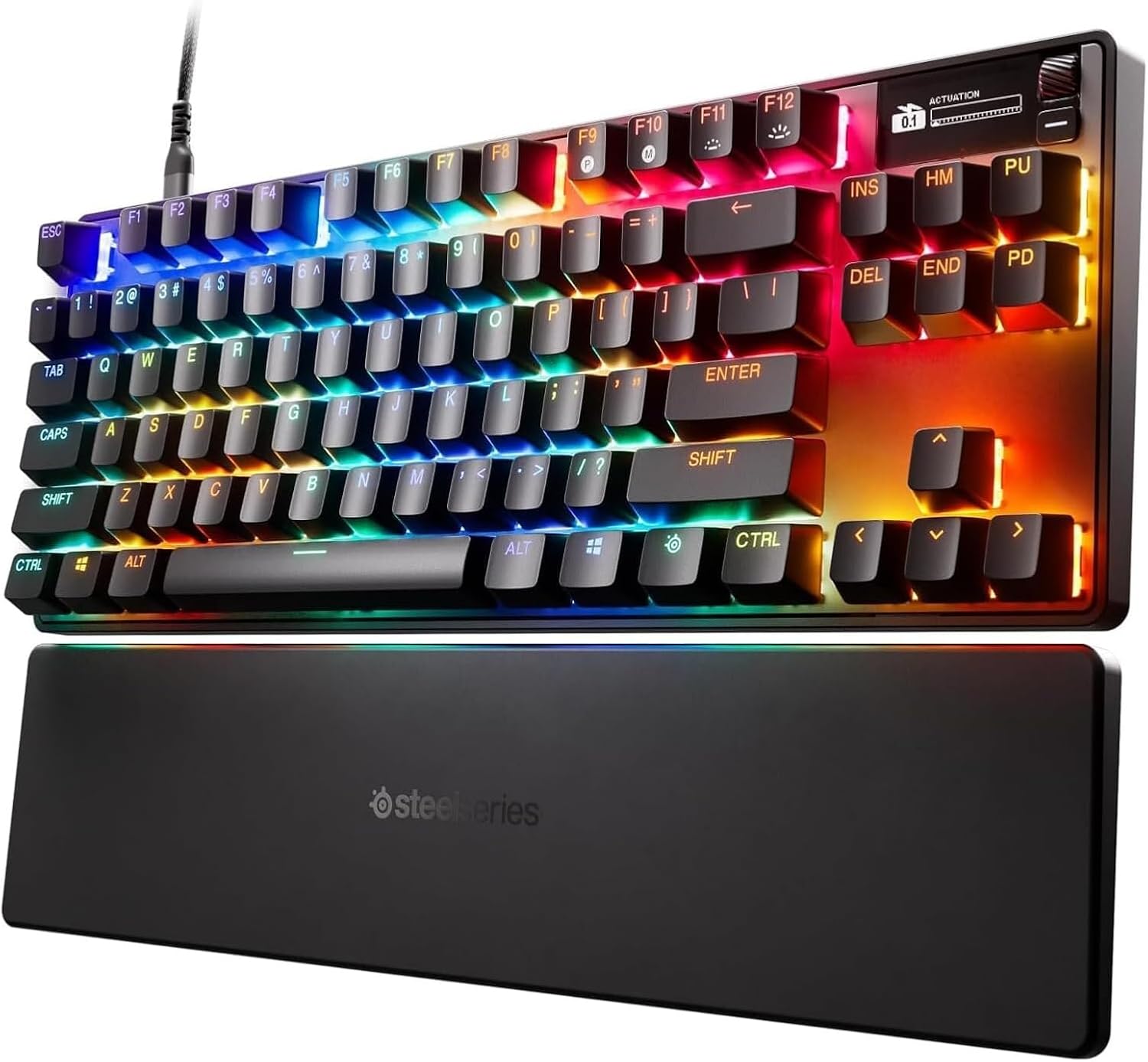
SteelSeries Apex Pro TKL Gen 3
Our top recommendation for this category
Price as of Apr 17, 2026 — see current price on Amazon.
Hall effect keyboards went from "cool niche tech" to "what the pros actually use" faster than I expected. Right now, 17% of all CS2 professionals game on a single keyboard model, the Razer Huntsman V3 Pro TKL. The Wooting 80HE is right behind it. When nearly a third of top-ranked competitive players converge on two keyboards built around the same magnetic switch principle, it's worth paying attention.
But here's the thing: rapid trigger and hall effect aren't magic. They matter a lot in specific situations, mostly FPS and specifically counter-strafing, and almost not at all for everything else. So before we get into the picks, a quick honest take on whether you actually need one of these.
If you play CS2, Valorant, or Apex at any level where hitting your shots consistently matters, yes. The re-actuation speed difference is real and measurable. For document work, typing, casual gaming? Honestly, you won't feel the difference. A good linear mechanical at $80 will serve you fine.
One housekeeping note before the picks. Wooting is the brand that made this whole category mainstream and it still belongs in the conversation, but every Wooting listing on Amazon is currently dead or out of stock. Wooting sells direct from their own site. If you want one, buy it there. Everything below is a board you can actually add to a cart today.
Still here? Good. Here are the best options.
| Keyboard | Layout | Switch | Rated Speed | Price | |
|---|---|---|---|---|---|
| SteelSeries Apex Pro TKL Gen 3 | TKL | OmniPoint 3.0 Magnetic | 0.7 ms response | $174 | Check Price |
| Razer Huntsman V3 Pro TKL 8KHz | TKL | Analog Optical Gen 2 | 8000 Hz | $200 | Check Price |
| ASUS ROG Azoth 96 HE | 96% | ROG HFX V2 Magnetic | 8000 Hz | $266 | Check Price |
| SteelSeries Apex Pro Gen 3 | Full | OmniPoint 3.0 Magnetic | 0.7 ms response | $220 | Check Price |
| DrunkDeer A75 Pro | 75% | Magnetic Hall Effect | 1000 Hz | $139 | Check Price |
SteelSeries Apex Pro TKL Gen 3: Best Overall
SteelSeries Apex Pro TKL Gen 3
Pros
- Actuation adjustable per key from 0.1mm to 4.0mm
- Rapid Trigger plus Rapid Tap for SOCD-style movement
- Protection Mode dials down sensitivity on neighboring keys
- OLED screen changes actuation without alt-tabbing
- Wrist rest, keycap puller and detachable USB-C cable in the box
Cons
- Wired only, no wireless version of this board
- SteelSeries publishes a 0.7ms response time but no polling rate
- TKL means no numpad
- GG is a bigger install than a single-purpose configurator
Price as of Apr 17, 2026 — see current price on Amazon.
SteelSeries has been shipping adjustable magnetic switches since the first OmniPoint board, and Gen 3 is the version where the feature set finally caught up to the hardware. OmniPoint 3.0 switches are analog hall effect sensors rated up to 100 million keystrokes, and every key tunes independently from 0.1mm to 4.0mm.
The three features that matter are Rapid Trigger, Rapid Tap and Protection Mode. Rapid Trigger is the counter-strafing one. Rapid Tap is SteelSeries' name for SOCD, where pressing the opposite direction cancels the first one cleanly instead of both inputs fighting. Protection Mode is the clever one nobody talks about: it reduces sensitivity on the keys surrounding whatever you're holding, so a 0.1mm actuation point stops turning into accidental ability casts. If you've ever tried to run a hair trigger and fat-fingered a cooldown, that's the fix.
The OLED screen on the top right is not decoration. You can change actuation, toggle Rapid Trigger, and check what profile you're on without alt-tabbing out of a match. Five profiles live in onboard memory, so the settings travel with the board.
One honest gap: SteelSeries publishes a 0.7ms response time and does not publish a polling rate anywhere in its specs. Razer and ASUS both advertise 8000 Hz. If a headline polling number is what you're shopping for, that's a real point against this board, and I'd rather flag it than quietly leave the column blank. What SteelSeries does give you is a 1403g aluminum-framed TKL with double-shot PBT keycaps and a wrist rest in the box, at $174.
The tradeoff is layout. TKL means no numpad. If you enter numbers all day or bind macros out there, the full-size Apex Pro Gen 3 or the ASUS are the boards to look at instead.
Razer Huntsman V3 Pro TKL 8KHz: Best for Razer Users
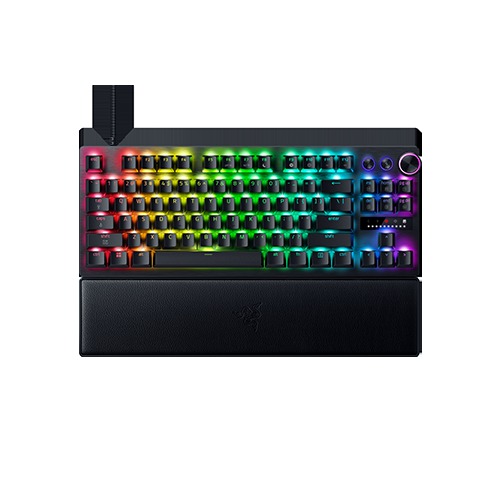
Razer Huntsman V3 Pro TKL 8KHz Gaming Keyboard
Pros
- Per-key visual actuation tuning in Synapse is best-in-class
- Wrist rest included in the box
- Most-used keyboard among CS2 pros
- Gen 2 analog optical switches are excellent
Cons
- Synapse is heavier software than most single-board configurators
- $26 more than the Apex Pro TKL Gen 3 for similar core performance
- Still wired-only
Price as of Apr 17, 2026 — see current price on Amazon.
Quick clarification upfront: the Huntsman V3 Pro uses analog optical switches, not traditional hall effect magnets. I know that sounds like a dodge. It's not. Razer's Gen 2 analog optical detection achieves continuous position tracking the same way magnetic hall effect does. The underlying physics differ, but the gaming result is identical. Adjustable actuation from 0.1mm to 4.0mm. Rapid trigger. No fixed reset point.
The 8KHz version is newer than the original V3 Pro and worth the slight price premium over the older model if you can find it. 8000 Hz vs. 1000 Hz polling makes a measurable difference on 360 Hz monitors. On the 144-240 Hz panels most people actually own, it's more theoretical than practical. But you're already buying a $200 keyboard, so might as well get the best version.
What Razer does better than everyone else here is the Synapse actuation visualization. Open the software, look at your keyboard, drag a slider for any key. You can literally see exactly where each key triggers and adjust it visually. For someone new to hall effect who's never tuned actuation before, that UI is significantly less intimidating than most competitors. SteelSeries answers it with the OLED screen instead, which lets you change actuation on the board itself and skip the software entirely once you're set up. Different philosophy, both good.
The included wrist rest is worth calling out, though SteelSeries bundles one with both of its boards here too. At $200 you're paying $26 more than the Apex Pro for broadly the same core performance, and what you're really buying is Synapse and the Razer ecosystem.
ASUS ROG Azoth 96 HE: Best Premium
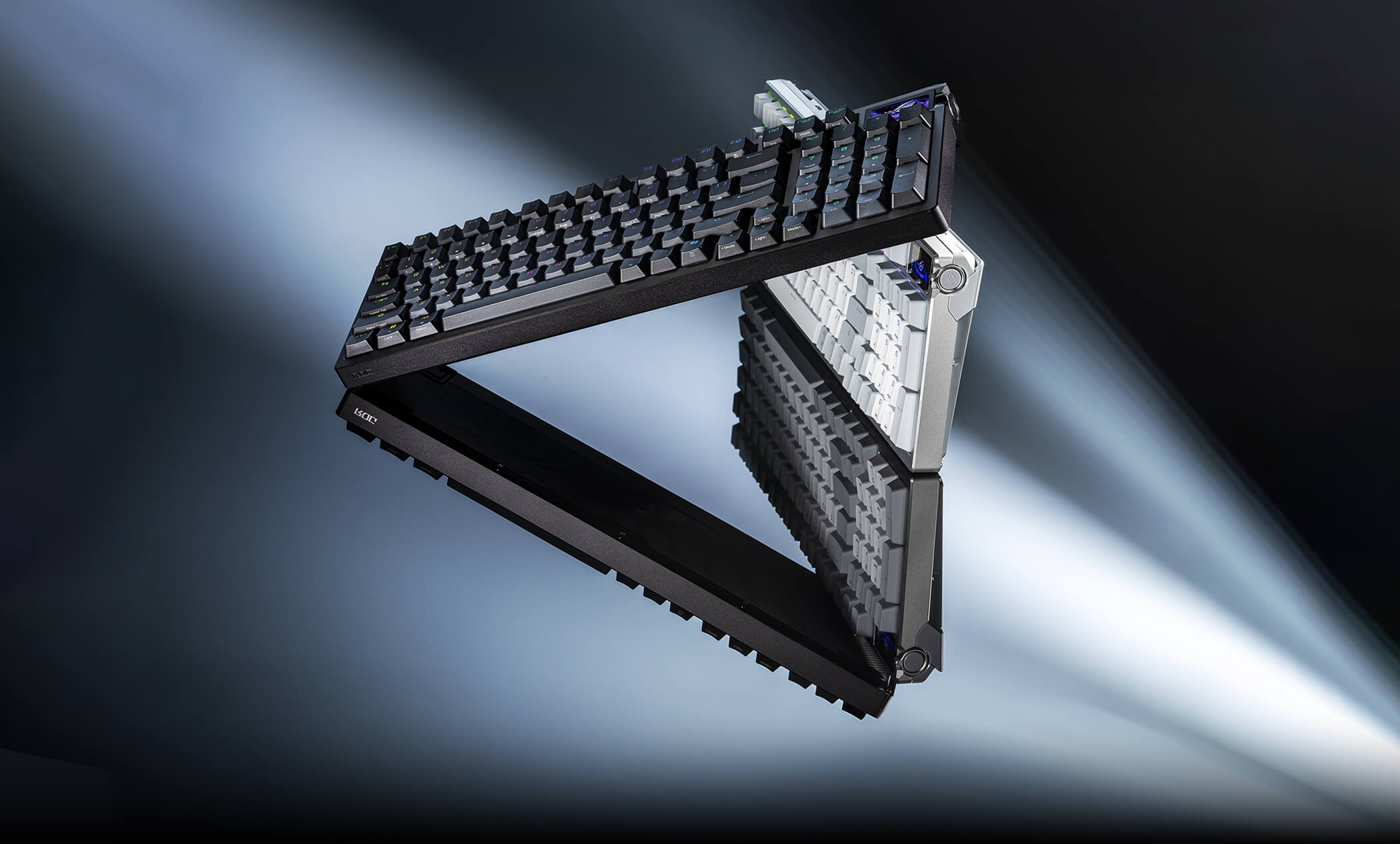
ASUS ROG Azoth 96 HE Wireless Hall Effect Keyboard
Pros
- Wireless hall effect at 8K Hz, literally unique in the market
- 96% layout keeps numpad in compact form factor
- OLED screen is actually useful for battery and mode status
- 0.01mm actuation resolution on HFX V2 switches
Cons
- $266 is still a lot unless wireless genuinely matters to you
- ROG Armoury Crate is the heaviest software on this list
- OLED might be 'cool spec' over substance for most buyers
Price as of Apr 17, 2026 — see current price on Amazon.
The ROG Azoth 96 HE launched in October 2025 and it fills a very specific gap: wireless hall effect keyboard with a real polling rate, in a near-full-size layout. That combination didn't exist before this keyboard. There are wireless mechanical keyboards and there are hall effect keyboards, but getting both with 8K Hz SpeedNova wireless in one package is what makes the Azoth the Azoth.
GamesRadar's review called it "the best hall effect keyboard if wireless matters to you" and I'd agree with that framing. The ROG HFX V2 magnetic switches offer 0.01mm actuation adjustment resolution, a finer step than the 0.1mm floor SteelSeries publishes for OmniPoint 3.0. Whether you can actually perceive the difference between 0.05mm and 0.1mm actuation is... honestly probably not. But Asus built a real product here, not a spec sheet exercise.
The 1.47-inch OLED screen on top earns its place. Battery level, connection mode and Caps Lock indicator are all visible without software. You can also have it show CPU temperature via Armoury Crate, which is either a useful system monitoring perk or an unnecessary distraction depending on your desk setup.
Look, $266 is a lot for a keyboard. Save $92 and get the Apex Pro TKL Gen 3 if wireless doesn't matter to you and you don't need the numpad. But if you hate cable management with a burning passion and want the numpad back, there's nothing else that does what this does.
SteelSeries Apex Pro Gen 3: Best Full-Size
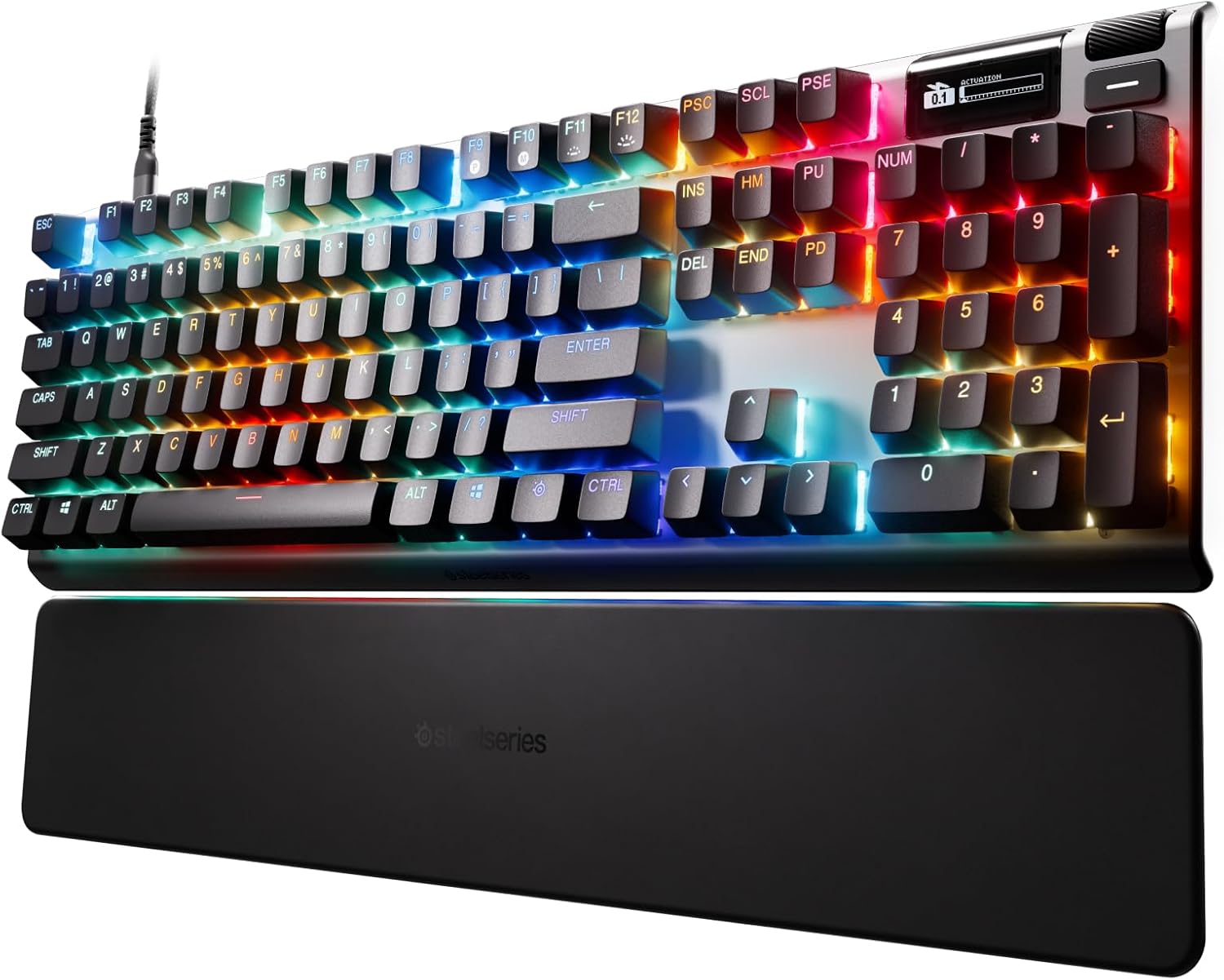
SteelSeries Apex Pro Gen 3 Full-Size
Pros
- Numpad, arrows and F-row all present, nothing on a function layer
- Same OmniPoint 3.0 switches and 0.1mm to 4.0mm range as our top pick
- Rapid Trigger, Rapid Tap and Protection Mode all carry over
- OLED screen and five onboard profiles
- Wrist rest included
Cons
- $220 is $46 more than the TKL for the same switches
- Full-size footprint is a real desk space commitment
- Wired only
- No published polling rate here either
Price as of Apr 17, 2026 — see current price on Amazon.
The full-size pick is the big brother of our top choice.
That turns out to be a clean answer rather than a lazy one. The Apex Pro Gen 3 full-size is the same board as the TKL with the numpad and navigation cluster added back: identical OmniPoint 3.0 switches, the same 0.1mm to 4.0mm actuation range, the same Rapid Trigger, Rapid Tap and Protection Mode, the same OLED screen and five onboard profiles, the same wrist rest in the box.
Rapid Tap is the one worth understanding here, because it's SOCD by another name. Bind A and D and the board decides cleanly which input wins instead of letting them fight. Platform fighter players and anyone who uses directional inputs competitively will recognize why that matters: it's how you get precise movement without leaning on software delays.
You pay $46 over the TKL for the extra keys, and you give up a chunk of desk. That's the whole decision. If you enter numbers all day, or you bind macros out on the numpad, it's an easy $46. If you don't, buy the TKL and put the difference toward a mouse.
DrunkDeer A75 Pro: Best Budget
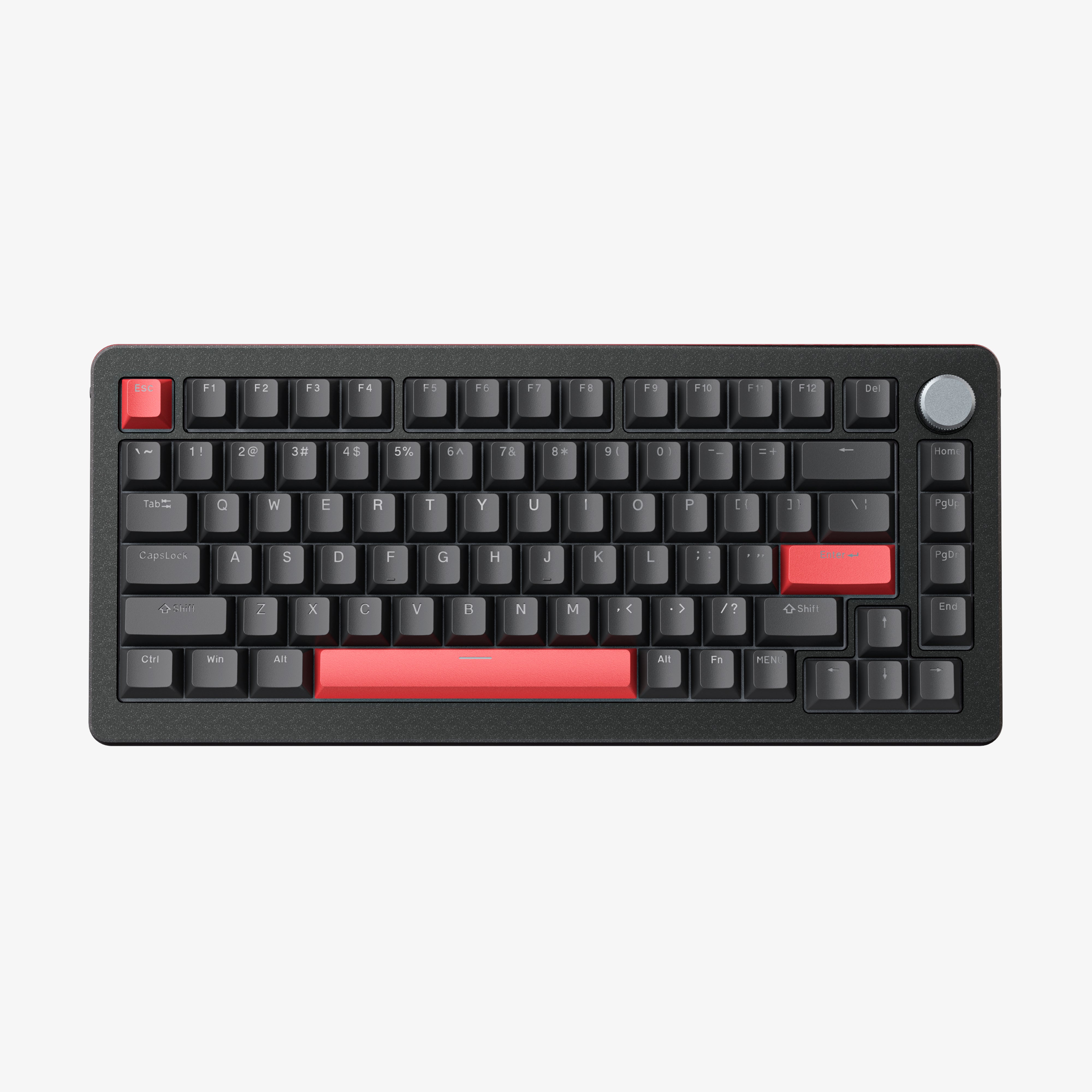
DrunkDeer A75 Pro Hall Effect Gaming Keyboard
Pros
- Cheapest true rapid trigger keyboard that's worth recommending
- PBT keycaps with Cherry profile at this price is legitimately impressive
- 75% layout is practical without feeling cramped
Cons
- 1000 Hz polling, not 8000 Hz
- Software is bare-bones
- Brand is small, community is smaller, review depth is limited
Price as of Apr 17, 2026 — see current price on Amazon.
The DrunkDeer A75 Pro sits at $139 and delivers genuine hall effect switches, adjustable actuation, and rapid trigger support. PBT keycaps in Cherry profile. 75% layout that doesn't feel cramped.
And yeah, the polling rate is 1000 Hz instead of 8000 Hz. On the 144 Hz monitor where most people are, that gap is completely invisible in practice. 1000 Hz still means your inputs are sampled 1000 times per second. That's fine. The rapid trigger behavior is what matters for counter-strafing, not whether you're at 1000 Hz vs. 8000 Hz, and the A75 Pro has real rapid trigger.
The software is functional, not beautiful. You can set actuation thresholds, toggle rapid trigger, configure lighting. There's no visualizer, no profiles UI with drag-and-drop. It's more like a settings panel than a full configurator. For most people who just want to set 0.2mm actuation and close the app, that's completely fine.
If you've been on a membrane keyboard or an old Cherry MX board and you're curious whether hall effect is actually worth the hype, this is the right entry point. Don't spend $174 on the SteelSeries to find out if you'll like it.
Hall Effect Keyboards Buying Guide
What Rapid Trigger Actually Does
Standard mechanical keyboards have a fixed actuation point, usually around 2mm down, and a fixed reset point a few tenths of a millimeter above that. The reset is the problem. After you actuate a key and lift your finger, the switch has to physically travel back up past that reset threshold before it can register the next press.
Rapid trigger eliminates both fixed points. The key actuates as soon as you move it by whatever amount you set (as low as 0.1mm), and it resets the instant you start releasing. Not at a fixed point, but proportionally with your finger movement. So the keyboard's re-actuation ceiling is your finger speed, not a mechanical reset threshold.
For CS2 or Valorant, this means your counter-strafe can register the moment your finger starts lifting. For typing or document work, honestly, set your actuation to something reasonable like 1.5mm and you won't even notice rapid trigger is on.
Hall Effect vs. Analog Optical vs. Traditional Mechanical
Hall effect uses a magnet inside the switch and a sensor to continuously track its exact position. No physical contacts means effectively no wear. SteelSeries rates OmniPoint 3.0 at up to 100 million keystrokes. You'll upgrade for other reasons before the switches fail.
Razer's analog optical is different tech but same concept: continuous position tracking via light detection rather than magnets. The gaming results are identical. Both let you do adjustable actuation and rapid trigger.
Traditional mechanical switches, even high-end ones, even Gateron Yellows or Topre, have fixed actuation points and fixed resets. They feel great, but they can't do what hall effect or analog optical can do. That's the fundamental difference.
Polling Rate: What You Actually Need
1000 Hz is completely adequate for 144 Hz and 165 Hz monitors. 4000 Hz is where it starts to matter at 240 Hz, at least on paper. 8000 Hz is genuinely useful for 360 Hz gaming at a competitive level. If you're not on a 360 Hz panel, the gap between the DrunkDeer A75 Pro at 1000 Hz and the Razer at 8000 Hz is theoretical rather than felt.
Worth knowing: not every maker publishes this number. SteelSeries rates the Apex Pro TKL Gen 3 at a 0.7ms response time and lists no polling rate at all in its technical specifications. That is a gap in the spec sheet, not evidence the board is slow, and it is the reason the comparison table above says "rated speed" instead of pretending the two figures are the same measurement.
Layout: Pick for Your Desk, Not Just the Internet
75% (DrunkDeer): Compact, no numpad, all essentials present. Good if your desk is small or you mouse with a lot of travel.
TKL (SteelSeries, Razer): The competitive standard. No numpad, but full F-row and arrow keys intact. Most common layout among the pros who use these boards.
96% (ASUS ROG Azoth): Keeps the numpad by squeezing the layout tighter. Slightly cramped between certain key clusters but you don't lose the numpad.
Full-size (SteelSeries Apex Pro Gen 3): Numpad and everything else, at the cost of desk real estate.
Software Is Part of the Product
SteelSeries GG is the fullest package, with GG QuickSet presets that configure a board per game so you're not starting from a blank slider. It's also a larger install than a single-purpose configurator, which is the tradeoff. Razer Synapse is heavier still but has the best per-key visualization for setting actuation. ROG Armoury Crate is the most feature-laden and the most taxing. DrunkDeer's app gets the job done and nothing more.
If you just want to set an actuation point once and never think about it again, any of these will work fine, and the SteelSeries lets you do it from the OLED screen without opening software at all. If you're the kind of person who wants to tune per key with visual feedback, Synapse and GG are the right calls.
Frequently asked questions
- Is hall effect actually worth it over a good mechanical keyboard?
- For competitive FPS, meaning CS2, Valorant and Apex Legends, yes: the rapid trigger behavior is real and changes how fast you can counter-strafe and re-actuate keys. For productivity, typing, or casual gaming, the honest answer is no. A Gateron Yellow linear board at $80 will feel excellent and you won't miss rapid trigger.
- What's the difference between hall effect and analog optical switches?
- Hall effect uses magnets; Razer's analog optical uses light detection. Both achieve continuous position tracking of the switch, which enables adjustable actuation and rapid trigger. For gaming purposes the result is functionally identical. The difference matters for switch durability engineering but not for what you feel when playing.
- Do hall effect keyboards wear out?
- Significantly more slowly than traditional mechanical. No physical contacts means no contact wear. SteelSeries rates OmniPoint 3.0 switches at up to 100 million keystrokes. To put that in perspective: if you typed 10 million keystrokes a year, roughly 3 hours of heavy typing daily, it would take 10 years to hit that number. You'll want a new keyboard for other reasons long before the switches fail.
- Which hall effect keyboard is best specifically for CS2?
- The Razer Huntsman V3 Pro TKL is the most-used keyboard among CS2 pros (17% of the field per prosettings.net data from early 2026), with the Wooting 80HE second at around 11%. The catch is that Wooting doesn't sell through Amazon, so of the boards you can actually buy there the choice is Razer at $200 or the SteelSeries Apex Pro TKL Gen 3 at $174. Razer if you want to match the pro meta and like the Synapse visual tuning. SteelSeries if you want Rapid Tap, Protection Mode and a wrist rest in the box for $26 less.
- Can I use a hall effect keyboard for typing and regular work?
- Yes. The thing to know is that 0.1mm actuation will cause accidental keypresses if you rest your fingers on keys. Most people who use these keyboards for both gaming and work set up two profiles: a 0.1-0.2mm gaming profile and a 1.5-2mm typing profile, then switch with a hotkey. The Apex Pro TKL Gen 3 holds five profiles in onboard memory and lets you swap actuation from the OLED screen, and its Protection Mode exists specifically to stop a hair trigger from firing the keys around the one you meant to press.
- Is the ASUS ROG Azoth 96 HE actually worth $266?
- If wireless freedom matters to you and you want to keep the numpad, yes. It's currently the only keyboard that does wireless hall effect at 8K Hz polling in a near-full-size layout. That's a unique position. If you don't need wireless, the SteelSeries Apex Pro TKL Gen 3 at $174 is a dramatically better value for equivalent competitive performance.
Bottom Line
The SteelSeries Apex Pro TKL Gen 3 is the easy recommendation for most people at $174: OmniPoint 3.0 switches tuning from 0.1mm to 4.0mm, Rapid Trigger and Rapid Tap, Protection Mode to keep a hair trigger from misfiring, an OLED screen that changes actuation without software, and a wrist rest in the box. The Razer Huntsman V3 Pro TKL 8KHz edges it out if you value the superior actuation visualization UI, want a published 8000 Hz polling rate, or want the keyboard used by the most CS2 pros. If you need a numpad, the full-size Apex Pro Gen 3 at $220 is the same board with the keys added back, and it's the cheaper way to get there. Spend $266 on the ASUS ROG Azoth 96 HE only if going wireless is the part you can't compromise on. And if you want to try hall effect without spending $174, the DrunkDeer A75 Pro at $139 is the honest entry point: real rapid trigger, real hall effect, no compromises that matter for most players.
If you were expecting a Wooting at the top of this list, that's the right instinct and it's the reason for the note up top. The 80HE is a superb board. It just isn't buyable on Amazon right now, and a buy button that goes nowhere helps nobody.
How We Pick
We pick products by combining spec-level research, price checks, trusted third-party benchmarks, and owner sentiment from high-signal sources.
- Performance and real-world value in the category this guide targets
- Price-to-performance and deal consistency over recent pricing windows
- Build quality, reliability patterns, and known long-term issues
- Recommendation refresh cadence to keep these picks current
Author
TheTechSearch Editorial Team
Independent product reviewers & PC builders
We compare real-world specs, reviews and owner reports, price trends, and user feedback to recommend gear that actually makes sense to buy.