Best RTX 5060 Laptops 2026
The Lenovo LOQ 15 (15.3-inch) is the RTX 5060 laptop to buy: a 115W GPU for $1,249.99. Plus picks for battery life, 1TB storage and low weight. Expert picks,...
As an Amazon Associate we earn from qualifying purchases made through our links — this doesn't affect our picks.

Lenovo LOQ 15 (15.3-inch, Ryzen 7 250, RTX 5060, 16GB, 512GB)
Most performance per dollar
Price as of Oct 12, 2026 — see current price on Amazon.
In this guide
- Quick picks at a glance
- The one spec that decides an RTX 5060 laptop
- Best overall: Lenovo LOQ 15 (15.3-inch)
- Best battery life: Acer Nitro V 16S AI
- Best for 1TB on a budget: HP Victus 15
- Best lightweight: MSI Cyborg 15
- The one to skip: ASUS TUF Gaming A16 at full price
- How to choose the right RTX 5060 laptop
- The bottom line
The Lenovo LOQ 15 (15.3-inch, Ryzen 7 250, RTX 5060, 16GB, 512GB) is the RTX 5060 laptop to buy: it is the cheapest of the four picks here at $1,249.99, and Lenovo runs its GPU at 115W, more power than any other laptop on this page. If you want all-day battery and 32GB of RAM from the box, get the Acer Nitro V 16S AI instead.
- Best overall: Lenovo LOQ 15 (15.3-inch, Ryzen 7 250, RTX 5060, 16GB, 512GB): a 115W RTX 5060 and a 165Hz 16:10 panel with 100% sRGB, per Lenovo's PSREF spec sheet.
- Best battery life: Acer Nitro V 16S AI (Ryzen 7 260, RTX 5060, 32GB, 1TB): 10 hours 17 minutes in Tom's Hardware's battery test, plus 32GB of RAM and a 1TB SSD.
- Best for 1TB on a budget: HP Victus 15 (Ryzen AI 7 350, RTX 5060, 16GB, 1TB): a 1TB SSD and an 8-core Zen 5 CPU without paying for a 32GB build.
- Best lightweight: MSI Cyborg 15 (Core 7 240H, RTX 5060, 16GB, 1TB): 4.29 lbs, the lightest here, if you accept a 55W GPU.
Prices as of October 12, 2026.
Quick picks at a glance
| Laptop | GPU power | Display | RAM / SSD | Price | Best For | |
|---|---|---|---|---|---|---|
| Lenovo LOQ 15 (15.3-inch, Ryzen 7 250, RTX 5060, 16GB, 512GB) | 115W | 15.3" 1200p 165Hz | 16GB / 512GB | $1,249.99 | Most performance per dollar | Check Price |
| Acer Nitro V 16S AI (Ryzen 7 260, RTX 5060, 32GB, 1TB) | 85W | 16" 1200p 180Hz | 32GB / 1TB | $1,399.99 | Battery life | Check Price |
| HP Victus 15 (Ryzen AI 7 350, RTX 5060, 16GB, 1TB) | Not published | 15.6" 1080p 144Hz | 16GB / 1TB | $1,299.96 | 1TB on a budget | Check Price |
| MSI Cyborg 15 (Core 7 240H, RTX 5060, 16GB, 1TB) | 55W | 15.6" 1080p 144Hz | 16GB / 1TB | $1,299.99 | Low weight | Check Price |
The one spec that decides an RTX 5060 laptop
Every laptop here says "RTX 5060" on the box. They do not perform the same, because each maker picks how much power the GPU gets. On these four, that number runs from 55W to 115W.
Lenovo's PSREF sheet for the LOQ 15AHP11 lists the RTX 5060 at 115W with a 2,497 MHz boost clock. Tom's Hardware lists the Nitro V 16S AI at 85W. The spec sheet Excaliber PC publishes for the MSI Cyborg 15 B2RWFKG lists 55W. Same chip name, double the power budget from the bottom of this list to the top.
So the ranking below follows GPU power first, then the things you live with every day: RAM, storage, screen and battery.
Best overall: Lenovo LOQ 15 (15.3-inch)
Lenovo LOQ 15 (15.3-inch, Ryzen 7 250, RTX 5060, 16GB, 512GB)
Best for: Most performance per dollarPros
- RTX 5060 at 115W, the highest power limit on this page (Lenovo PSREF)
- 15.3-inch 1920x1200 165Hz panel with G-Sync and 100% sRGB
- Two SO-DIMM slots and two M.2 slots, so RAM and storage are easy to add
- Cheapest of the four picks
Cons
- 512GB SSD fills up after a handful of big games
- 300-nit panel is fine indoors, dim near a window
- Plastic chassis, 4.6 lbs
Price as of Oct 12, 2026 — see current price on Amazon.
This is the one to buy. It costs the least of the four and has the most GPU power, which is the combination you want from a budget gaming laptop.
The 2026 LOQ 15 moved to a 15.3-inch 16:10 screen. Lenovo's PSREF lists it at 1920x1200, 165Hz, 300 nits and 100% sRGB, with G-Sync. That taller panel gives you more vertical room than the old 15.6-inch 1080p screens, and 1200p is a resolution the RTX 5060 can drive at high frame rates without leaning on upscaling.
The weak spot is storage. 512GB is small for a gaming laptop. The good news is the fix is cheap: PSREF lists two M.2 slots (one PCIe 4.0 x4, one x2) and two DDR5 SODIMM slots, dual-channel capable. Gadgetbyte's spec page for this model lists the 16GB as a single module, so a matching second stick gets you dual-channel memory and 32GB in one move.
Who should skip it: anyone who games on battery. PSREF quotes 8.5 hours in MobileMark 30, which is light office work, not games. If unplugged time matters more than frame rate, the Acer is the better buy.
Best battery life: Acer Nitro V 16S AI
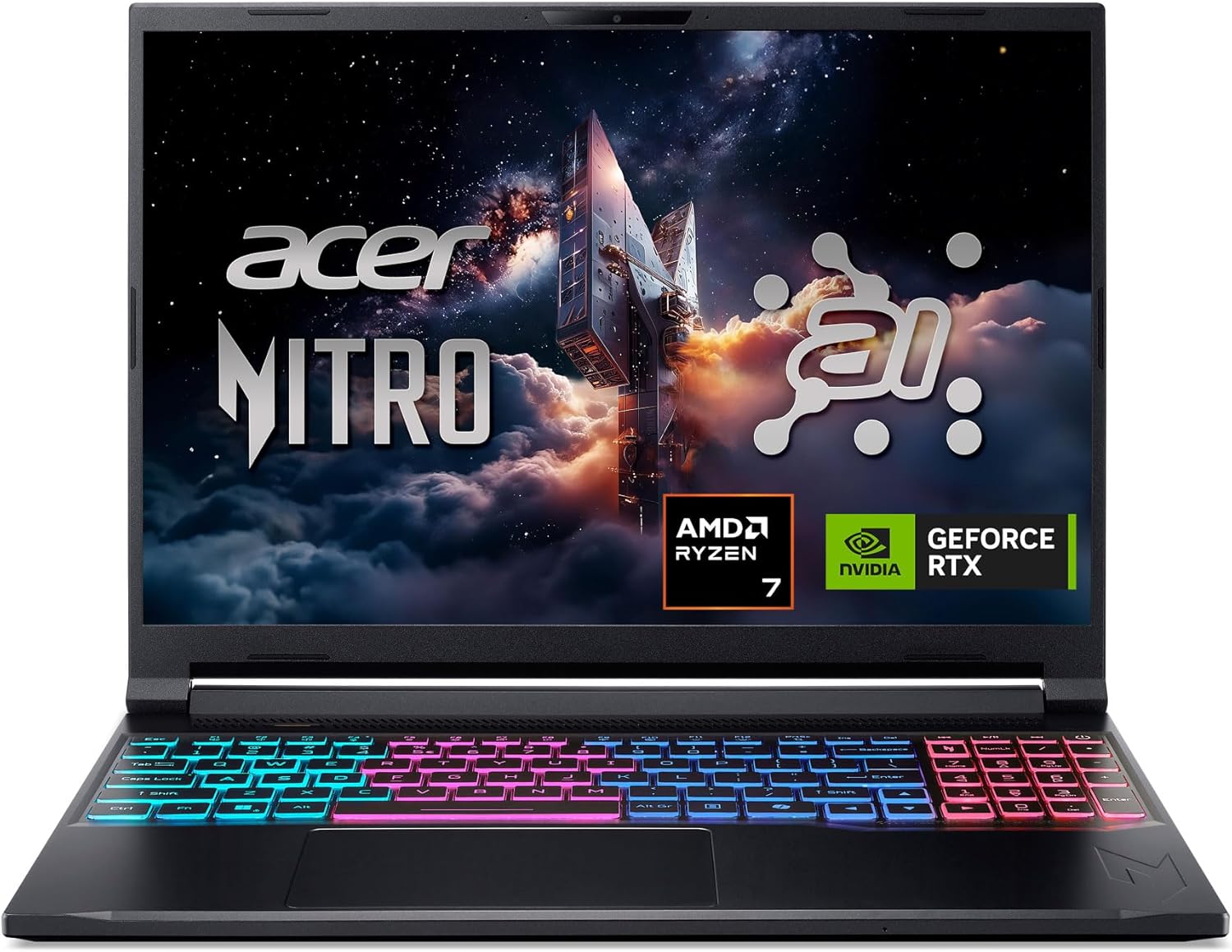
Acer Nitro V 16S AI (Ryzen 7 260, RTX 5060, 32GB, 1TB)
Best for: Battery lifePros
- 10 hours 17 minutes in Tom's Hardware's battery test, from a 76Wh battery
- 32GB DDR5 and a 1TB SSD from the box
- 391.8-nit 180Hz 1200p panel, measured by Tom's Hardware
- Aluminum lid and bottom panel, plus a microSD slot
Cons
- 85W RTX 5060 finished last in most of Tom's Hardware's 1080p game tests
- $150 more than the Lenovo for less GPU power
- Ryzen 7 260 trailed its rivals in multi-core tests
Price as of Oct 12, 2026 — see current price on Amazon.
This is the laptop for students and anyone who carries it all day. Tom's Hardware ran it for 10 hours 17 minutes in its web, video and OpenGL battery test, ahead of the Alienware 16 Aurora (9:41) and the MSI Katana 17 HX (6:21).
The screen is the other win. Tom's Hardware measured 391.8 nits, 77.4% of DCI-P3 and 109.3% of sRGB on the 16-inch 1200p 180Hz panel. That is brighter than the Lenovo's 300-nit rating, and it shows when you sit near a window.
The trade is gaming speed. The RTX 5060 here is capped at 85W, and Tom's Hardware's numbers show it: 98 fps in Shadow of the Tomb Raider (Highest, 1080p) and 82 fps in Far Cry 6 (Ultra, 1080p), last or near last against an Alienware with an 80W RTX 5060 and rivals with RTX 5070 chips. Those are still very playable frame rates. They are just not the most you can get for $1,399.99.
One correction to a common claim: the RAM is not soldered. Tom's Hardware found two SO-DIMM slots with 16GB modules and a second, empty M.2 slot.
Best for 1TB on a budget: HP Victus 15

HP Victus 15 (Ryzen AI 7 350, RTX 5060, 16GB, 1TB)
Best for: 1TB on a budgetPros
- 1TB SSD standard, double the Lenovo's 512GB
- Ryzen AI 7 350 is an 8-core Zen 5 chip with a 50 TOPS NPU
- 15.6-inch 1080p 144Hz screen is easy for the RTX 5060 to max out
Cons
- 250-nit panel is the dimmest here (per Newegg's spec listing)
- HP does not publish the GPU power limit for this model
- About $100 less than the Acer, which has twice the RAM
Price as of Oct 12, 2026 — see current price on Amazon.
The Victus 15 makes sense for one buyer: someone who wants 1TB of storage and a current-generation CPU without paying for 32GB of RAM. The Ryzen AI 7 350 is an 8-core Zen 5 part with a 50 TOPS NPU, per Newegg's spec listing for the 15-fb3001, and it is the newest CPU architecture on this page.
HP saved money on the screen. Newegg's listing rates it at 250 nits, which is dim for a laptop you might use near a window. At 1080p and 144Hz, though, the RTX 5060 will hit the refresh ceiling in most esports games.
The bigger knock is that HP does not publish the GPU power limit, so you cannot compare it to the Lenovo's 115W on paper. If raw frame rate is the goal, the LOQ is the safer bet for less money.
Best lightweight: MSI Cyborg 15

MSI Cyborg 15 (Core 7 240H, RTX 5060, 16GB, 1TB)
Best for: Low weightPros
- 4.29 lbs, the lightest laptop on this page
- 1TB SSD and Wi-Fi 6E
- Two SO-DIMM slots, up to 96GB of DDR5
Cons
- RTX 5060 limited to 55W, about half the Lenovo's power
- 45% NTSC panel looks washed out next to the others
- 55.2Wh battery is the smallest here
Price as of Oct 12, 2026 — see current price on Amazon.
The Cyborg 15 is for one person: the student who carries a laptop across campus every day and games on the side. At 4.29 lbs it is the lightest pick here, per the spec sheet Excaliber PC publishes for the B2RWFKG.
That lightness costs you. The same sheet lists the RTX 5060 at 55W maximum graphics power, which is less than half of the LOQ's 115W. Expect the lowest frame rates of the four in demanding games. The 15.6-inch 1080p panel covers 45% of NTSC, so colors look flat next to the Lenovo's 100% sRGB screen.
If weight does not matter to you, buy the Lenovo instead. It costs less and has twice the GPU power.
The one to skip: ASUS TUF Gaming A16 at full price
The ASUS TUF Gaming A16 is the RTX 5060 laptop most people see first. ASUS's own store lists the RTX 5060 model (Ryzen 7 260, 16GB, 512GB, 144Hz) at $1,499.99. For that money the Acer gives you 32GB, 1TB and a 180Hz screen, and the Lenovo gives you a 115W GPU for $250 less. Unless ASUS cuts that price, there is no reason to pay it.
How to choose the right RTX 5060 laptop
Check the GPU power first
The "RTX 5060" name tells you the chip, not how fast it runs. A 115W version and a 55W version are different products in practice. Look for "TGP" or "maximum graphics power" on the maker's spec sheet. Lenovo prints it on PSREF, and the Cyborg 15 spec sheet lists it as maximum graphics power. When a brand leaves it off, as HP does here, treat that as a reason to buy the one that publishes it.
8GB of VRAM is the real ceiling
Every RTX 5060 laptop has 8GB of GDDR7. That is plenty at 1080p and 1200p in most games. At higher resolutions or with maxed texture settings in the heaviest titles, 8GB is where you hit the wall first, and no amount of system RAM fixes it. This is part of why the 1200p screens on the Lenovo and Acer are a better match for this GPU than a 1600p panel would be.
16GB vs 32GB of RAM
16GB is enough to play games. It gets tight when Discord, a browser and a game run at the same time. The good news is that all four picks here use SO-DIMM slots, so going to 32GB later is a screwdriver job, not a new laptop. Only the Acer ships with 32GB.
Storage is the cheapest upgrade
The Lenovo's 512GB SSD is the only real spec gap on the best overall pick. Lenovo's PSREF lists a second M.2 slot, and the Acer and HP ship with 1TB. Modern games often take 100GB or more each, so plan for a second drive if you buy the Lenovo.
Screen: refresh rate vs brightness
A 144Hz to 180Hz panel is right for this GPU. Brightness is where these laptops differ most: the Acer measured 391.8 nits in Tom's Hardware's test, the Lenovo is rated at 300 and the HP at 250. If you use the laptop near windows, that gap matters more than the refresh rate.
Frequently asked questions
- What is the best RTX 5060 laptop in 2026?
- The Lenovo LOQ 15 (15.3-inch) at $1,249.99 is the best RTX 5060 laptop for most buyers. It runs the GPU at 115W per Lenovo's PSREF sheet, the highest of the laptops here, and it is also the cheapest.
- Why do RTX 5060 laptops perform differently?
- Because each maker sets a different power limit for the same GPU. On this page the RTX 5060 runs at 115W in the Lenovo LOQ 15, 85W in the Acer Nitro V 16S AI and 55W in the MSI Cyborg 15, and more power means higher frame rates.
- Which RTX 5060 laptop has the best battery life?
- The Acer Nitro V 16S AI. Tom's Hardware ran it for 10 hours 17 minutes in its battery test from a 76Wh battery, well ahead of most gaming laptops.
- Is 16GB of RAM enough in an RTX 5060 laptop?
- Yes, for gaming alone. All four picks here have SO-DIMM slots, so you can add a second 16GB stick later if you stream or keep a browser open while you play.
- Can an RTX 5060 laptop run games at 1440p?
- Yes, in many games, with upscaling. Its 8GB of VRAM is the limit at higher resolutions, which is why a 1200p screen like the one on the Lenovo LOQ 15 or Acer Nitro V 16S AI is the better match.
The bottom line
Buy the Lenovo LOQ 15 (15.3-inch). It has the most GPU power of any laptop here at 115W, a sharp 165Hz 16:10 screen, room to add RAM and a second SSD, and it costs less than the other three. Add a 1TB drive when you need it and you have the best RTX 5060 laptop for the money.
How We Pick
We pick products by combining spec-level research, price checks, trusted third-party benchmarks, and owner sentiment from high-signal sources.
- Performance and real-world value in the category this guide targets
- Price-to-performance and deal consistency over recent pricing windows
- Build quality, reliability patterns, and known long-term issues
- Recommendation refresh cadence to keep these picks current
Author
TheTechSearch Editorial Team
Independent product reviewers & PC builders
We compare real-world specs, reviews and owner reports, price trends, and user feedback to recommend gear that actually makes sense to buy.