Curved vs. Flat Gaming Monitor: Which Is Actually Worth It in 2026?
The honest answer to curved vs flat gaming monitors: when curved makes a real difference and when it's marketing hype, with top picks for both camps. Expert...
As an Amazon Associate we earn from qualifying purchases made through our links — this doesn't affect our picks.
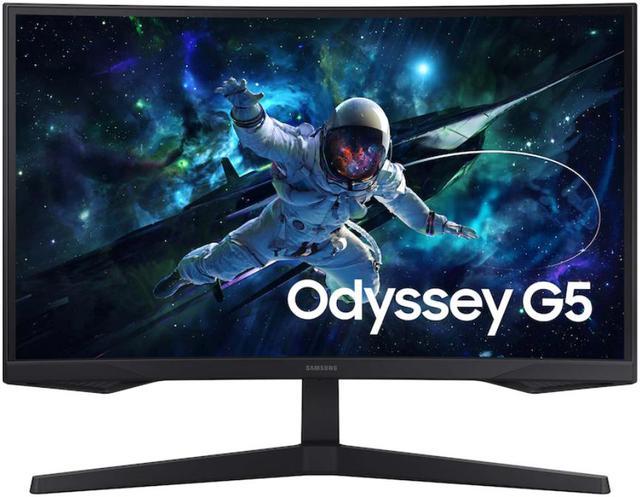
Samsung Odyssey G55C 32-inch QHD Curved Gaming Monitor
Our top recommendation for this category
Price as of Aug 23, 2026 — see current price on Amazon.
Here's the honest answer: curved monitors are genuinely worth it for some people and a complete waste of money for others. The curve isn't a gimmick, but it's also not universally better. The line between the two comes down to screen size and what you play.
Short version: if you're buying 32 inches or larger for single-player gaming, curved is almost always the better choice. Play competitive shooters or do color-critical creative work? Stick with flat. Everything else depends on your specific situation, which I'll break down below.
| Situation | Verdict | Why |
|---|---|---|
| 32"+ single-player gaming | Go curved | Wrap effect at this size is immersive, not distortion |
| 24-27" gaming | Either works, slight flat edge | Curve adds little at small sizes |
| Competitive FPS (CS2, Valorant) | Go flat | Some pros report edge distortion at corners |
| Photo/video editing | Go flat | Color consistency suffers at curve edges |
| Ultrawide (34"+) | Go curved (strongly) | Straight ultrawide looks awkward; 1000R curve is near-universal |
| Multi-monitor setup | Go flat | Curved panels don't tile cleanly side-by-side |
| Budget under $200 | Go flat | Cheap curved panels cut corners on the panel itself |
The Real Difference Between 1000R, 1500R, and 1800R Curvature
Curvature ratings describe the radius of the curve in millimeters. A 1000R curve matches the natural focal distance of the human eye (roughly 1000mm, or about arm's length). The lower the number, the tighter the curve.
1000R panels wrap aggressively and work great for immersive gaming and ultrawide formats. 1500R is subtler; you'll notice it but it won't feel intense. 1800R is barely there. You'd probably only notice it side-by-side with a flat panel.
For pure gaming purposes, 1000R makes the most sense on anything 32 inches and above, where the panel is wide enough for the curve to wrap into your peripheral vision.
My Top Picks If You Decide to Go Curved
Samsung Odyssey G55C 32-inch QHD Curved Gaming Monitor
Pros
- 1000R curvature at a price that actually makes sense
- 165Hz and 1ms for smooth competitive play
- QHD resolution is the sweet spot for 32 inches
- HDR10 support
Cons
- VA panel has slower pixel response than IPS at the same price
- No USB hub
Price as of Aug 23, 2026 — see current price on Amazon.
The Samsung Odyssey G55C is where I'd send most people who want to try a curved monitor without committing to a premium price. At $237, you get a proper 1000R 32-inch panel with 165Hz. Genuinely enough to find out whether curved works for your desk setup before spending more.
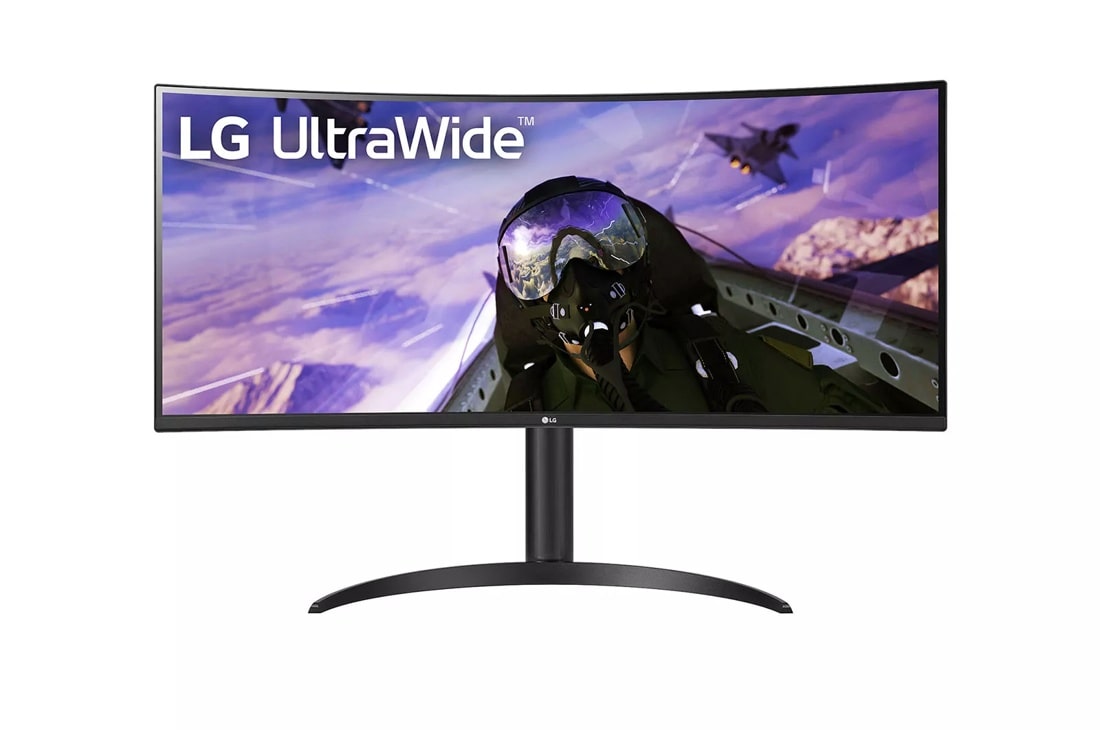
LG 34WP65C-B 34-inch UltraWide Curved QHD Gaming Monitor
Pros
- 34-inch ultrawide is the ideal curved format
- 3440x1440 resolution with wide color coverage
- AMD FreeSync Premium with 160Hz max refresh
- Great for productivity split between gaming and work
Cons
- 160Hz is solid but not top-tier for competitive play
- Older LG panel (2021 era) vs newer competition
Price as of Aug 23, 2026 — see current price on Amazon.
If you're considering ultrawide, the LG 34WP65C-B is where I'd start. Straight 34-inch ultrawides look genuinely weird. The curve at this format isn't an aesthetic choice, it's ergonomic. This LG hits the right balance of size, resolution, and price for someone who wants the desktop real estate without the premium OLED tax.

Alienware AW3423DWF 34-inch Curved QD-OLED Gaming Monitor
Pros
- QD-OLED panel with infinite contrast and genuine blacks
- 165Hz FreeSync Premium Pro
- Stunning color for gaming and media consumption
- Dell support warranty is actually good
Cons
- $650 is a serious investment
- OLED burn-in risk with static desktop elements
- No G-Sync certification on this model
Price as of Aug 23, 2026 — see current price on Amazon.
The Alienware AW3423DWF raises the bar for curved gaming monitors. Its QD-OLED panel lights each pixel on its own, so its contrast outclasses any curved VA or IPS monitor, and the gap is largest in a dark room. If you can stomach the price and you're a serious single-player gamer, this is the curved monitor I'd buy today.
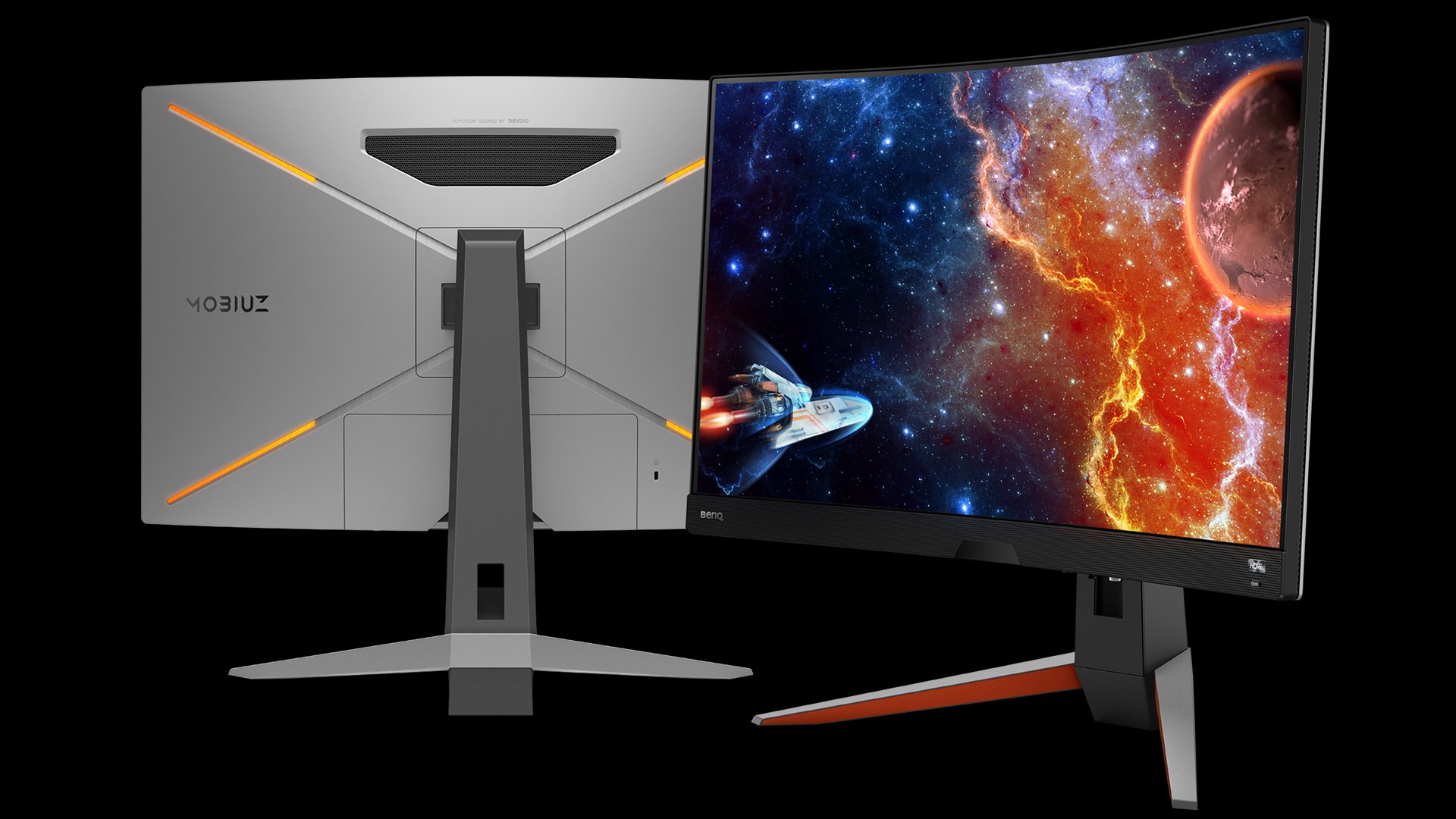
BenQ MOBIUZ EX2710R 27-inch 1000R Curved Gaming Monitor
Pros
- Dual 2W speakers plus a subwoofer actually deliver decent audio
- 1000R curvature at 27 inches (tight, but some prefer it)
- 165Hz QHD panel with FreeSync Premium
- HDR ready with local dimming zones
Cons
- Built-in speakers are useful but not a substitute for headphones
- 27-inch is borderline for curved (personal preference matters here)
- Not the sharpest VA panel in this class
Price as of Aug 23, 2026 — see current price on Amazon.
The BenQ MOBIUZ EX2710R is the interesting outlier. BenQ put real effort into the audio system on this monitor. The built-in subwoofer makes a noticeable difference versus the typical tinny speaker included with most monitors. It's not a replacement for actual headphones, but if you're in a dorm or shared space where a speaker setup isn't practical, this one's worth considering.
When Flat Is Still the Right Call
Look, flat monitors aren't inferior. They're just better for specific use cases. Here's where I'd stick with flat every time:
Competitive FPS gaming. Some CS2 and Valorant players report that the curvature creates slight distortion when watching corners at the edges of the screen. It's subtle, and most people don't notice it. But at the highest competitive levels, "most people don't notice" isn't good enough. Professional players overwhelmingly use flat monitors. Draw your own conclusions.
Photo and video editing. Curved panels introduce geometric distortion that's barely visible in games but shows up when you're trying to edit a horizon line or check that a gradient is even. Flat IPS monitors with wide color gamuts are the standard in creative workflows for a reason.
Multiple monitor setups. Three curved monitors tiled together look genuinely terrible. The curves face different directions and there's no way to make them align naturally. Flat panels tile cleanly. If you're running a multi-monitor desk, flat is the only logical choice.
Budget shopping under $200. Cheap curved panels usually compromise on the panel quality to hit the price point. A $150 flat IPS monitor will give you better color, more consistent brightness, and less gray uniformity issues than a $150 curved VA. The curve doesn't add value when the underlying panel has problems.
How Far Away Are You Sitting? (This Actually Matters)
The ergonomic case for curved monitors depends on viewing distance. The 1000R curve is designed to match your eye's natural focal distance: at around 1 meter (about 3 feet) from the screen, a 1000R panel wraps exactly enough to keep every part of the display equidistant from your eyes.
If you sit further than 3 feet from your monitor, the curvature helps less. Sit closer (which many desk setups force you to), and it helps more. This is why ultrawide curved panels make so much sense for close desk use, and why a 24-inch curved monitor at arm's length often feels like overkill.
Practically speaking: measure from your chair to your monitor. If it's 24 inches or less, a 1000R curved 32-inch or ultrawide is going to feel immersive. If it's 36 inches or more, the curve effect diminishes significantly.
The QD-OLED Factor Changed Everything
Three years ago, curved monitors were mostly VA panels with middling color. That changed when QD-OLED started showing up in the 34-inch ultrawide segment. The Alienware AW3423DWF brought genuine HDR performance (not fake HDR, but actual deep blacks and wide color) to a curved format that already made ergonomic sense.
At $650, the AW3423DWF is expensive. But it's the first curved monitor I'd describe as genuinely better than the best flat alternative at its price, rather than just different. The contrast ratio advantage of OLED completely reframes the curved-vs-flat debate: curved no longer means "slightly more immersive VA panel with average colors." It can mean one of the best-looking gaming displays under $800.
This is why 2026 is an interesting time to think about curved vs flat. The technology gap has closed on the curved side, and the price premium has shrunk significantly compared to even two years ago.
Frequently asked questions
- Is curved better for FPS games like Valorant or CS2?
- Most competitive players prefer flat monitors because the edge curvature can create slight distortion when checking corners. For casual FPS play it makes no real difference, but if you're competing at high ranks, stick with a flat 240Hz or faster panel. The pros almost universally use flat.
- Does curvature cause eye strain?
- Generally the opposite. Curved monitors are designed to match the natural curvature of your field of vision, which in theory reduces the eye movement needed to scan the screen. Some people find very tight 1000R curves uncomfortable if the monitor is too close, but at normal desk distances curved screens are at least as comfortable as flat ones, and often more so for wide formats.
- Are curved monitors good for productivity and office work?
- It depends on the work. For most productivity tasks (writing, spreadsheets, web browsing) curved monitors are fine and the ultrawide format is genuinely useful for multitasking. Where curved falls short is photo and video editing, where geometric distortion becomes noticeable and flat IPS panels deliver more accurate image representation.
- What size curved monitor makes sense?
- The sweet spot is 32 inches and larger. At 24 inches, the curve adds very little benefit and can look odd. At 27 inches it's personal preference; some people love it, some don't. At 32 inches and above, the curve starts to make real ergonomic sense by keeping the screen edges equidistant from your eyes. For ultrawide formats (34-inch plus), curved is almost universally better than flat.
- Do curved monitors cost more than flat monitors?
- At the same specs, curved monitors typically cost $30-80 more than their flat equivalents. However, the QD-OLED curved panels (like the Alienware AW3423DWF) are arguably more competitive on price-to-performance than premium flat OLED monitors. The gap has narrowed considerably in 2025-2026.
- Can curved monitors be used with multiple monitors?
- Technically yes, but it looks awkward. Curved panels don't tile naturally side-by-side because the curves point in different directions. The center monitor curves away from the side monitors at the edges, creating a visual disconnect. If you need multiple monitors, flat panels are strongly preferred for a cohesive setup.
Bottom Line
Curved monitors are worth it at 32 inches and above for immersive gaming. The Samsung Odyssey G55C is where I'd start at $237 if you want to try the format. The LG 34WP65C-B is the right call if you're considering ultrawide; that format genuinely benefits from curvature. And if you're ready to spend $650 on what I consider the best-looking gaming display available for this use case, the Alienware AW3423DWF is in a different league.
Skip curved if you're a competitive shooter player, working with creative content professionally, or running a multi-monitor setup. Flat is still better for all of those. But for single-player, cinematic gaming at 32 inches and up? The curve earns its price.
How We Pick
We pick products by combining spec-level research, price checks, trusted third-party benchmarks, and owner sentiment from high-signal sources.
- Performance and real-world value in the category this guide targets
- Price-to-performance and deal consistency over recent pricing windows
- Build quality, reliability patterns, and known long-term issues
- Recommendation refresh cadence to keep these picks current
Author
TheTechSearch Editorial Team
Independent product reviewers & PC builders
We compare real-world specs, reviews and owner reports, price trends, and user feedback to recommend gear that actually makes sense to buy.