Best Chromebooks in 2026
The best Chromebooks you can buy in 2026. Top picks for students, work, and everyday use from ASUS, Lenovo, and Acer. Expert picks, pros and cons, and side-b...
As an Amazon Associate we earn from qualifying purchases made through our links — this doesn't affect our picks.
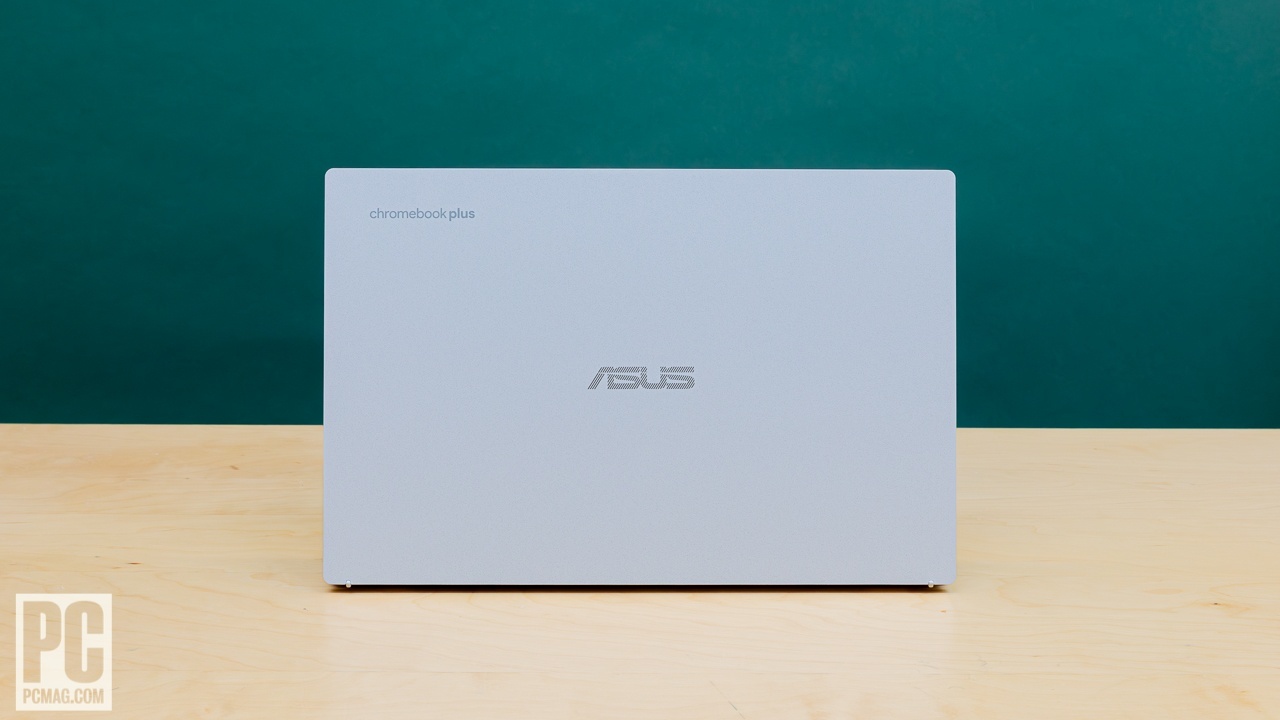
ASUS Chromebook Plus CX34 14-inch Touchscreen
Our top recommendation for this category
Price as of Mar 5, 2026 — see current price on Amazon.
Chromebooks have moved past the "cheap laptop that only runs a browser" reputation. The Chromebook Plus tier that Google introduced in late 2023 set a performance floor that actually matters: at least 8GB RAM, an Intel Core i3 or equivalent, and a 1080p display. Every Chromebook Plus device runs Android apps, Linux apps, and a growing number of Steam games. For students, light productivity, and anyone who lives in Google Workspace, a Chromebook in 2026 is a legitimate daily driver.
Recommendations from PCMag, Wirecutter, PCWorld, and Laptop Mag narrowed the field to four Chromebooks worth buying right now.
Quick picks
| Chromebook | Display | CPU | RAM / Storage | Battery | Price | |
|---|---|---|---|---|---|---|
| ASUS Chromebook Plus CX34 | 14" FHD Touch | Intel Core i5-1335U | 8GB / 128GB UFS | ~10 hrs | ~$530 | Check Price |
| Lenovo IdeaPad Slim 3i CB Plus | 14" FHD | Intel Core i3-N305 | 8GB / 256GB SSD | Up to 14 hrs (rated) | ~$555 | Check Price |
| Lenovo Chromebook Plus 14 | 14" WUXGA Touch | MediaTek Kompanio Ultra 910 | 16GB / 256GB UFS 4.0 | Not stated | ~$860 | Check Price |
| Acer Chromebook Spin 714 | 14" FHD+ Touch | Intel Core i5-1335U | 8GB / 256GB SSD | ~10 hrs | ~$650 | Check Price |
Best overall: ASUS Chromebook Plus CX34
ASUS Chromebook Plus CX34 14-inch Touchscreen
Pros
- Intel Core i5-1335U handles multitasking, Linux apps, and light Steam gaming
- 14-inch FHD touchscreen with good brightness and color accuracy for the price
- MIL-STD-810H durability rating for drops and bumps
- Backlit keyboard with 1.5mm key travel feels better than most Chromebooks
- 180-degree hinge for lie-flat sharing and presentation mode
- WiFi 6 and Bluetooth 5 for fast, stable connections
Cons
- 128GB UFS storage fills up faster than SSD-based competitors
- No HDMI port, USB-C only for video output
- Speakers are below average for the size
- Fan noise is noticeable during sustained workloads
Price as of Mar 5, 2026 — see current price on Amazon.
The CX34 is the Chromebook that PCMag, PCWorld, and Wirecutter all agree on as the best all-around pick. At $529.99 (it has sold for well over $100 less before, so watch for a dip), you get enough performance to run multiple browser tabs, Android apps, and even some Linux software without slowdowns, while still undercutting a comparable Windows laptop.
The Intel Core i5-1335U is genuinely fast for ChromeOS. This is the same processor found in mid-range Windows laptops selling for $600 to $800. ChromeOS needs far fewer resources than Windows, so the i5 feels borderline overkill for typical Chromebook tasks. That extra headroom shows up when you open 30+ tabs, run an Android app alongside browser work, or install Linux apps for development.
The MIL-STD-810H durability rating matters if this Chromebook is going into a backpack every day. It is tested against drops, vibration, and temperature extremes. Combined with the antimicrobial coating on the keyboard, the CX34 is built for the reality of daily student use.
The 128GB UFS storage is the main compromise. UFS is faster than eMMC but slower than a proper NVMe SSD. For ChromeOS, which keeps most data in the cloud, 128GB is enough. If you plan to install many Linux apps or download large files locally, you may want the Lenovo or Acer with 256GB SSDs instead.
Best battery life: Lenovo IdeaPad Slim 3i Chromebook Plus
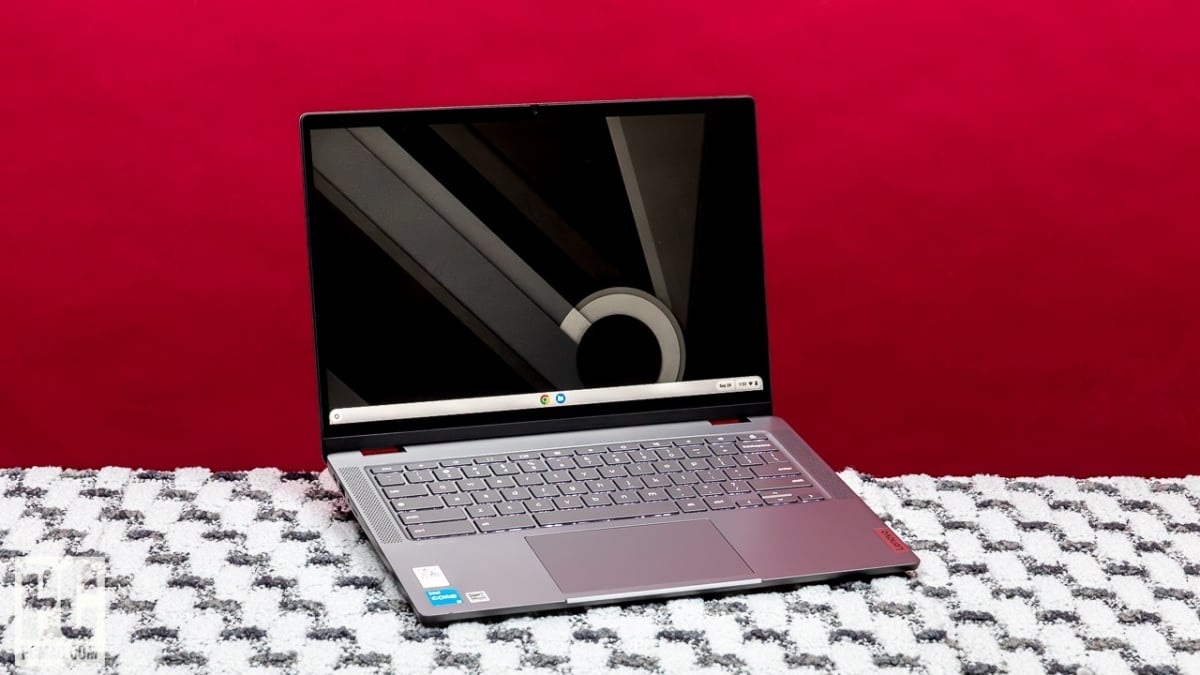
Lenovo IdeaPad Slim 3i Chromebook Plus 14-inch
Pros
- 256GB NVMe SSD provides faster and more spacious storage than the ASUS
- Lenovo rates the 57Wh battery at up to 14 hours
- Intel Core i3-N305 is efficient and handles typical Chromebook workloads well
- Slim, lightweight design at 3.3 lbs is easy to carry all day
- Full HD 1080p webcam for clear video calls
Cons
- Display is not touchscreen in the base model
- Intel N305 is noticeably slower than the Core i5 in the ASUS
- Keyboard flex is more noticeable than on the CX34
- No biometric login, password or PIN only
Price as of Mar 5, 2026 — see current price on Amazon.
The IdeaPad Slim 3i is the Chromebook Plus to buy for battery life and storage. At $554.99 it is actually $25 more than the ASUS, so it does not win on price. You get a 256GB NVMe SSD (double the ASUS), 8GB RAM, and a 57Wh battery that Lenovo's own datasheet for this Core i3-N305 model rates at up to 14 hours. For students who need a machine that survives a full day of classes without charging, this is the one.
The Intel Core i3-N305 is an 8-core efficiency processor. It is slower than the i5 in the ASUS under heavy load, but for browsing, Google Docs, Slides, and streaming, you will not notice the difference. The 8 efficiency cores keep power consumption low, which is why the battery lasts so long.
The non-touchscreen base model is the main sacrifice. If you want pen input or touch for Android apps, you need to step up to the touchscreen variant or switch to the ASUS. For keyboard-and-trackpad users, this is a non-issue and saves $50.
Best premium: Lenovo Chromebook Plus 14
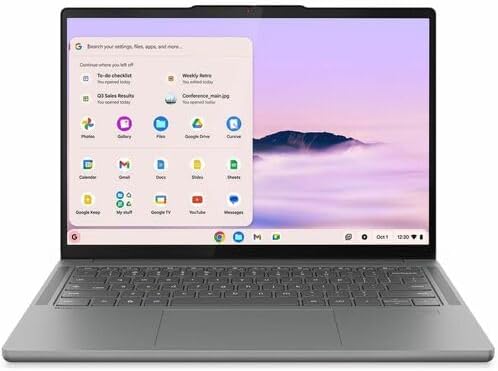
Lenovo Chromebook Plus 14 (Kompanio Ultra 910, 16GB, 256GB)
Pros
- 16GB RAM handles any ChromeOS workload without hitting limits
- MediaTek Kompanio Ultra 910 at 2.10GHz, the current top ARM chip for ChromeOS
- 14-inch WUXGA (1920x1200) touchscreen in the 16:10 shape
- 256GB of UFS 4.0 storage, fast for a Chromebook
- Chromebook Plus tier, so Google's AI features are included
Cons
- At about $860 it costs $330 more than the ASUS CX34
- Battery life, weight and ports are not stated on the listing
- ARM-based, so check Linux and Steam support for your specific apps before buying
- Hard to justify the premium for ChromeOS when Windows laptops compete at this price
Price as of Mar 5, 2026 — see current price on Amazon.
The premium slot goes to the Lenovo Chromebook Plus 14, the current flagship of Google's Chromebook Plus tier. It is the Chromebook to buy if you want flagship hardware running ChromeOS and the price does not put you off. The spec list below shows where that money goes.
What the listing states: a MediaTek Kompanio Ultra 910 at 2.10GHz, 16GB of RAM, 256GB of UFS 4.0 storage, and a 14-inch WUXGA touchscreen running Chrome OS. The 16GB of RAM means you will never see an "out of memory" tab crash regardless of how many tabs you keep open, and 16:10 gives you more vertical room for documents than the 16:9 panels on cheaper boards. Battery life, weight and ports are not stated on the listing, so check those against your needs before you buy.
The price is the elephant in the room. At about $860, a Windows laptop gives you access to a broader software library and more gaming options, and the ARM chip means Linux and Steam support is a question to research for your specific apps. This makes sense for people committed to ChromeOS who want the best hardware running it. For everyone else, the ASUS CX34 delivers most of the experience for $330 less.
Best 2-in-1 Chromebook: Acer Chromebook Spin 714
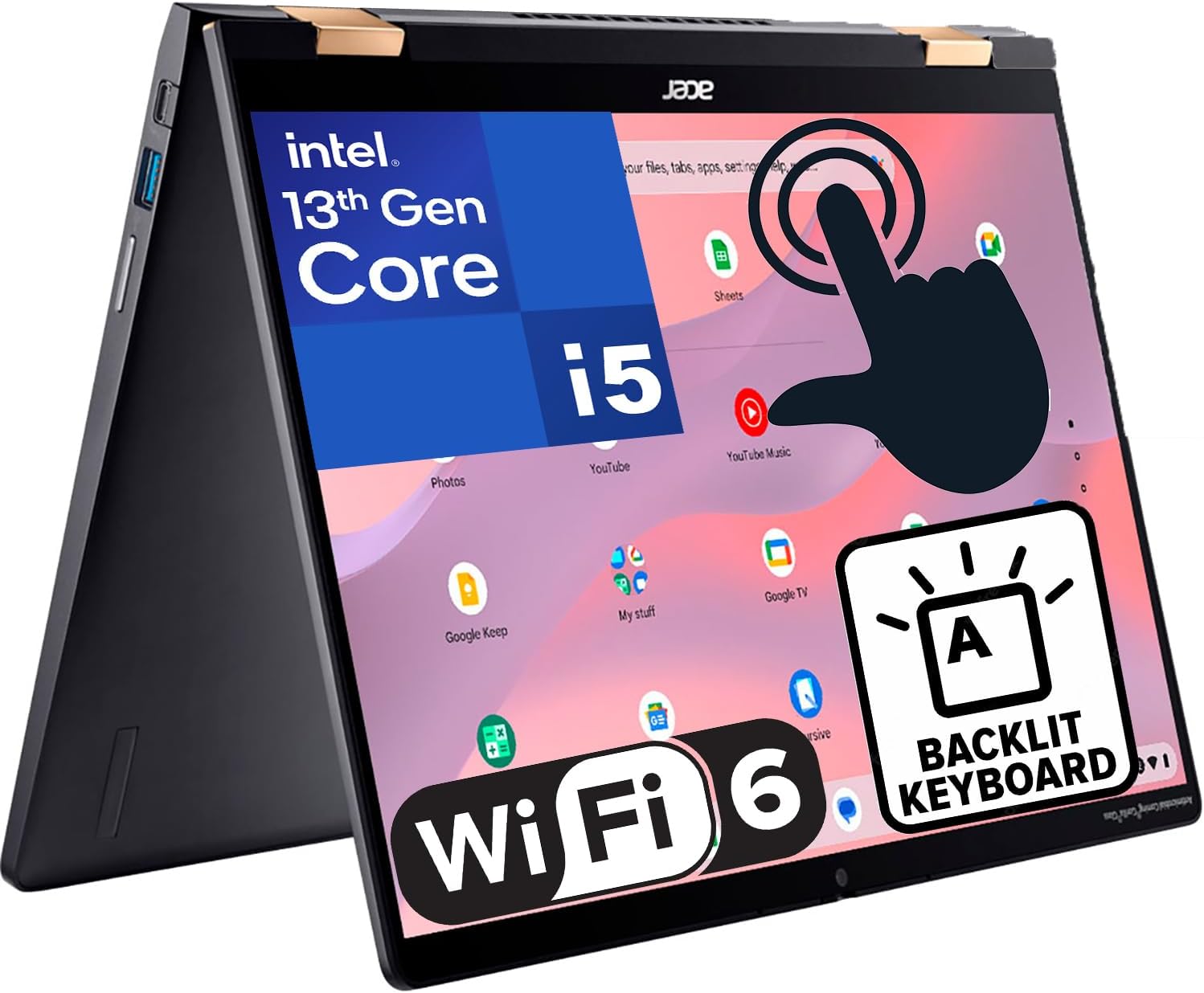
Acer Chromebook Spin 714 14-inch 2-in-1
Pros
- 360-degree hinge converts between laptop, tablet, tent, and display modes
- 14-inch FHD+ (1920x1200) touchscreen with 16:10 aspect ratio
- Intel Core i5-1335U matches the ASUS CX34 in performance
- 256GB PCIe SSD for fast storage
- USI stylus support for note-taking and sketching
- HDMI port, USB-A, and USB-C gives real port flexibility
Cons
- Heavier at 3.64 lbs than clamshell competitors
- Tablet mode feels thick with the keyboard behind the screen
- At $650 it is closer to premium pricing than the spec sheet suggests
- Fan noise is more aggressive than the ASUS under load
Price as of Mar 5, 2026 — see current price on Amazon.
The Spin 714 is the Chromebook for anyone who wants a convertible without paying the premium Lenovo's price. Buy the 8GB, 256GB PCIe SSD configuration with WiFi 6E and Bluetooth 5.2, at about $650. The 360-degree hinge lets you fold the screen back for tablet mode, stand it in tent mode for presentations, or use it as a standard laptop. USI stylus support means you can take handwritten notes directly on the screen in Google Keep or any note-taking Android app.
The port selection is the Spin 714's hidden advantage. An HDMI port, USB-A, and USB-C are all present. Most other Chromebooks on this list force you into USB-C dongles for HDMI output. If you present on external displays regularly, this saves you from carrying adapters.
The 16:10 aspect ratio display is another practical win. The extra vertical space compared to 16:9 screens means fewer scroll actions in documents and web pages. It is a subtle improvement that adds up over hours of use.
What makes a good Chromebook in 2026
RAM matters more than CPU. ChromeOS is lightweight, so even a Core i3 or Celeron handles the OS fine. But Chrome tabs eat RAM for breakfast. Get 8GB minimum. 4GB works for basic use but will frustrate you within a year as web apps grow heavier.
Storage type matters. eMMC is the slowest storage option. UFS is faster. NVMe SSD is fastest. For a Chromebook, the difference shows up when installing Android or Linux apps and when the system writes cache files. Everyday browsing feels similar across all three.
Chromebook Plus is worth targeting. Google's Chromebook Plus certification guarantees at least 8GB RAM, a modern processor, and 1080p display. It also unlocks Google AI features like Magic Eraser, AI writing assistance, and enhanced video call backgrounds directly in ChromeOS.
Auto-update expiration (AUE) date matters. Every Chromebook has a date after which it stops receiving ChromeOS updates. All 2024 and 2025 Chromebooks have AUE dates in 2034 or later (10 years). Check before buying older models.
Need more laptop options? See our best laptops for college students guide and our best laptops under $500 picks. For a full-featured alternative, check out the best 2-in-1 laptops in 2026.
Frequently asked questions
- Are Chromebooks good for college?
- Yes. Chromebooks handle Google Workspace, web-based research, video conferencing, note-taking, and PDF annotation without issues. The ASUS CX34 and Lenovo Slim 3i Chromebook Plus both run all-day on a single charge and handle 20+ browser tabs. If your coursework requires specialized Windows or Mac software (AutoCAD, MATLAB, Final Cut Pro), a Chromebook will not work. For everything else, it is a strong choice at half the price of a comparable Windows laptop.
- Can Chromebooks run Windows apps?
- Not natively. ChromeOS runs web apps, Android apps (from Google Play), and Linux apps (through the built-in Linux container). Some Windows apps have web versions that work in a browser. For desktop Windows software, you would need a remote desktop connection to a Windows machine or a cloud service like Microsoft 365 online. Chromebooks cannot install .exe files.
- How long do Chromebooks last?
- Google guarantees ChromeOS updates for 10 years from the device's platform release date. All Chromebooks released in 2024 and 2025 receive updates until 2034 or later. Hardware-wise, a Chromebook with 8GB RAM and an SSD should perform well for 5-6 years of daily use. Budget models with 4GB RAM and eMMC storage may feel slow sooner.
- What is Chromebook Plus?
- Chromebook Plus is a certification from Google that guarantees minimum hardware specs: 8GB RAM, Intel Core i3 (or AMD equivalent), 1080p display, and 1080p webcam. Chromebook Plus devices also get exclusive Google AI features including AI-generated wallpapers, Magic Eraser for photos, and Help Me Write text assistance built into ChromeOS.
- Can you game on a Chromebook?
- Light gaming works. ChromeOS supports a growing library of Steam games on Chromebook Plus devices with Intel Core i3 or better. Do not expect AAA titles at high settings. Casual and indie games run well. Android games from Google Play also work. For cloud gaming, services like GeForce NOW and Xbox Cloud Gaming run in the browser and can play demanding games if you have a fast internet connection.
How We Pick
We pick products by combining spec-level research, price checks, trusted third-party benchmarks, and owner sentiment from high-signal sources.
- Performance and real-world value in the category this guide targets
- Price-to-performance and deal consistency over recent pricing windows
- Build quality, reliability patterns, and known long-term issues
- Recommendation refresh cadence to keep these picks current
Author
TheTechSearch Editorial Team
Independent product reviewers & PC builders
We compare real-world specs, reviews and owner reports, price trends, and user feedback to recommend gear that actually makes sense to buy.