Best Webcam Under $100 in 2026
Best webcam under $100 in 2026. Four picks for calls, streaming, and everyday use -- from a $28 budget pick to a $75 streaming-focused cam. Expert picks, pro...
As an Amazon Associate we earn from qualifying purchases made through our links — this doesn't affect our picks.
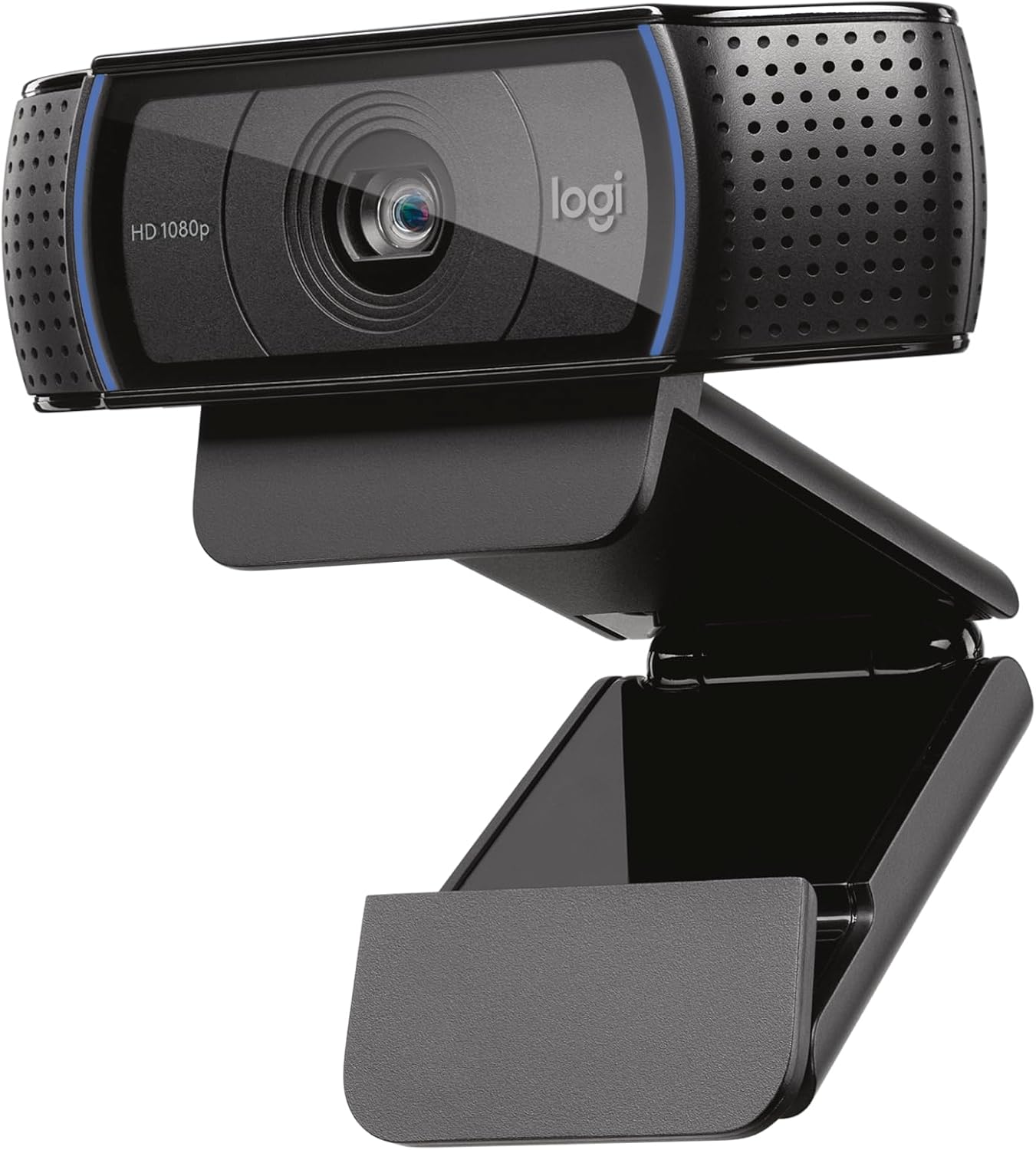
Logitech C920x HD Pro Webcam
Our top recommendation for this category
Price as of Feb 27, 2026 — see current price on Amazon.
Built-in laptop cameras have not caught up with video call expectations. The gap shows every time your face drops to a pixelated blur the moment a cloud passes outside. A dedicated webcam under $100 fixes that, and the options in 2026 range from a legitimately good $28 camera to streaming-optimized hardware pushing $75. You do not need to spend $200 to look sharp on Zoom.
These picks draw on test data from Wirecutter, Tom's Guide, PCMag, and RTINGS, cross-referenced against Amazon purchase data and streaming community recommendations, to identify the four webcams worth buying under $100 right now.
Quick picks
| Webcam | Resolution | Field of View | Best For | Price | |
|---|---|---|---|---|---|
| Logitech C920x | 1080p/30fps | 78 degrees | Best overall | ~$60 | Check Price |
| Logitech Brio 101 | 1080p/30fps | 70 degrees | Daily video calls | ~$40 | Check Price |
| Razer Kiyo X | 1080p/30fps or 720p/60fps | 82 degrees | Streaming | ~$75 | Check Price |
| EMEET C960 | 1080p/30fps | 90 degrees | Best budget pick | ~$28 | Check Price |
Best overall: Logitech C920x
Logitech C920x HD Pro Webcam
Pros
- 1080p 30fps with autofocus that locks on in under a second
- Dual stereo mics capture audio from both sides, reducing the need for a separate mic
- H.264 encoding offloads compression from your CPU to the camera
- Universal clip fits monitors, laptops, and tripods without adapters
- Works out of the box with Zoom, Teams, Meet, and OBS on both Mac and Windows
- Light correction handles backlit rooms reasonably well without manual adjustments
Cons
- 30fps cap at 1080p, no 60fps option at full resolution
- Plastic build feels functional rather than premium
- Privacy shutter sold separately as an accessory, not built in
Price as of Feb 27, 2026 — see current price on Amazon.
The C920x earned its position as the default webcam recommendation for a simple reason: it works correctly every time you plug it in, on every platform, without configuration. That sounds like a low bar until you have fought through driver issues or color calibration failures on competing cameras.
At 1080p with full autofocus, the C920x produces video quality that reads as professional on a standard call. Skin tones render accurately, the autofocus refocuses quickly when you lean back or look away, and the dual stereo mics pick up your voice without the hollow, distant quality that single-mic cameras produce. Reviewers at Tom's Guide consistently rank it as the benchmark against which cheaper alternatives are measured.
The H.264 hardware encoding is a legitimate performance advantage. During a recorded stream or simultaneous call and screen share, the C920x offloads the video compression task from your CPU to the camera's onboard processor. On a mid-range system, that frees up 5 to 8 percent CPU headroom compared to cameras that pass raw video to the host machine.
The 78-degree field of view captures a natural frame at typical sitting distances. You get your face and some shoulder without the fisheye distortion that wide-angle cameras produce in small rooms.
At $60, the C920x is not the cheapest webcam on this list. But it is the one that requires no compromises and no ongoing adjustment. If you want one webcam that handles everything reliably, this is it.
Best for daily video calls: Logitech Brio 101

Logitech Brio 101 Full HD Webcam
Pros
- Privacy shutter built directly into the housing, no adhesive add-ons needed
- Auto light balance adjusts exposure automatically in changing light conditions
- Clean, minimal industrial design sits flat on most monitor bezels
- USB-A plug-and-play, zero driver installation on Windows or Mac
- 1080p video quality is noticeably better than laptop built-in cameras
- Lower $40 price point leaves budget for a better desk setup
Cons
- Single built-in mic (not stereo), narrower audio pickup than the C920x
- 70-degree FOV is tighter than competing cameras at this price
- No autofocus, uses fixed focus (sharp between about 1-3 feet from the lens)
- Software customization requires Logi Tune app download
Price as of Feb 27, 2026 — see current price on Amazon.
The Brio 101 is what Logitech built when they looked at what most people actually use a webcam for: Zoom calls, Teams meetings, and the occasional FaceTime. For that use case, spending an extra $20 on the C920x's dual mics and H.264 encoding delivers diminishing returns.
The built-in privacy shutter is genuinely useful. It is a physical sliding cover molded into the housing. When it is closed, no software vulnerability can activate the camera. That is more security than most cameras offer without an accessory purchase, and it takes zero effort to use.
The fixed focus on the Brio 101 is the main trade-off versus the C920x. Fixed focus works well when you are stationary at a desk, which describes most video call situations. If you move around, stand up, or frequently change your distance from the camera, autofocus becomes more valuable. For static desk setups, you will not notice the difference.
At $40, the Brio 101 is the right recommendation for someone who wants a real camera upgrade from their laptop without overthinking it. It is not the best webcam under $100, but it is the best value.
Best for streaming: Razer Kiyo X
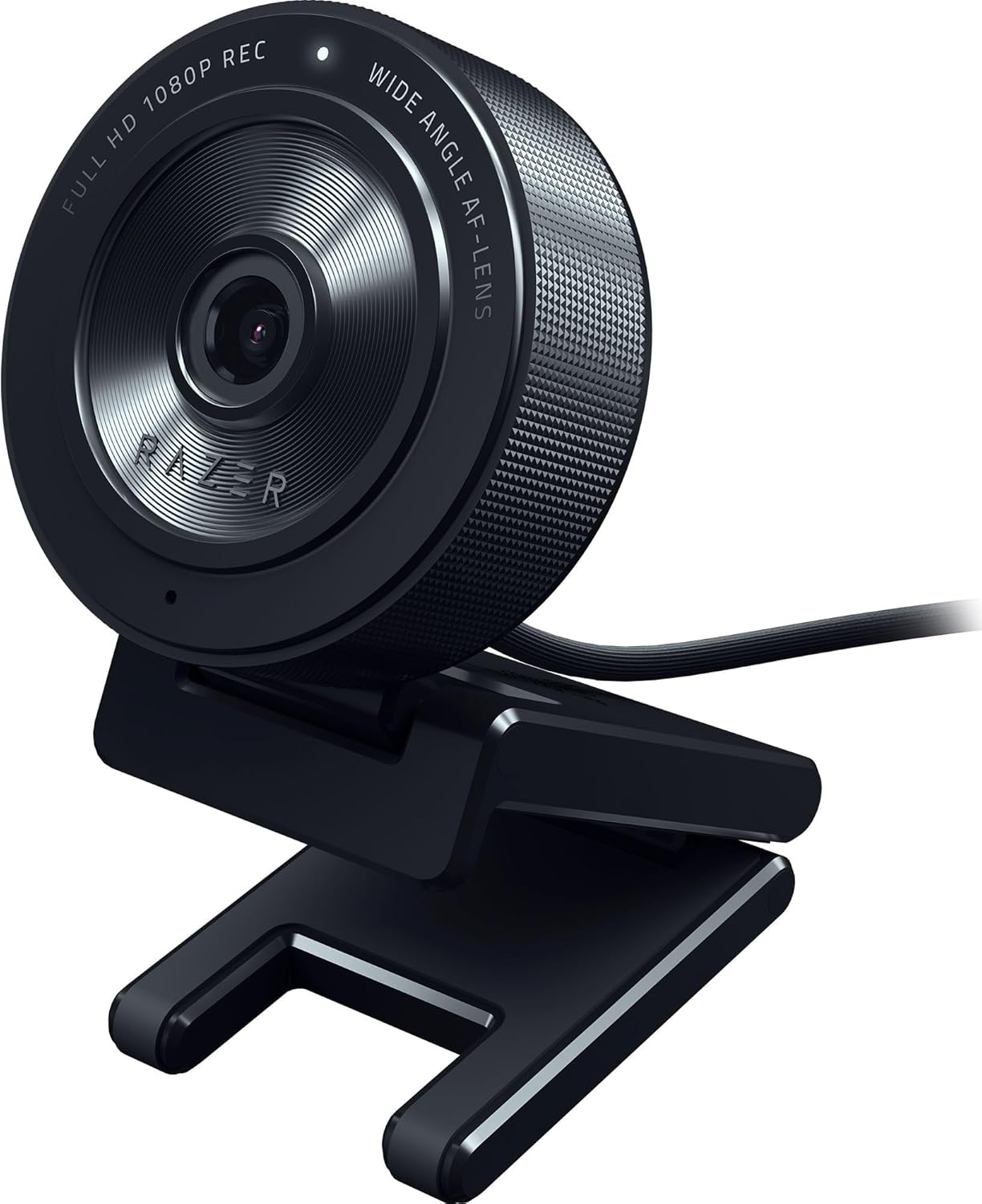
Razer Kiyo X Full HD Streaming Webcam
Pros
- 720p/60fps mode delivers smooth video for fast-paced content and gaming streams
- 1080p/30fps mode for higher-quality output during talking-head segments
- Flexible mounting: clip mount or included desk stand
- Full Razer Synapse integration for FoV adjustment, exposure, and white balance
- Compatible with OBS, XSplit, Streamlabs out of the box
- 82-degree field of view frames more of your setup behind you
Cons
- No built-in ring light (original Kiyo had one, Kiyo X dropped it)
- Synapse software required to access most customization options
- At $75, you are paying for streaming features you may not need for basic calls
- Fixed position clip mount can wobble on thicker monitor bezels
Price as of Feb 27, 2026 — see current price on Amazon.
The Razer Kiyo X does not have the ring light that made the original Kiyo famous. That is a real trade-off. If built-in lighting is your reason for choosing a Kiyo, you want the original model. What the Kiyo X does have is better sensor performance and a more flexible mounting system.
The 720p/60fps option is the feature that separates it from the other cameras on this list. For streaming, 60 frames per second produces video that feels smoother and more dynamic than 30fps. The difference is visible when you are gesturing, moving around, or reacting to gameplay. Most streamers running an entry-level setup find that 720p at 60fps looks better on screen than 1080p at 30fps when motion is involved.
Razer Synapse gives you more granular control over the image than any other camera on this list. You can set custom field of view presets, lock white balance to a specific color temperature, and dial in exposure for your specific room lighting. For content creators who have invested time in their streaming environment, that control matters. For casual callers, it is unnecessary.
The 82-degree field of view is wider than the C920x and substantially wider than the Brio 101. That extra coverage captures more of your background setup, which is relevant for streamers who have built a shot. For people calling from a bedroom or office with nothing interesting behind them, the extra width just means more visible clutter.
Pair this with a solid budget gaming headset and you have most of a capable streaming setup without approaching $200 total.
Best budget pick: EMEET C960
EMEET C960 1080P Webcam with Microphone
Pros
- 90-degree field of view, widest on this list, useful for small rooms or wide shots
- Dual noise-canceling mics eliminate keyboard clicks and fan noise effectively
- USB-A and USB-C adapter both included in the box
- Plug-and-play compatible with Nintendo Switch 2 GameChat
- 10,000+ units sold per month on Amazon, well-established reliability record
- At $28, it costs less than most dedicated webcam accessories
Cons
- No autofocus, fixed focus only
- 90-degree FOV can appear slightly distorted at close range
- Single USB cable, no premium mounting options
- Brand support is less established than Logitech or Razer for long-term issues
Price as of Feb 27, 2026 — see current price on Amazon.
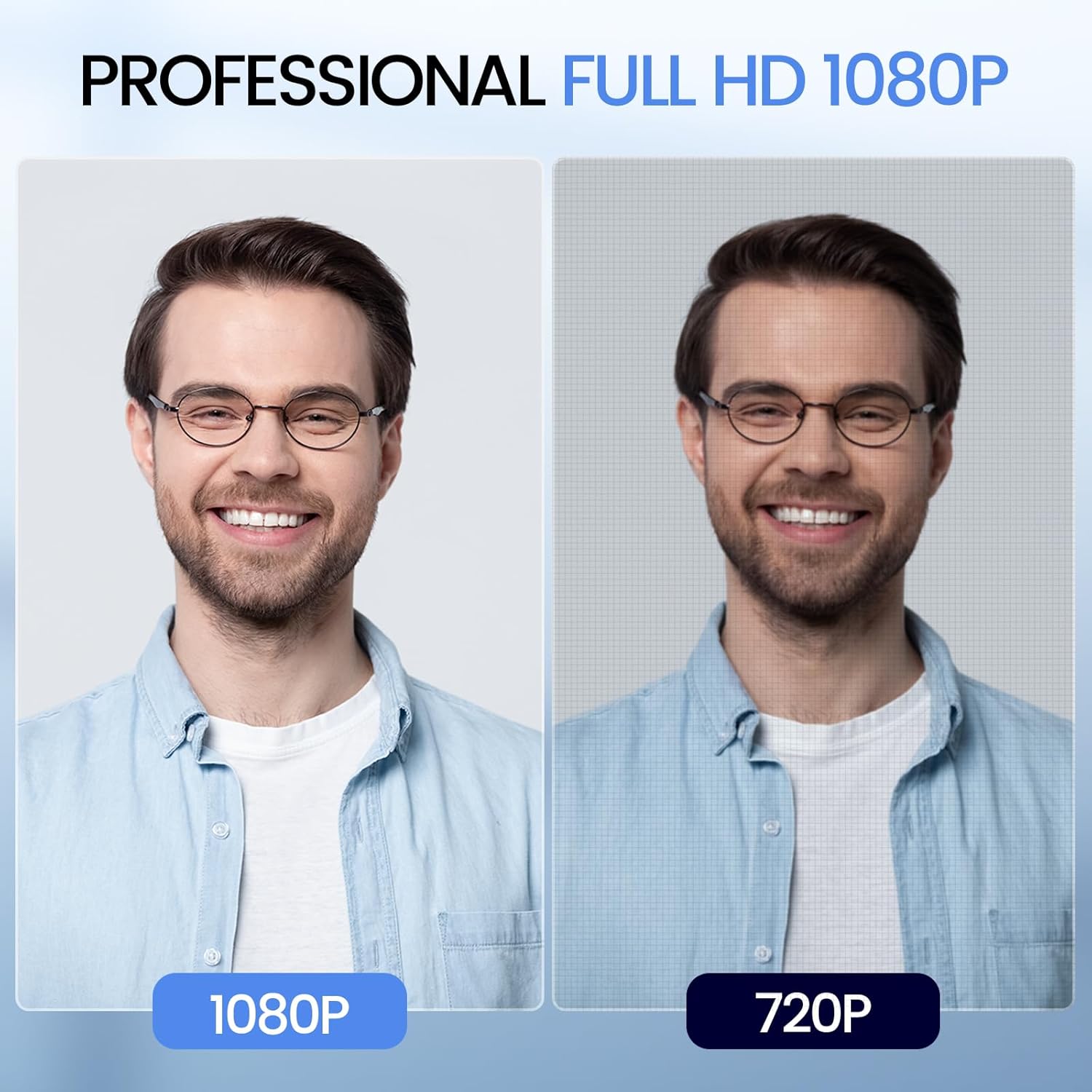
The EMEET C960 exists at a price point where most webcam discussions stop. At $28, the expectation is 720p video and a microphone that makes you sound like you are calling from inside a cardboard box. The C960 does not deliver that experience. It shoots 1080p, and the dual noise-canceling mics handle a standard office environment well enough that most call participants will not ask you to mute.
The 90-degree field of view is the standout spec for the price. It is the widest field of view on this list, which means it captures more horizontal context without requiring you to back up. In small rooms where the distance between you and your monitor is limited, the extra width produces a less cramped frame than narrower cameras.
The dual noise-canceling mics deserve specific mention because they address the main microphone failure mode of cheap cameras: picking up everything except your voice. The C960's mics apply noise reduction that filters keyboard noise, fan hum, and ambient room sounds without over-processing your voice into a robotic artifact. It is not studio quality, but it handles real desk environments.
USB-C compatibility included in the box is a genuine convenience in 2026. Most competitor cameras at this price include only USB-A. The C960 ships with both connections, which means it works on newer laptops without an adapter purchase.
The fixed focus is the main limitation. Like the Brio 101, it works fine for stationary setups. Unlike the Brio 101, the C960 is $12 cheaper and does not carry the Logitech name, which is a real trade-off if long-term support matters to you. For a home office setup where you want to look noticeably better than a laptop camera and keep the cost under $30, nothing at this price competes.
Webcam buying guide
Resolution and frame rate
1080p is the resolution floor worth buying in 2026. 720p webcams exist below this list, but the quality difference is visible to everyone on the call. Frame rate matters more for streaming than for calls. At 30fps, video calls look fine. At 60fps, streaming content looks smoother. None of the cameras on this list offer 60fps at 1080p, which is where the under-$100 ceiling shows.
Autofocus versus fixed focus
Autofocus cameras (C920x, Kiyo X) refocus as you move. Fixed focus cameras (Brio 101, EMEET C960) are pre-set for a specific distance and stay there. For static desk setups, fixed focus is indistinguishable from autofocus in practice. For setups where you frequently stand, gesture widely, or work at varying distances, autofocus removes a persistent video quality problem.
Field of view
70-degree FOV frames your face and immediate background tightly. 90-degree FOV captures substantially more of your room behind you. Wider is not always better. In small rooms or messy spaces, a tight FOV is actually an advantage. Match your FOV choice to your actual setup.
Built-in microphone quality
All four cameras on this list include built-in microphones. None of them match the audio quality of a dedicated USB microphone at the same price point. For casual video calls, the built-in mics are adequate. For content creation or streaming where audio quality directly affects audience retention, a budget gaming headset or dedicated microphone is a worthwhile investment alongside any camera on this list.
Privacy shutter
Only the Brio 101 includes a physical privacy shutter from this group. If privacy shutters matter to you, factor the cost of an aftermarket shutter accessory into the price of cameras that do not include one.
Frequently asked questions
- Is the Logitech C920x still worth buying in 2026?
- Yes. The C920x was released years ago but the core specs (1080p autofocus, dual mics, universal mount, H.264 encoding) still hold up against current competition in the $50-70 range. Newer cameras have marginally better color accuracy or wider fields of view, but the C920x's reliability track record and broad platform compatibility remain genuine advantages.
- Can you use any of these webcams for streaming?
- All four work with OBS, Streamlabs, and XSplit. The Razer Kiyo X is the best fit for streaming specifically because of its 720p/60fps mode and Synapse software integration for image customization. The others produce acceptable streaming video but lack the 60fps option.
- What is the best webcam under $100 for a home office?
- The Logitech C920x for most situations. If budget is a concern and your desk setup is static, the Logitech Brio 101 at $40 delivers a clean 1080p upgrade over a laptop camera without the cost. If you want to spend as little as possible and still get 1080p, the EMEET C960 at $28 is the answer.
- Do these webcams work on Mac and Linux?
- Yes. All four are plug-and-play on Windows, macOS, and Linux without driver installation. The Razer Kiyo X's Synapse customization software requires Windows, but the camera itself functions correctly on Mac and Linux without it.
- What should I pair with a new webcam?
- Better audio has a larger impact on perceived call quality than better video. A budget gaming headset or wireless earbuds with a mic will make more difference to your call recipients than the difference between two webcams at this price range.
The verdict
The Logitech C920x is the right answer for most people. At $60, it delivers reliable 1080p video with autofocus and a real dual-mic audio setup. It requires zero configuration and works on every platform. The Logitech Brio 101 is the right answer if $40 is your ceiling and you do not need autofocus. The Razer Kiyo X earns its $75 price tag for streamers who want 720p/60fps and deep software control. And the EMEET C960 at $28 is the best argument that you do not need to spend $60 to look substantially better on camera than your laptop.
Pick based on your actual use case, not on specs you will never push.
How We Pick
We pick products by combining spec-level research, price checks, trusted third-party benchmarks, and owner sentiment from high-signal sources.
- Performance and real-world value in the category this guide targets
- Price-to-performance and deal consistency over recent pricing windows
- Build quality, reliability patterns, and known long-term issues
- Recommendation refresh cadence to keep these picks current
Author
TheTechSearch Editorial Team
Independent product reviewers & PC builders
We compare real-world specs, reviews and owner reports, price trends, and user feedback to recommend gear that actually makes sense to buy.