Best Security Cameras 2026: Top Picks for Home and Business
The best security cameras of 2026 compared on video quality, night vision, smart home integration, and whether they actually require a monthly subscription.
As an Amazon Associate we earn from qualifying purchases made through our links — this doesn't affect our picks.
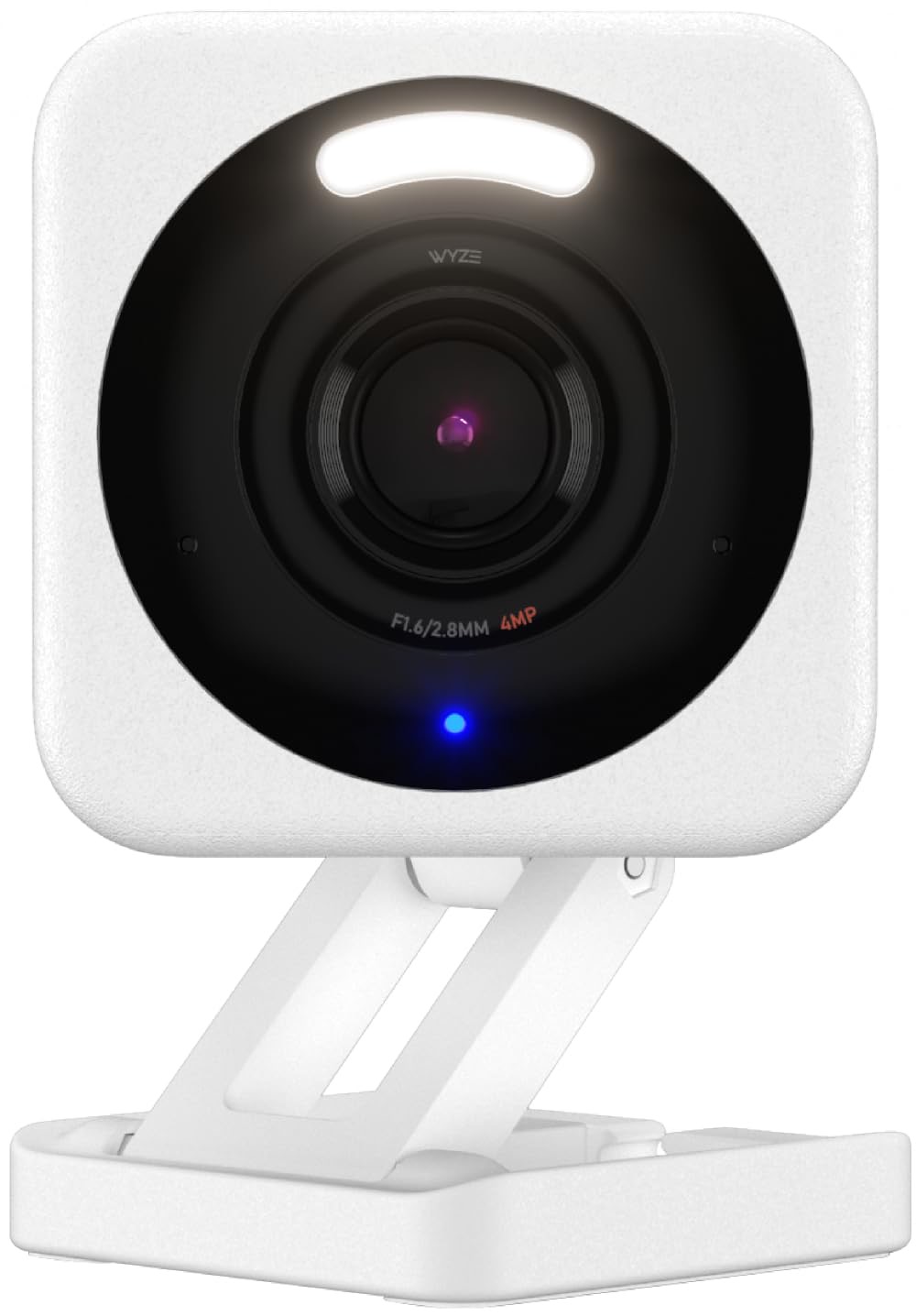
Wyze Cam v4
Our top recommendation for this category
Price as of Feb 27, 2026 — see current price on Amazon.
Home security cameras used to mean grainy 480p footage that was useless for identifying anyone. Today a $40 camera shoots clear 2K video with color night vision, motion detection, and a two-way speaker. The hard part is not picture quality anymore. It is the subscription.
Most cameras will hold basic features hostage behind a monthly plan the moment you stop paying. Wyze keeps most features free. eufy runs entirely local with no cloud fees. The others land somewhere in between.
The five cameras below are compared on video clarity, night vision accuracy, app reliability, and smart home compatibility. Here is what actually works in 2026.
Quick picks
- Best budget: Wyze Cam v4 at ~$40: 2.5K QHD video, color night vision, motion spotlight, and most AI features free
- Best no-subscription pick: eufy SoloCam S340 at ~$150: solar-powered, 360-degree pan and tilt, local storage, no monthly fee ever
- Best premium wireless: Arlo Pro XL 6th Gen at ~$180: 2K HDR, 160-degree field of view, dual-band Wi-Fi, six-month battery life
- Best for Ring ecosystem: Ring Indoor Cam Gen 2 at ~$60: plug-in convenience, Alexa integration, sharp 1080p video for indoor monitoring
- Best for Google Home: Google Nest Cam Indoor Wired 3rd Gen at ~$130: 2K video with Gemini AI features, five-minute clip recording, the tightest Google Home integration available
Wyze Cam v4
Wyze Cam v4
Pros
- 2.5K QHD resolution with Enhanced Color Night Vision at no extra cost
- Motion-activated spotlight and siren are included without a subscription
- IP65 weather resistance works mounted indoors or outdoors
- MicroSD slot supports 24/7 local recording without any cloud fee
- AI person, pet, and package detection available on the free Cam Plus Lite plan
Cons
- App occasionally shows lag on busy home Wi-Fi networks
- Full AI notifications and cloud clip storage require Cam Plus (~$1.99/month)
- Two-wire power cable is fixed, no battery option
Price as of Feb 27, 2026 — see current price on Amazon.
At $40, the Wyze Cam v4 does things that cameras costing five times more struggle to match. The 2.5K QHD sensor produces footage sharp enough to read a license plate in good light, and the Enhanced Color Night Vision keeps identifying color in dark conditions instead of switching to washed-out black and white.
The free feature set matters more than the price. Wyze gives you motion alerts, 14-day cloud thumbnails, and person detection without charging a single dollar monthly. Competitors that sell hardware at similar prices then lock basic notifications behind a $5-10 monthly plan effectively cost more over two years.
The motion spotlight is a genuine deterrent for outdoor use. When the camera detects motion at night, a bright LED lights the scene before the camera records. Combined with the two-way audio and siren, most potential intruders move on before footage is even captured.
Local recording to microSD is Wyze's backup answer to cloud storage. Pop in a 128GB card and you have weeks of continuous footage stored on-site, no subscription needed. The card is user-replaceable.
If you want full AI video clips with five-second previews and advanced package detection, Cam Plus costs $1.99 per camera per month. For most homes, the free tier is enough.
Best for: Budget-conscious buyers who want real video quality without a mandatory subscription, anyone adding outdoor coverage to a house that currently has none.
eufy Security SoloCam S340
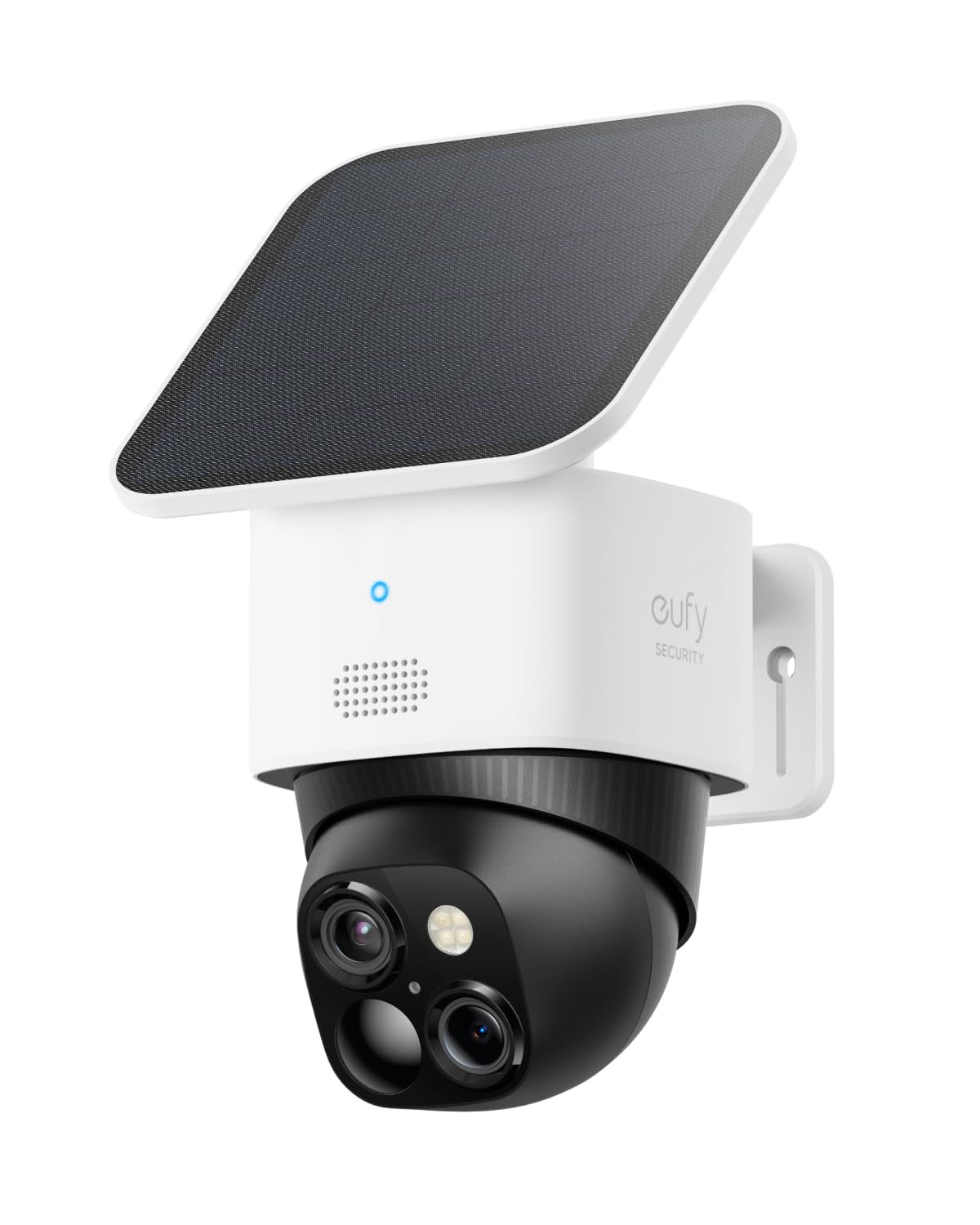
eufy Security SoloCam S340
Pros
- Solar-powered with a built-in backup battery for continuous operation
- 360-degree pan and tilt covers an entire yard with one camera
- 3K resolution with 8x digital zoom for sharp detail at distance
- Local storage via eMMC chip, no cloud subscription required
- IP67 weather resistance rated for heavy rain and dust
Cons
- Requires at least four hours of direct sunlight per day for sustained operation
- Pan and tilt tracking can feel slightly slow compared to Arlo
- HomeBase S380 required for some advanced features, sold separately
Price as of Feb 27, 2026 — see current price on Amazon.
The eufy SoloCam S340 answers the two biggest complaints about outdoor security cameras in one package: subscription fees and wiring. Solar power eliminates the need to run cable or replace batteries, and the integrated local storage means no monthly cloud fee, ever.
The 360-degree pan and tilt is what makes one S340 potentially replace two or three fixed cameras. The motorized head sweeps across an entire backyard, driveway, or parking area. Tracking follows detected motion automatically, so you are not manually panning to follow someone walking across the yard.
3K resolution with 8x zoom is sharper than most cameras at this price. On a residential driveway, the S340 can read license plates clearly from the street while still showing the full width of the entry. The digital zoom holds detail well up to about 4x before pixelation becomes visible.
eufy's subscription-free stance is a genuine market differentiator. All recordings store locally to built-in eMMC storage or the optional HomeBase. Cloud backups are available but entirely optional, unlike Ring and Arlo where cloud features are central to the product value.
The solar dependency is the real limitation: in overcast climates or heavily shaded mounting spots, the battery drains faster than the panel recharges. In Phoenix or Florida this is never an issue. In Seattle or the Pacific Northwest, budget for a wall-mount near an outlet as a backup plan.
Best for: Homeowners who refuse to pay a monthly fee, properties where running power cable to the camera location is impractical, anyone who wants to cover a large outdoor area with a single camera.
Arlo Pro XL Security Camera (6th Gen)
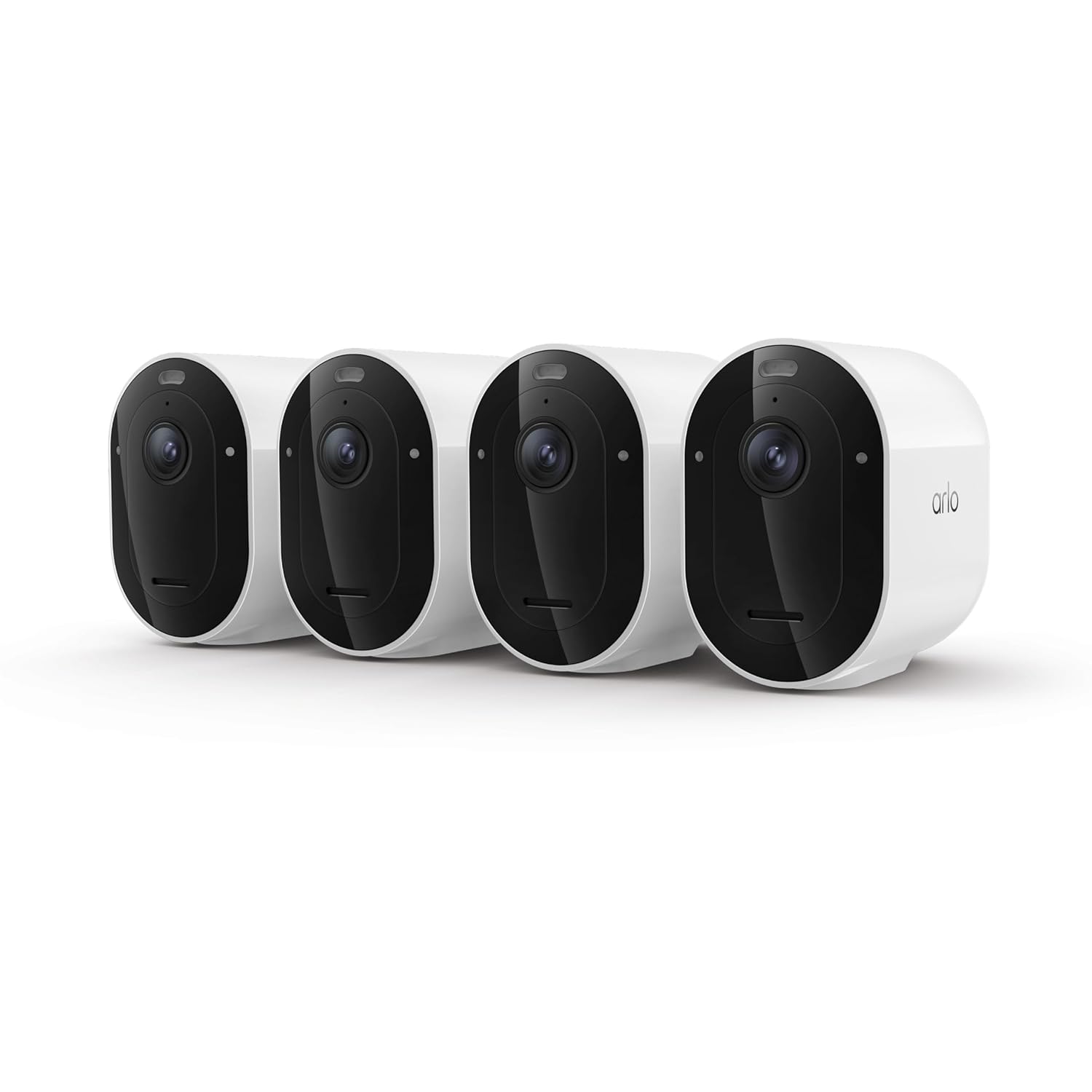
Arlo Pro XL Security Camera (6th Gen)
Pros
- Dual-band Wi-Fi connects to whichever band has the strongest signal
- 2K HDR video with 160-degree field of view covers wide angles without distortion
- Six-month battery life on the XL battery with normal motion detection use
- Color night vision with an integrated spotlight on motion detection
- Emergency response service connects to professional monitoring services
Cons
- Full AI detection features require Arlo Secure subscription at $9.99/month
- Base subscription required to unlock clip storage beyond a 30-day trial
- Higher entry price compared to Wyze and Ring options
Price as of Feb 27, 2026 — see current price on Amazon.
Arlo built the Pro XL 6th Gen for buyers who want a wire-free camera that does not require a hub, tolerates long periods between charges, and produces video that actually holds up in court. The combination of 2K HDR and a 160-degree field of view means you cover more area at higher clarity than most single cameras.
The dual-band Wi-Fi is underrated. Cameras that lock to 2.4GHz only are slower and more prone to interference from other devices. The Pro XL connects to 5GHz when it is available, meaning faster clip uploads and more reliable live streaming from a crowded home network.
Six months on a charge is realistic for most homes with moderate motion activity. Heavy traffic areas like a busy front door might drain faster, but the XL battery genuinely outperforms the standard Pro by about 2x in real use. When the battery does run low, the camera sends a notification before it dies, giving you time to charge.
The emergency response feature is newer and worth calling out: you can subscribe to a professional monitoring plan that connects verified alarm events to a call center and, if needed, dispatches emergency services. It is a direct competitor to Ring Alarm for people who want professional backup without a full security system.
The subscription caveat applies here. Basic operation and live view are free, but AI person detection, clip storage beyond the trial period, and advanced automations require Arlo Secure at $9.99/month. Budget for that ongoing cost before choosing Arlo over a more subscription-friendly competitor.
Best for: Buyers who want the best wireless outdoor camera without a hub, households that prioritize long battery life over monthly charging, homes that want optional professional monitoring on top of DIY camera coverage.
Ring Indoor Cam (2nd Gen)

Ring Indoor Cam (2nd Gen)
Pros
- Plug-in power means no charging and no interruption in recording
- Deep Alexa integration lets you view footage on Echo Show or Fire TV
- Privacy shutter physically blocks the lens when the camera is off
- Works with Ring Alarm for combined camera and sensor coverage
- Compact footprint fits on a bookshelf or window ledge without mounting
Cons
- 1080p resolution is behind the 2K and 2.5K competitors at this price
- Ring Protect plan required at $4.99/month to review recorded clips
- Limited smart home compatibility outside the Amazon and Ring ecosystem
Price as of Feb 27, 2026 — see current price on Amazon.
The Ring Indoor Cam Gen 2 is the right choice if you already own Alexa devices or a Ring doorbell and want indoor coverage that feels like a natural extension of what you have. Saying "Alexa, show me the living room camera" on an Echo Show and seeing a live feed instantly is more useful day to day than it sounds.
The physical privacy shutter is the standout feature for anyone uncomfortable with an always-on indoor camera. The switch on the side slides a mechanical cover over the lens. There is no software to trust, no remote access possible: the camera literally cannot see when the shutter is closed. Ring calls it out as a privacy-first feature for bedrooms and home offices.
1080p resolution in 2026 feels like a step down compared to Wyze and Nest Cam competitors, and it is. In normal daylight conditions the footage is clean and usable, but fine text or distant faces in lower light conditions lack the sharpness you would get from a 2K sensor. For indoor monitoring of rooms and entry points, it is acceptable. For identifying specific people at a distance, the Wyze or Nest Cam would serve better.
The Ring Protect subscription is worth factoring into the true cost. Without it, you get live view and real-time alerts, but no stored clip history. At $4.99 per month per location, protecting an entire Ring camera setup with one subscription is reasonable if you own three or more devices. A single indoor cam on its own subscription at $4.99 starts feeling expensive relative to what you get.
Best for: Existing Alexa and Ring households adding indoor coverage, buyers who want a physical privacy shutter for rooms where the camera should truly be off, shoppers who already pay for Ring Protect through a doorbell subscription.
Google Nest Cam Indoor (Wired, 3rd Gen)
Google Nest Cam Indoor (Wired, 3rd Gen)
Pros
- 2K video with Gemini AI features for smarter motion descriptions
- Records clips up to five minutes long, three times longer than most competitors
- Facial recognition learns to distinguish family members from strangers
- Works natively in Google Home for automations with lights, locks, and speakers
- HDR handles mixed lighting without overexposing windows or darkening interiors
Cons
- Nest Aware subscription at $8/month required for clip history beyond three hours
- Wired only, no battery option in this model
- Best features require being deep in the Google ecosystem
Price as of Feb 27, 2026 — see current price on Amazon.
The Google Nest Cam Indoor Wired 3rd Gen is the most capable indoor camera in this roundup if you live in the Google ecosystem. The 2K HDR sensor handles the difficult lighting conditions that trip up most indoor cameras, particularly rooms with bright windows. Footage stays balanced in daylight scenes instead of blowing out the background.
The Gemini AI integration, added to the 2025 model, goes beyond basic person detection. It generates natural language descriptions of motion events: not just "person detected" but "a person in a red jacket entered through the front door at 2:47 PM." That level of specificity is useful when reviewing footage after an incident.
Five-minute clip recording is a practical advantage competitors cannot match at this price point. Most cameras record 20-30 second clips when motion triggers. The Nest Cam records up to five minutes, which means you see what happened before and after the initial trigger, not just the moment someone walked in front of the lens.
Facial recognition stores learned faces locally and flags unfamiliar faces as "unknown person" in alerts. Over time it distinguishes between household members, frequent visitors, and strangers. The alerts for unfamiliar faces are more actionable than generic "motion detected" notifications.
Google Home integration enables automations that cross-product categories. A motion detection event can trigger your Nest smart lights to turn on, lock the front door via a connected smart lock, or announce on Nest Audio speakers throughout the house. These automations run locally through the Google Home hub in the app without requiring cloud processing.
Best for: Google Home users who want a camera that connects to existing devices, households that want AI-powered motion descriptions and clip history, anyone who has tried other cameras and wants significantly better smart home automations.
How to choose a home security camera
Subscription model first, hardware second
Hardware quality across major brands in 2026 is close enough that the subscription model matters more than the sensor in most purchasing decisions. A camera with good hardware locked behind a $15/month subscription costs $180/year in perpetuity. Wyze's free tier or eufy's local storage model can deliver comparable picture quality with no ongoing fee.
Calculate the two-year total cost before deciding: hardware price plus subscription fees multiplied by 24 months. A $60 camera with a $10/month subscription costs $300 over two years. A $150 camera with no subscription costs $150.
Indoor vs outdoor requirements
Indoor cameras work at lower weather ratings and can skip features like motion-activated spotlights. Outdoor cameras need at least IP65 rating for reliable operation in rain. The eufy SoloCam and Arlo Pro XL are designed primarily for outdoor use. The Ring Indoor Cam and Google Nest Cam Wired are indoor-first products that work outdoors only under covered mounting.
Resolution and night vision
2K (2048x1536) is the minimum worth buying in 2026 for outdoor cameras where license plate reading or face identification matters. 1080p is acceptable for indoor use where subjects are close to the camera. Color night vision keeps footage useful in low light. Black-and-white night vision is technically sharper but less useful for identifying people, clothing, or vehicles.
Smart home ecosystem
Camera choice should align with your existing smart home hub. Alexa users get the most from Ring. Google Home users get the most from Nest Cam. If you do not have a strong ecosystem preference, Wyze works with both Alexa and Google and does not lock you in.
Wired vs battery power
Wired cameras record continuously and never run out of power. Battery cameras are easier to install but require charging every few months and typically only record on motion detection, not continuously. The eufy S340 splits the difference with solar charging that maintains a battery buffer.
Compare all picks
Frequently asked questions
Do security cameras need a monthly subscription?
No, though most companies push hard for one. Wyze offers a genuinely useful free tier with motion alerts, thumbnails, and basic AI detection. eufy records entirely locally with no cloud fee required. Ring, Arlo, and Google Nest Cam all have limited free tiers, but clip history and AI features require paid plans ranging from $5-15 per month.
What resolution do I need for a security camera?
For outdoor use where you want to identify people or read license plates, 2K (2048x1536) or higher is the practical minimum. 1080p is fine for indoor monitoring of rooms and entry points where subjects are close to the camera. Most cameras launched in 2026 ship at 2K or 2.5K. 1080p in new products is a budget trade-off.
Can security cameras work without Wi-Fi?
Cameras with local storage (eufy, Wyze with microSD) continue recording to the card if Wi-Fi drops, but remote access and cloud alerts stop working. Cameras that rely entirely on cloud storage go offline and stop recording when Wi-Fi is lost. For reliable 24/7 recording, choose a camera with onboard or microSD storage.
How many cameras do I actually need?
Start with one camera at the front door and one covering the backyard or secondary entry point. Most break-ins happen at the front door, back door, or first-floor windows. An indoor camera covering the entry hallway adds value for package monitoring and internal security. Three to four cameras covers the average single-family home adequately without significant coverage gaps.
Are wireless cameras as reliable as wired ones?
For monitoring and recording, yes. For 24/7 continuous recording without gaps, wired cameras with local storage are more reliable because battery cameras typically record only on motion detection. Wi-Fi reliability matters: a camera 50 feet from your router with three walls in between will drop frames and miss alerts. Confirm signal strength at the intended mounting location before purchasing.
The bottom line
The Wyze Cam v4 wins for anyone who wants real value at $40 with no mandatory subscription. eufy's SoloCam S340 is the right call when you need outdoor coverage, refuse to pay a monthly fee, and cannot easily run power cable. The Arlo Pro XL 6th Gen is the best wireless premium camera for buyers who prioritize battery life and video quality and are willing to pay for the Arlo Secure plan.
If you are already in the Ring or Google ecosystem, the Ring Indoor Cam Gen 2 or Google Nest Cam Wired 3rd Gen extend what you have with tight native integration that third-party cameras cannot match.
For more ways to secure your home with connected devices, see the guides to best video doorbells, best smart locks, and best mesh Wi-Fi systems to build a complete setup. If you want door sensors, a siren and optional professional monitoring alongside your cameras, our best DIY home security systems guide compares alarm kits and what their plans cost.
How We Pick
We pick products by combining spec-level research, price checks, trusted third-party benchmarks, and owner sentiment from high-signal sources.
- Performance and real-world value in the category this guide targets
- Price-to-performance and deal consistency over recent pricing windows
- Build quality, reliability patterns, and known long-term issues
- Recommendation refresh cadence to keep these picks current
Author
TheTechSearch Editorial Team
Independent product reviewers & PC builders
We compare real-world specs, reviews and owner reports, price trends, and user feedback to recommend gear that actually makes sense to buy.